
Technical story 12 · Property and real estate exhibitions
Day two of Cityscape Bahrain. A couple has already walked past a dozen masterplan models and collected a bag of brochures they will never open. They slow at a stand where a tablet shows a villa they can turn, filter and send to the big screen behind the counter. One of them taps “Add to basket” on two products, then “Enquire now”. By the time a sales consultant walks over, the enquiry is already on his list, with the unit types they looked at. That is the whole idea, start to finish, in under two minutes.
Interactive technology at Cityscape Bahrain 2026 is not about putting more screens on a stand. It is about giving visitors something to do, recording what they showed interest in with their consent, and handing that context to a person who can turn it into a meeting. Cityscape Bahrain 2026 runs from 24 to 28 November at Exhibition World Bahrain. At a show where most people come to compare projects, the stand that lets them explore a property, rather than just look at it, is the stand that gets the follow-up call.
The principle. Every screen on a property stand should move a visitor one step closer to a conversation: attract, explore, select, enquire, follow up. If a feature does not serve one of those steps, it does not belong on the stand.
We built a working version of this for the show. Everything in this article is live in the FAIM Cityscape Bahrain 2026 experience, and you can open each part from the links as you read, on a phone, tablet or laptop.

Open the live Cityscape experience
Why property stands struggle to hold attention
Cityscape Bahrain is a comparison show. According to the organiser’s sales brochure, the 2025 edition drew more than 11,000 visitors over five days, and 2026 is the fifth edition. The same brochure says 86% of visitors plan to come back in 2026 and 85% call it an important event. Those are people who arrive with intent, which is exactly why a passive stand loses them.
The typical property stand offers three things: a model behind glass, a looping film and a pile of brochures. None of them invites the visitor to do anything, and none of them tells the sales team who was interested in what. The visitor who leaves after a good look leaves nothing behind.
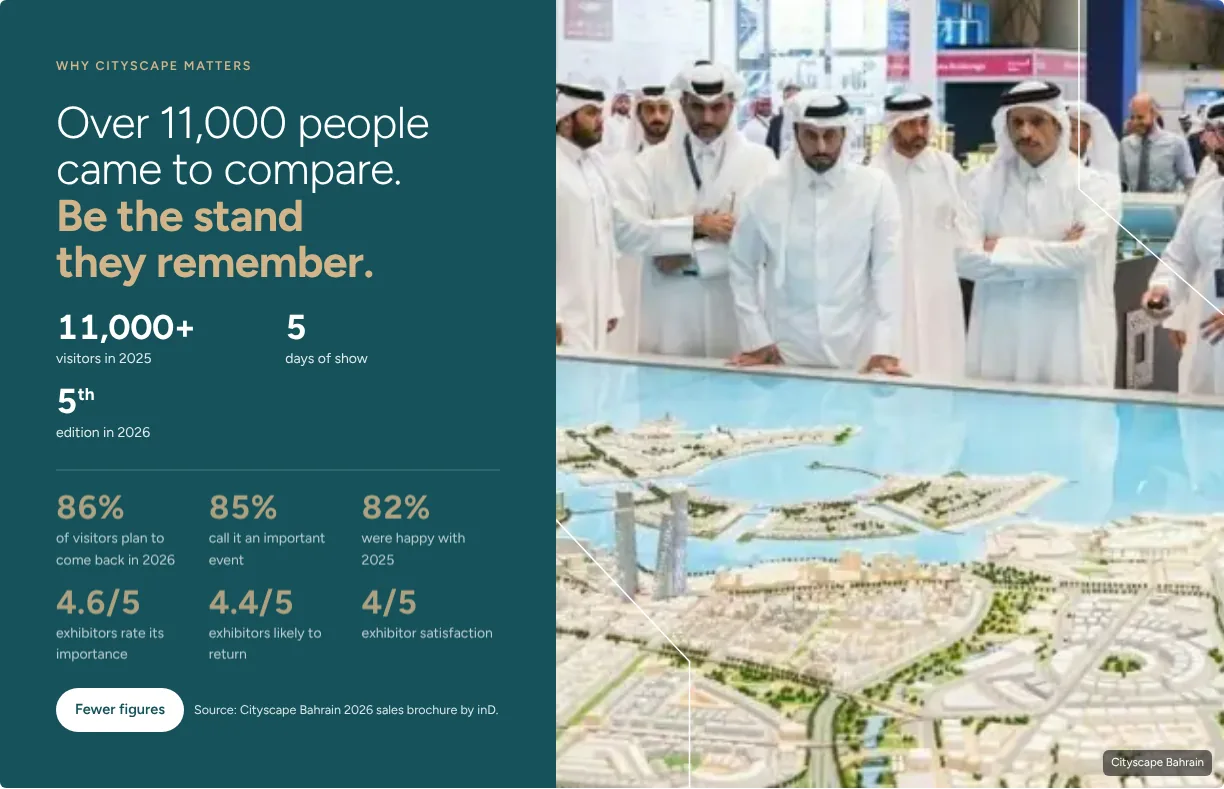
The brochure also breaks down who walks the halls. Homebuyers, investors and future homeowners make up 60% of visitors, brokers and property managers 10%, developers and master developers 7%, and institutional investors and PropTech visitors around 1% each. That mix matters, because each group wants a different kind of interaction. In the live experience you can select each group to see which products suit it.

The visitor journey, from aisle to enquiry
We design the stand as one connected journey, not a set of separate screens. A visitor can join at any point and leave at any point, and everything they chose comes with them.
- Attract. A moving selector, a lit model or a projection wall catches the eye from the aisle.
- Explore. The visitor opens one experience and tries it, with a short animated explainer showing how it works.
- Select. Anything they like goes into a basket, a digital shortlist they keep.
- Enquire. One short form sends the basket to the sales team, and the visitor can book a consultation straight away.
- Follow up. The team replies within one working day, with the products the visitor actually chose in front of them.
The handover moment. The point where a visitor taps “Enquire now” is the point where the screen steps back and a person steps in. Every part of the experience is built to reach that moment cleanly.
Discovering the eight experiences
A selector that shows it can be turned
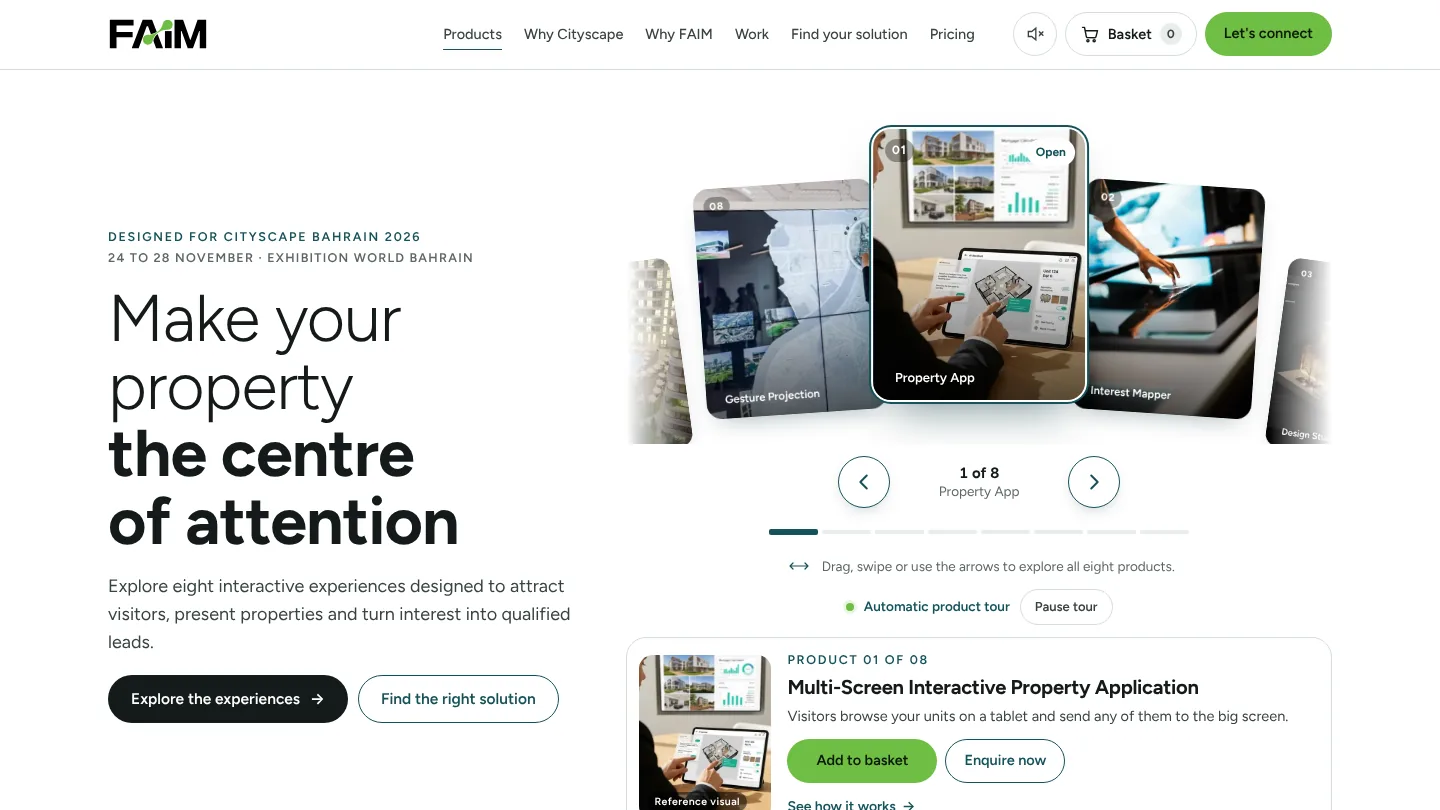
The product selector is an arc of eight cards. The selected product sits in the centre with its neighbours visible on either side, so it is obvious there is more to see. Visitors can drag, swipe, use the large arrow buttons or the keyboard, and a progress bar and “1 of 8” label show where they are. Below the arc, a summary card shows the product name, one line on what it does, and two clear actions: Add to basket and Enquire now.
The first time someone opens the page, the selector moves a little and returns, which is enough to show it rotates. It does not repeat in the same session.
The automatic product tour
Stands are not always staffed at the screen. If nobody touches the home screen for 20 seconds, an automatic product tour starts. It moves to a new product every seven seconds, shows a small “Automatic product tour” label and a visible pause button, and plays the active product’s muted preview where one exists.
The tour stops the moment anyone touches, scrolls or types. It never runs while a form, basket, booking window or the FAIM chatbot is open, never runs in a hidden browser tab, never plays sound and never moves keyboard focus. It is disabled for visitors who have reduced motion switched on in their device settings.
A clean view for each product
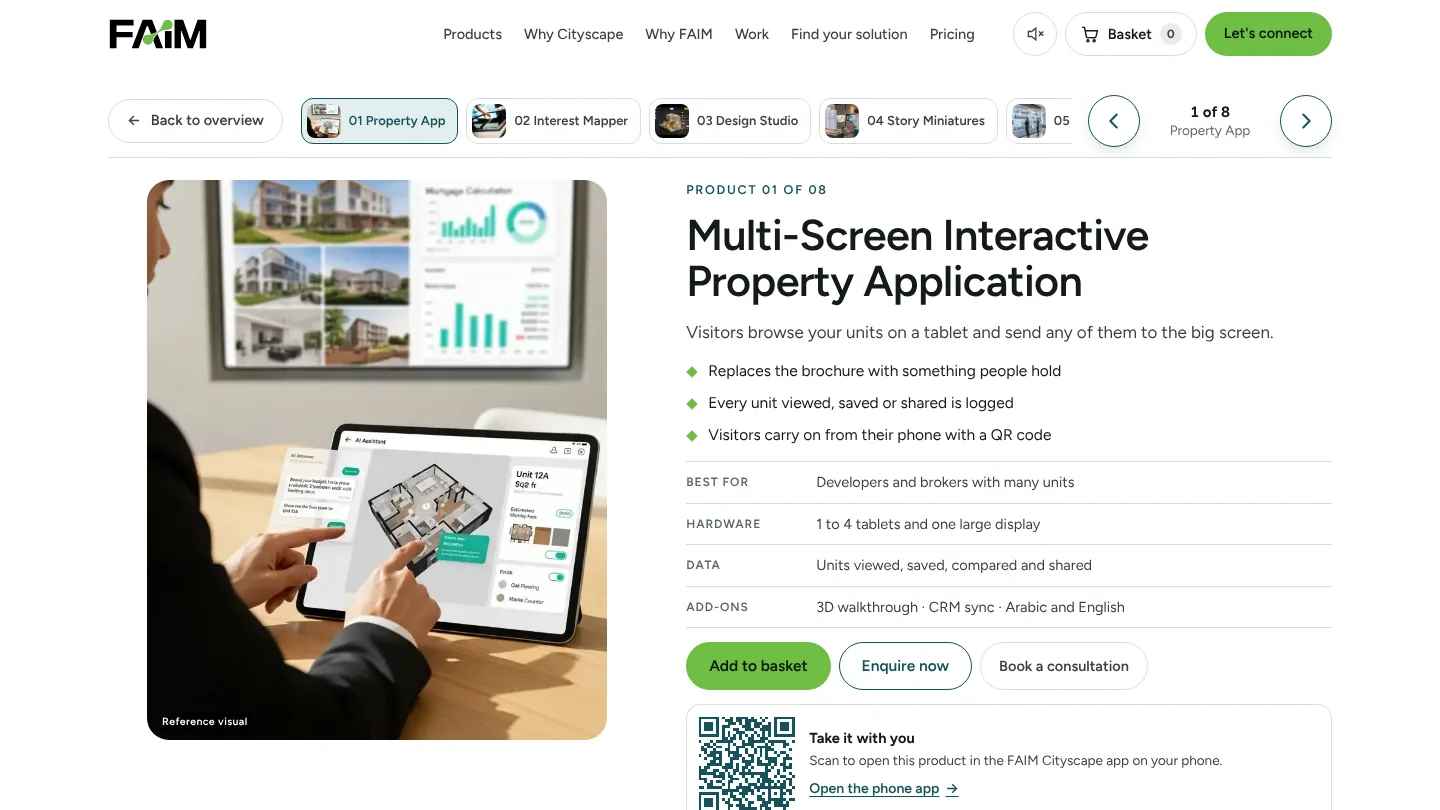
Opening a product collapses the introduction and shows only that product: its image or video, what it does, three benefits, who it is best for, the hardware it needs, the data it collects and the add-ons available. The previous and next buttons and a thumbnail strip stay at the top, so visitors can move between products without going back. “Back to overview” returns the original home screen.
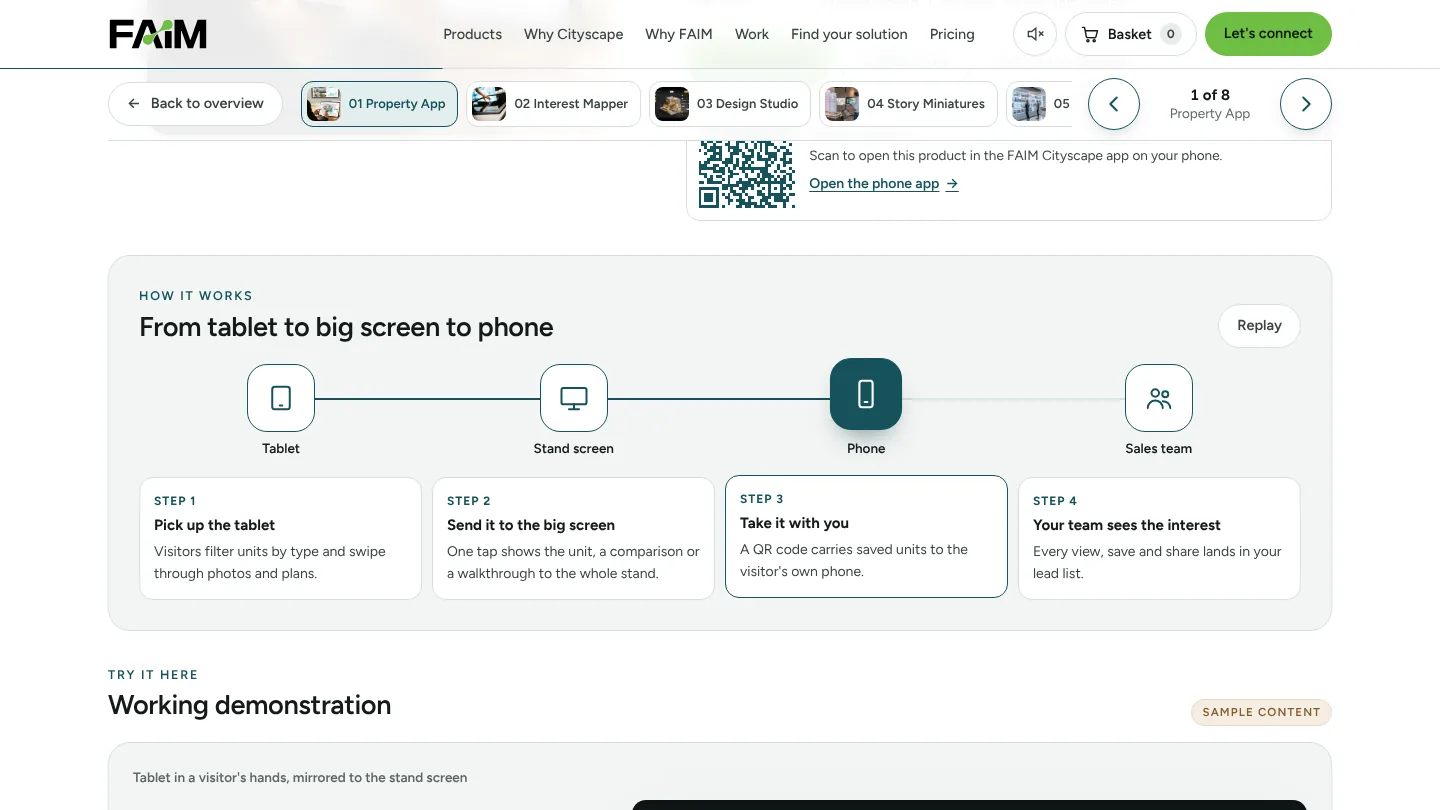
Every product view includes an animated “How it works” explainer. It walks through four steps, from the visitor’s first touch to the lead landing with the sales team, and visitors can replay it or select any step.
The eight interactive experiences, one by one
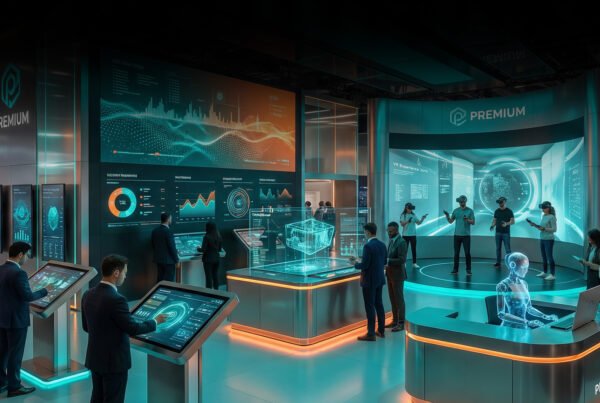
Each product below links straight to its working demonstration. Demonstrations use sample units and sample answers, clearly marked. Some images and videos are reference visuals that show the kind of experience described rather than FAIM projects, and they are labelled that way on the page.
1. Multi-Screen Interactive Property Application
What draws people in: a tablet in the visitor’s hands and a large screen on the stand that reacts to it. What they do: filter units by type, swipe through them, send one to the big screen, compare two side by side, step through a room-by-room walkthrough and save a unit. What happens next: a QR code carries the saved unit to the visitor’s own phone.
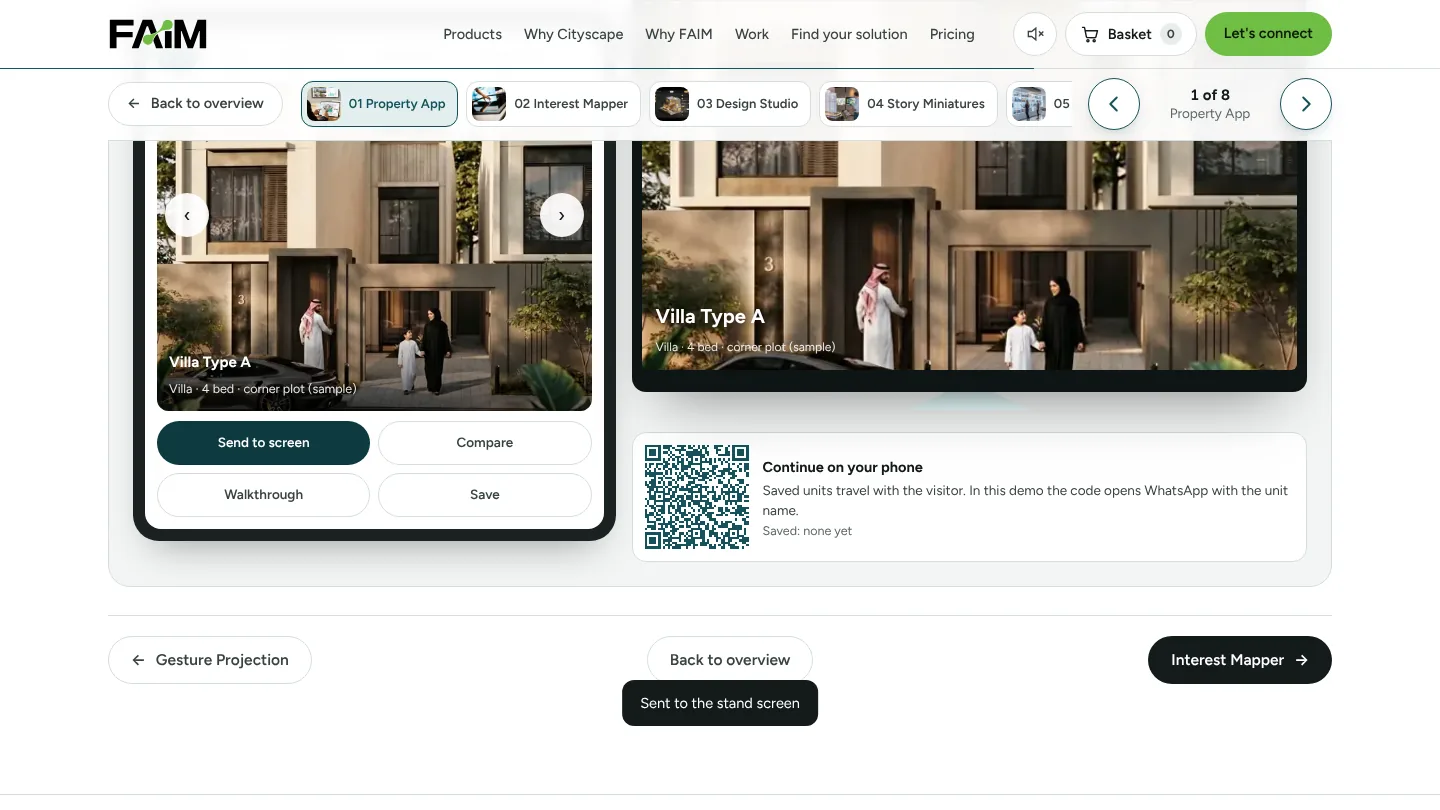
What the developer learns: which units were viewed, saved, compared and shared. It replaces the brochure with something people hold, and suits developers and brokers with many units. The hardware is one to four tablets and one large display.
2. Immersive Mind Mapping and Interest Tracker
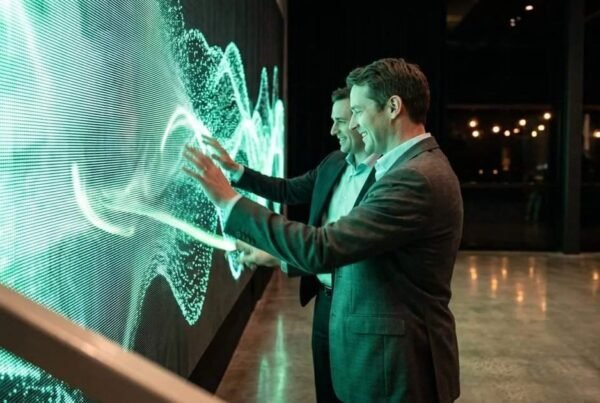
Visitors choose what they want in a home on a touch wall: property type, bedrooms, lifestyle, amenities, whether they will live in it or invest, timeline and style. Each choice adds a branch to a live interest map, and once there are enough choices a best-match unit appears with the reasons it fits. The sales team receives a short interest profile with an intent level, rather than a business card.
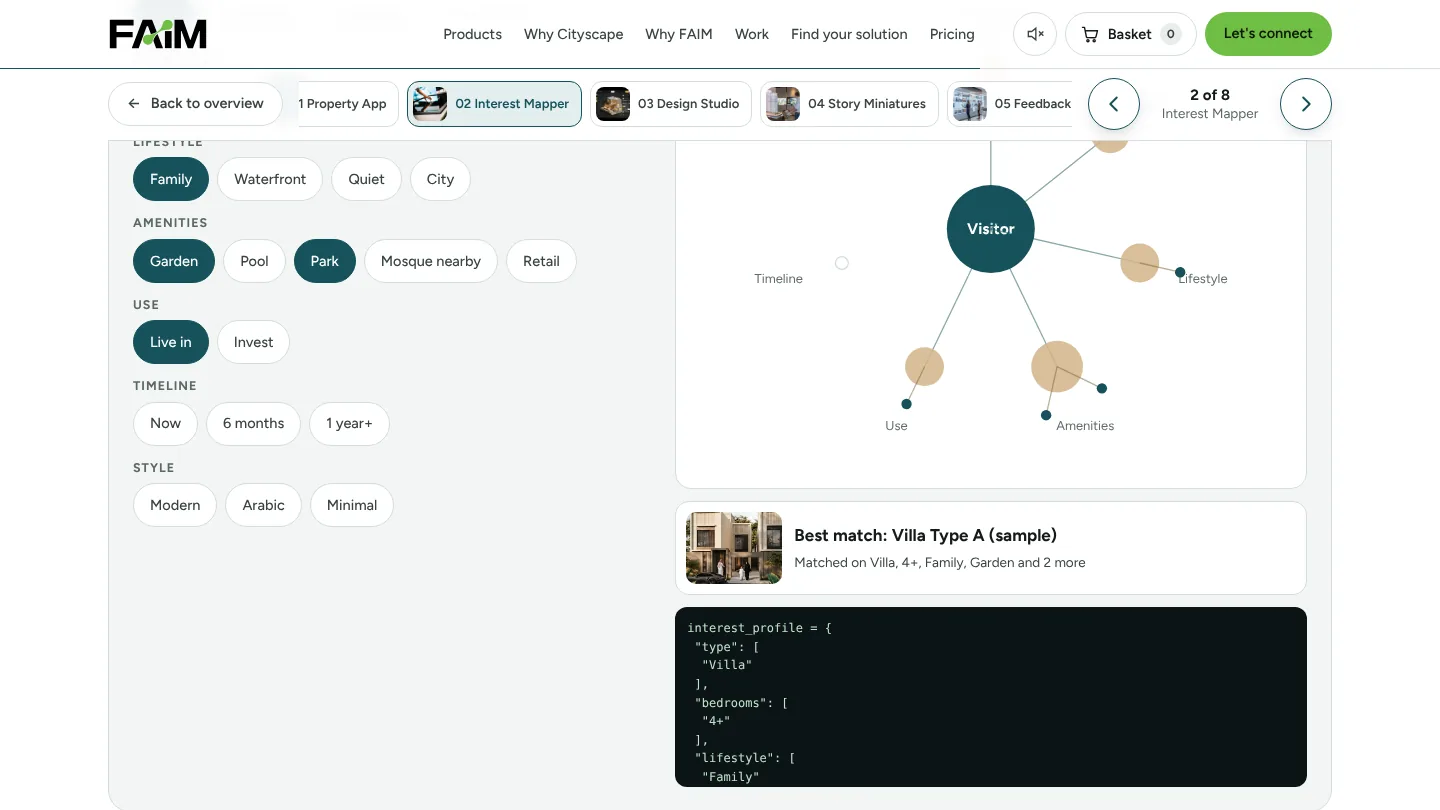
It qualifies a visitor in under a minute and suits brokers and multi-project developers. It runs on a touch screen, or on a projection wall with sensors.
3. Design Your Dream Property
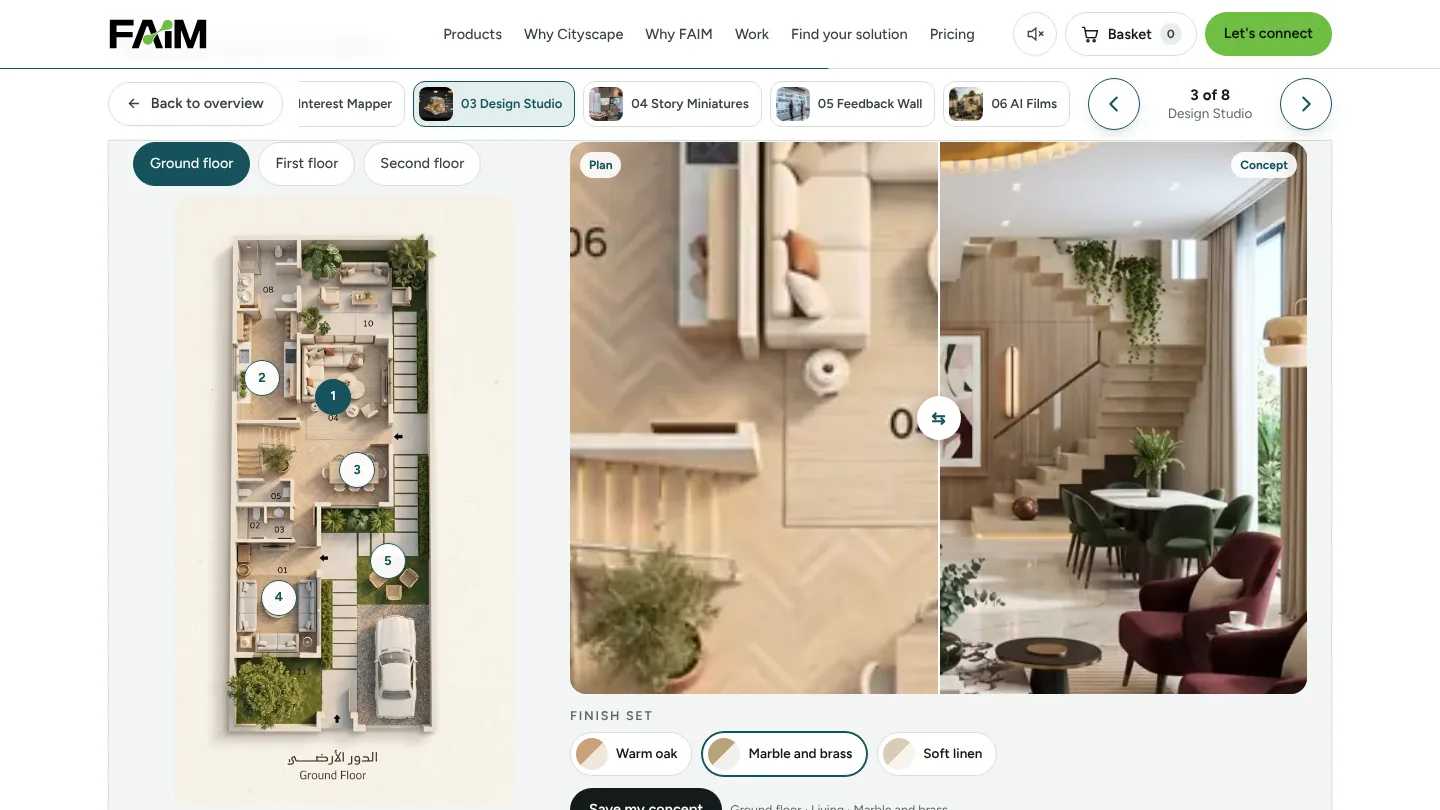
Visitors pick a floor, choose a room on the plan and switch between finish sets. A slider compares the plan with the finished concept, and the visitor can save the concept, which attaches it to their enquiry. People stay longer when the home starts to feel like theirs, and the plans the developer already has become the content.
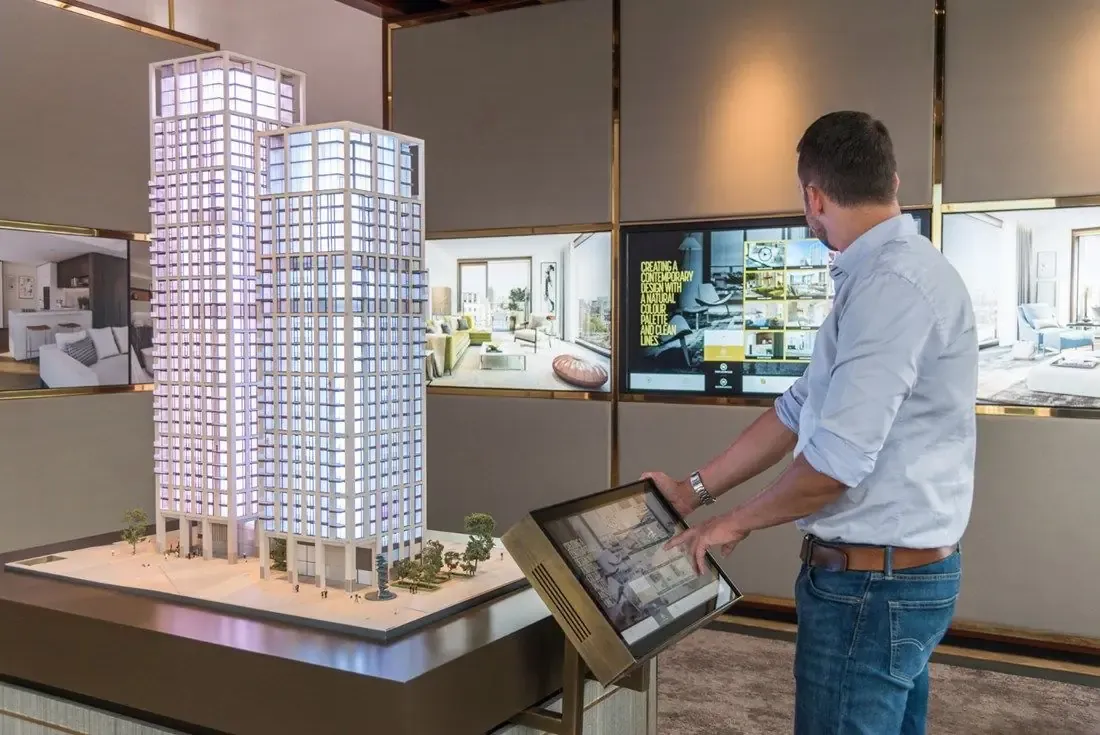
4. Miniatures That Tell a Story
The physical model finally does something. A visitor places a small object, such as a villa, a tree or a tower, on the masterplan table. The table recognises it through NFC, RFID, a camera or a proximity sensor, and that chapter of the development plays on the story screen: location, construction phases, amenities or green corridors. The developer sees which stories were played and for how long.
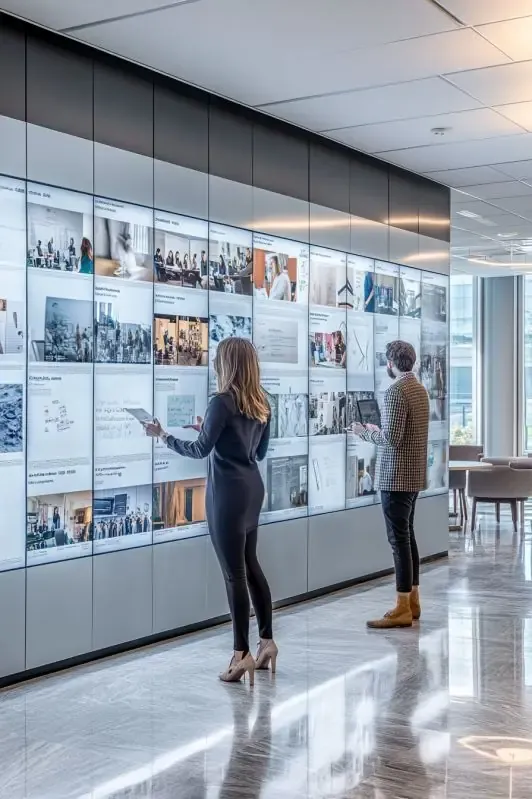
5. Interactive Feedback Wall
Visitors rate the stand, choose what stood out, leave a short line and an optional photo, and tick a box agreeing it can appear on the stand screen. Staff approve posts before they show, then the post appears on the wall and a branded share card is generated. It turns the stand into something people share, and suits any stand and any budget.
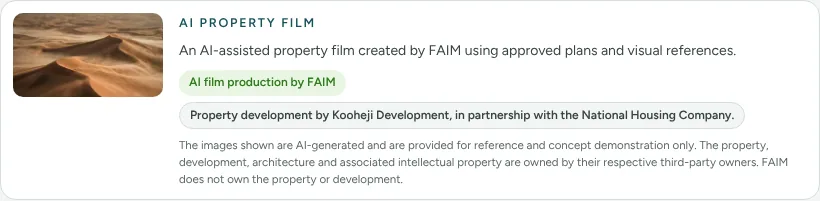
6. Premium AI Films and Content Creation
Launch films and stand content made from the developer’s plans, before the building exists. One production pipeline delivers a launch film, social cuts, stand loops and Arabic versions from the same source, so the finished place can be shown on the first day of sales. In the live demo, visitors switch between formats, including a 9:16 social cut, and step through the stages of the film. We cover how these visuals are made in the AI section below.
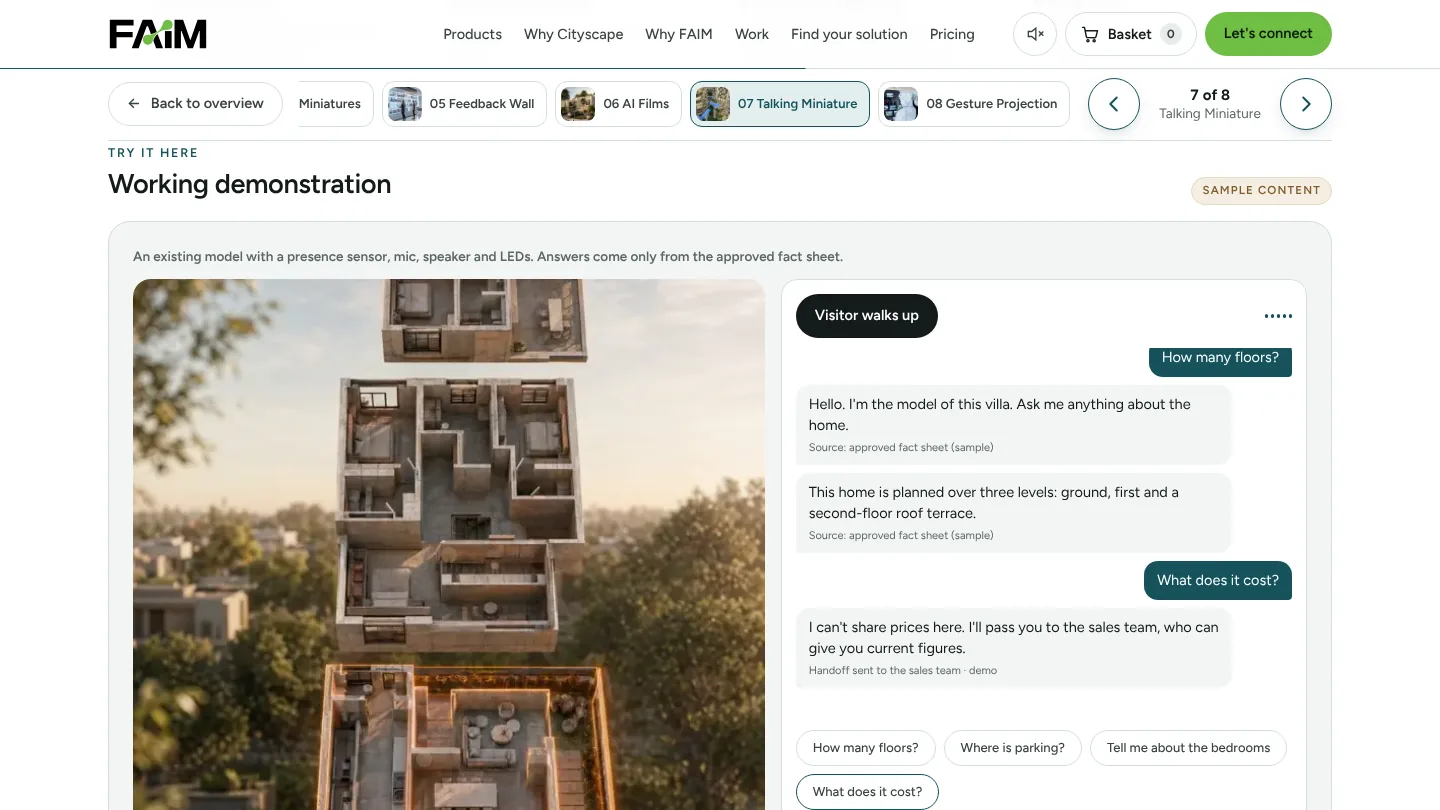
7. Interactive AI Miniature
The model the developer already paid for starts selling. A presence sensor wakes it when someone walks up, the visitor asks a question out loud, and the model answers from a fact sheet the developer approves while LEDs light up the part it is talking about. Questions about price or availability go straight to the sales team rather than being guessed. The data collected is the questions asked, the questions it could not answer and the handovers.
8. Gesture-Controlled Projection Mapping
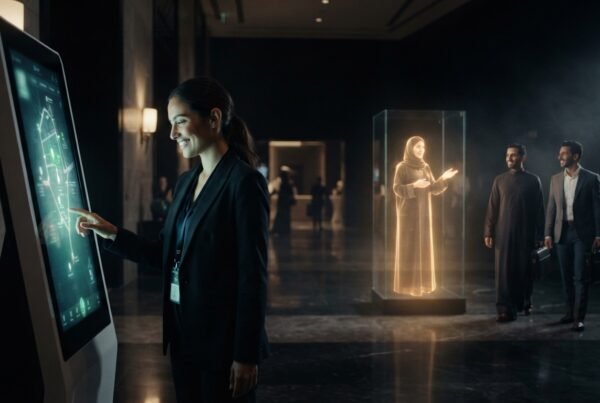
Walk up, raise a hand, and the building on the wall responds. The projection wakes when someone steps into the zone, lights up wherever the visitor points, and changes scene with a swipe: day, dusk, night lighting or architecture layers. It is touch-free, so it works for crowds, and it counts approaches and gestures anonymously, with no faces stored.
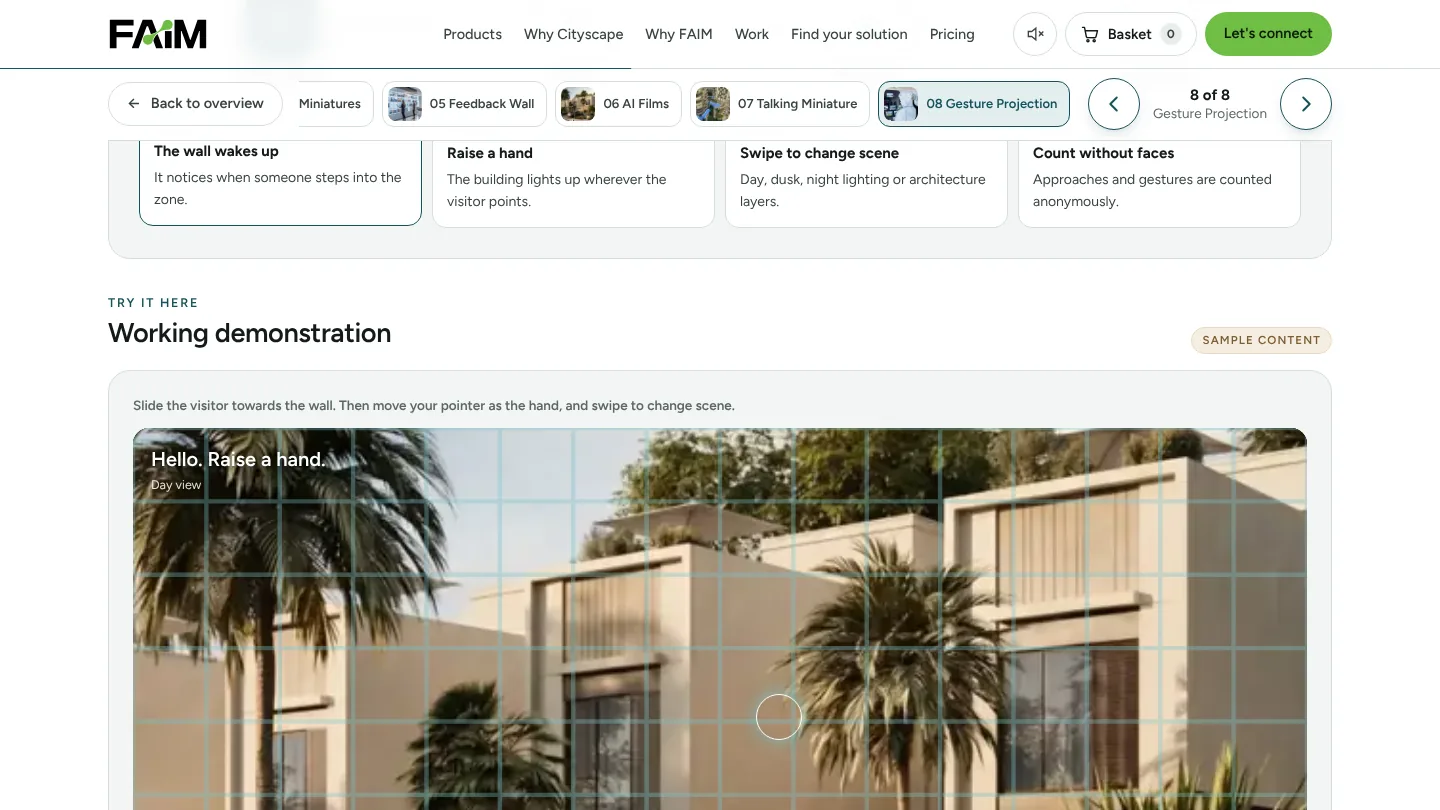
For stands that already have a model, the talking miniature and story miniatures make it the centre of attention. For large stands and public authorities, gesture projection is usually the one people film.
AI property visualisation: showing what is not built yet
Most developments at Cityscape are sold before they exist. AI property visualisation closes that gap. In the AI section of the experience, a slider takes the visitor through five stages of the same project: the empty plot, the masterplan, the finished community, the home and the interior.
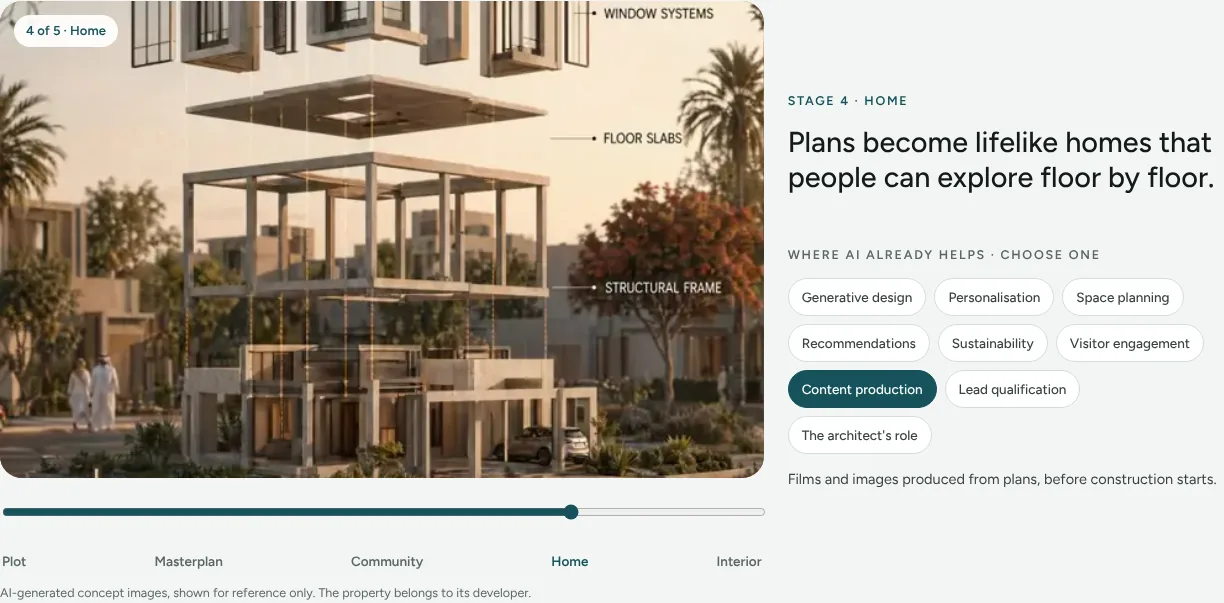
On the technical side, the work starts from the developer’s approved plans and visual references. Our team directs the generation of images and film, checks them against the plans, and grades them so they read as one project. The same source then feeds the stand screens, the launch film and social cuts. We are careful about what these images are: concept visuals for reference, not construction drawings, and the property, architecture and plans remain the developer’s.
The page also lists where AI already helps in property today: generative design, personalisation, space planning, recommendations, sustainability, visitor engagement, content production, lead qualification and the architect’s role. Select a topic and it explains how it shows up in a real project.
Recommendations and questionnaires that qualify the visitor
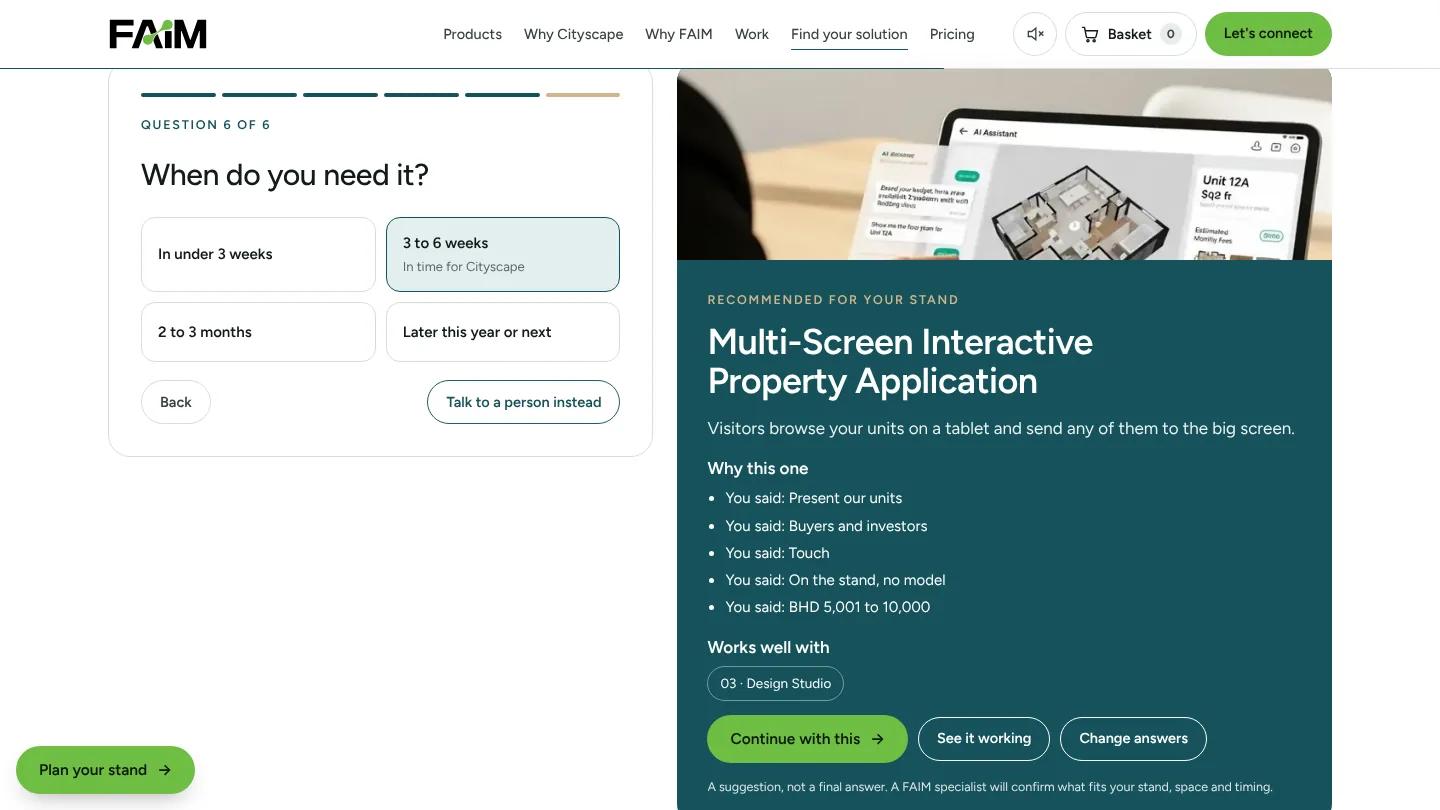
Not every exhibitor knows which experience suits their stand, and not every visitor wants to browse eight products. The Find your solution section asks six quick questions: the goal at Cityscape, the main audience, the kind of interaction, where it will live, the budget band and the timing.
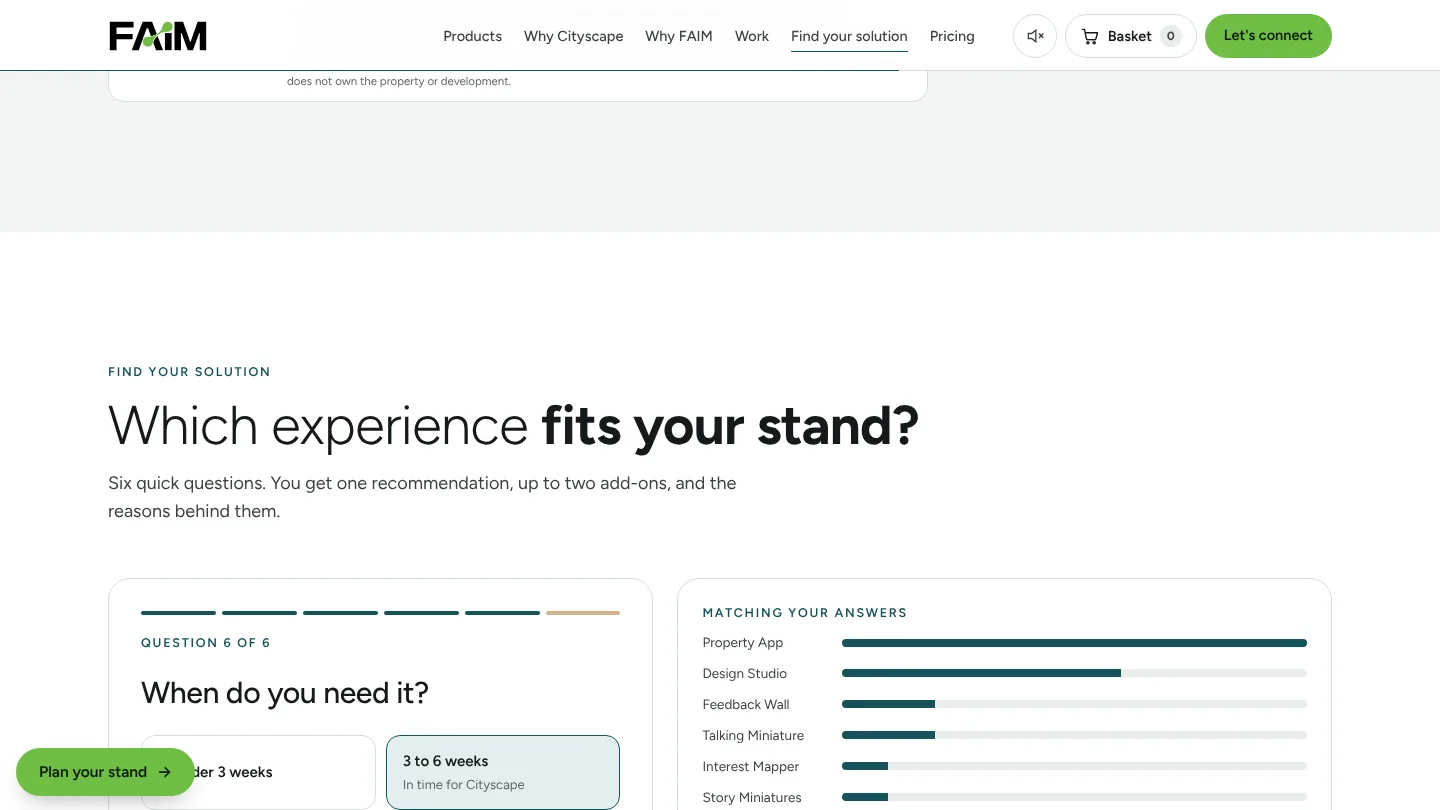
The result is one recommendation, up to two add-ons and the reasons, written back in the visitor’s own answers. It is rule-based, so it is easy to explain, and it never shows prices. Budget bands run from BHD 1,500 to BHD 20,000, plus a custom or enterprise option. “Continue with this” carries the recommendation, budget and objective straight into the enquiry form, so nobody types the same thing twice.
Digital shortlists and lead capture
The basket
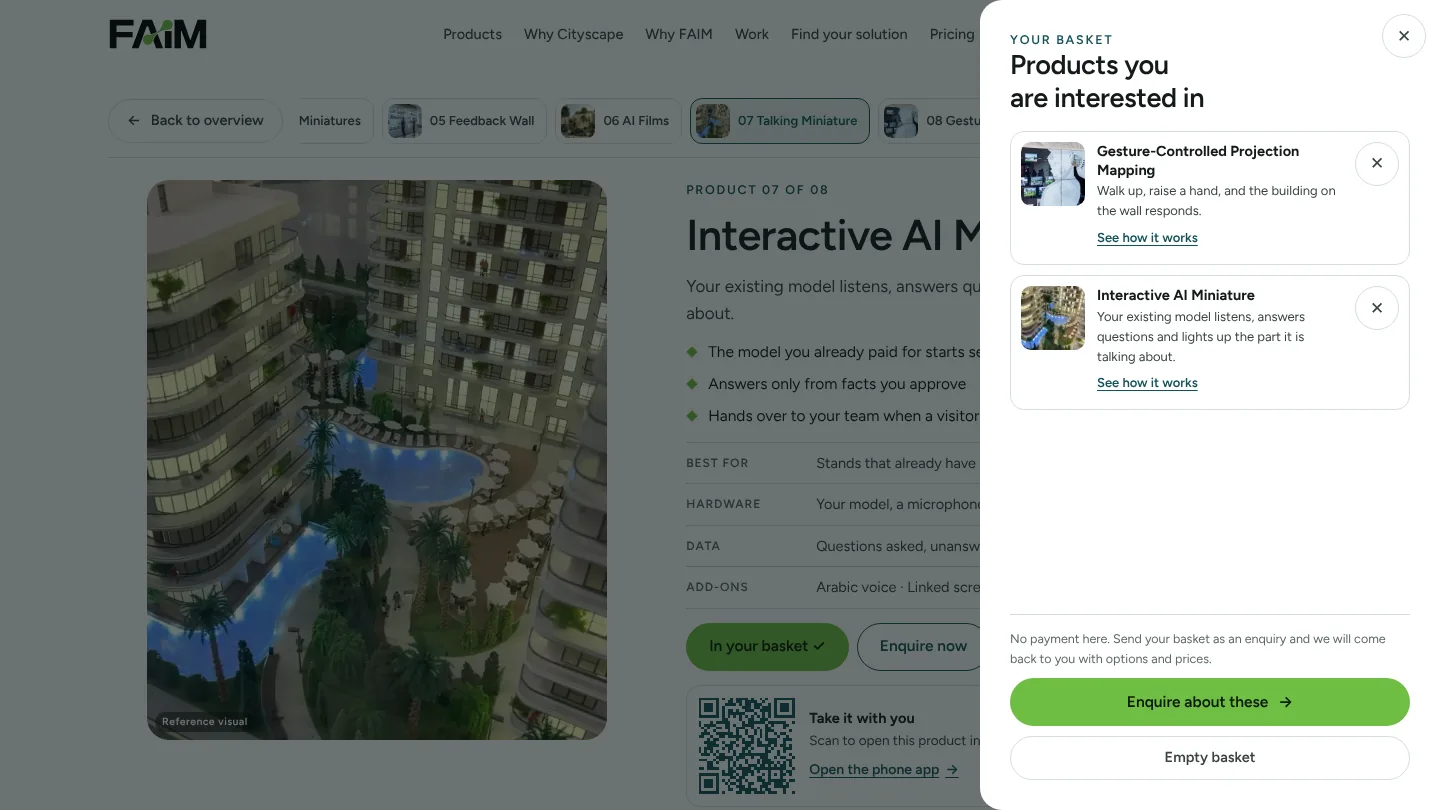
Every product has an “Add to basket” button, and the basket in the header shows a running count. Opening it lists each chosen product with a link back to how it works and a remove button. There is no payment. “Enquire about these” sends the whole basket as one enquiry, and the same basket is shared with the phone app on the same device.
Enquire now
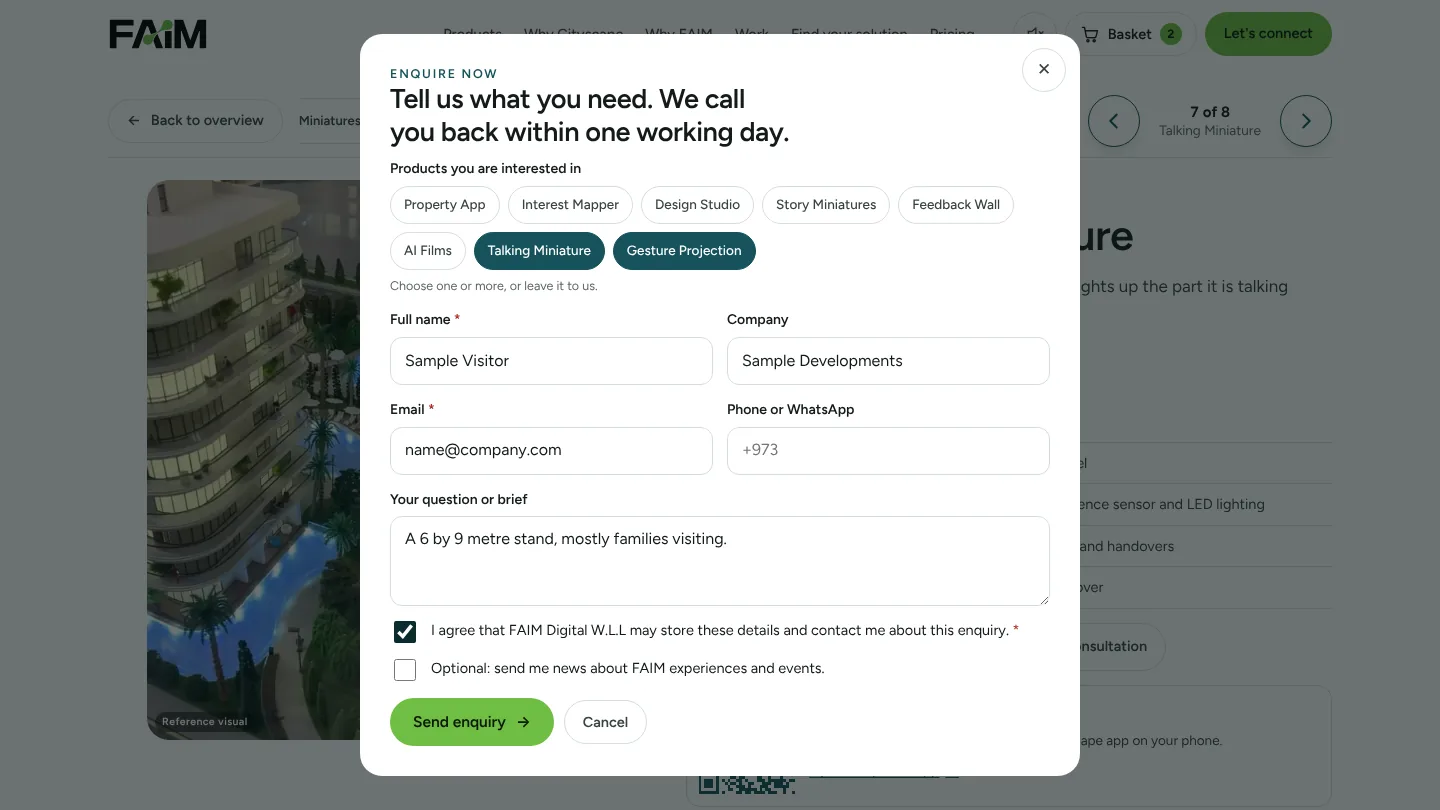
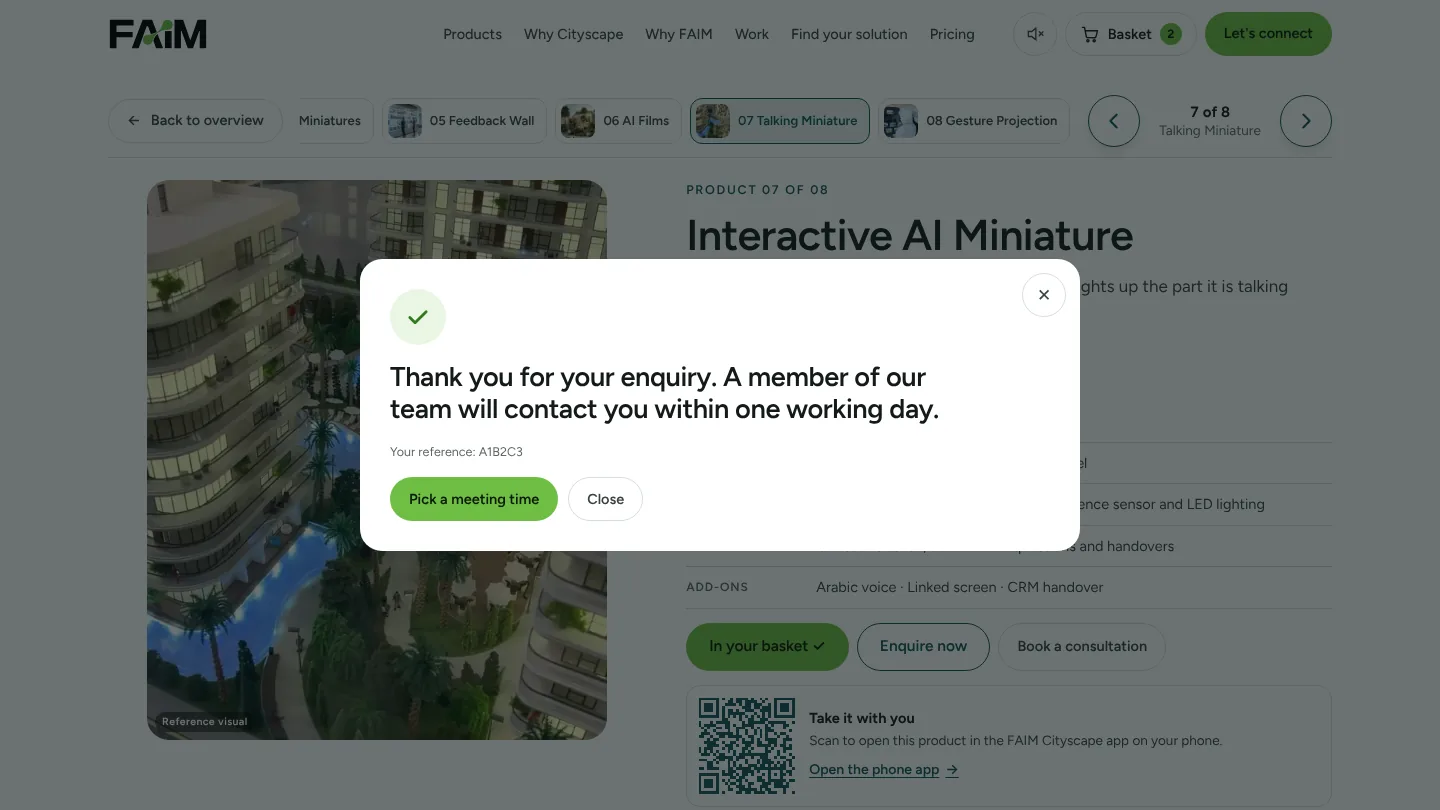
The short enquiry form asks for a name and email, with company, phone and a message optional, and the chosen products are already selected. Consent is a box the visitor ticks, with a separate optional box for news. After sending, the visitor sees: “Thank you for your enquiry. A member of our team will contact you within one working day.” They can pick a meeting time straight away.
The stand planning form
For exhibitors who want to brief us properly, the four-step form covers interest, project, details and permission: product, objective, features, event or project name, date, budget band, interaction level, screens already owned, property types and decision timeline. The visitor can go back, change answers or clear them at any time.

Both forms save into the FAIM leads report under a Cityscape category, alongside a consultation panel that shows the booking calendar. WhatsApp and email remain open as direct routes from the Let’s connect section.
Kiosk mode and automatic presentation on the stand
A stand screen has to look after itself between visitors. In kiosk mode the screen opens on a simple welcome screen. After three minutes without input it shows a ten-second “Still there?” countdown, then clears the temporary answers, basket and recommendation for the next visitor and returns to the welcome screen. Enquiries that were already sent are kept.
The 20-second automatic product tour is a separate function. It only rotates the products on the home screen, and it pauses for any form, popup or chatbot. Keeping the two apart matters on a busy stand: the tour keeps the screen alive, the reset protects visitor privacy, and neither interrupts someone halfway through an enquiry.
Visitor analytics and post-event follow-up
Every meaningful action sends an event to the analytics data layer: product selected, product opened, explainer played, item added to the basket, recommendation completed, form started, lead submitted, booking opened, and the automatic tour starting and pausing. No personal information is placed in these events. That gives an exhibitor a clear view of which products drew attention, where visitors stopped, and how many reached an enquiry, without tracking individuals.
After the halls close, the useful work begins. Our after-show services include an analytics report by day and by product, clean lead export to a CRM or spreadsheet, personal follow-up films and messages for people who showed interest, and help turning stand conversations into meetings and sales.
Built for phone, tablet, desktop and the stand screen
On a desktop, the home screen splits into two zones, with copy and actions on the left and the product selector on the right. On tablets and phones it stacks into one column: the headline, one main button, then a carousel with large arrow buttons, the “1 of 8” position and a swipe hint. Buttons are at least 44 pixels high, and the page has no sideways scrolling at any width we tested, down to 320 pixels.
Each product view carries a QR code that opens the same product in the FAIM Cityscape phone app. The app has four tabs (products, basket, enquire and book), shares the basket with the main page on the same device, and sends enquiries into the same leads report.

How engagement becomes a qualified lead
The conversion logic is simple and deliberate. Each step adds context without asking the visitor for more than they want to give.
- Interest is captured by what visitors open and add to the basket, before any form.
- Fit comes from the recommender: goal, audience, interaction, location, budget band and timing.
- Contact comes only when the visitor chooses to enquire, with consent ticked by them.
- Speed comes from the booking calendar and the one-working-day reply.
- Context travels with the lead, so the first call is about the products and budget the visitor chose, not a generic pitch.
We do not promise conversion rates. What we can show is the measurement framework: approaches, product opens, basket adds, recommendations completed, enquiries and bookings, logged per day and per product, so an exhibitor can compare the stand’s performance with its cost.
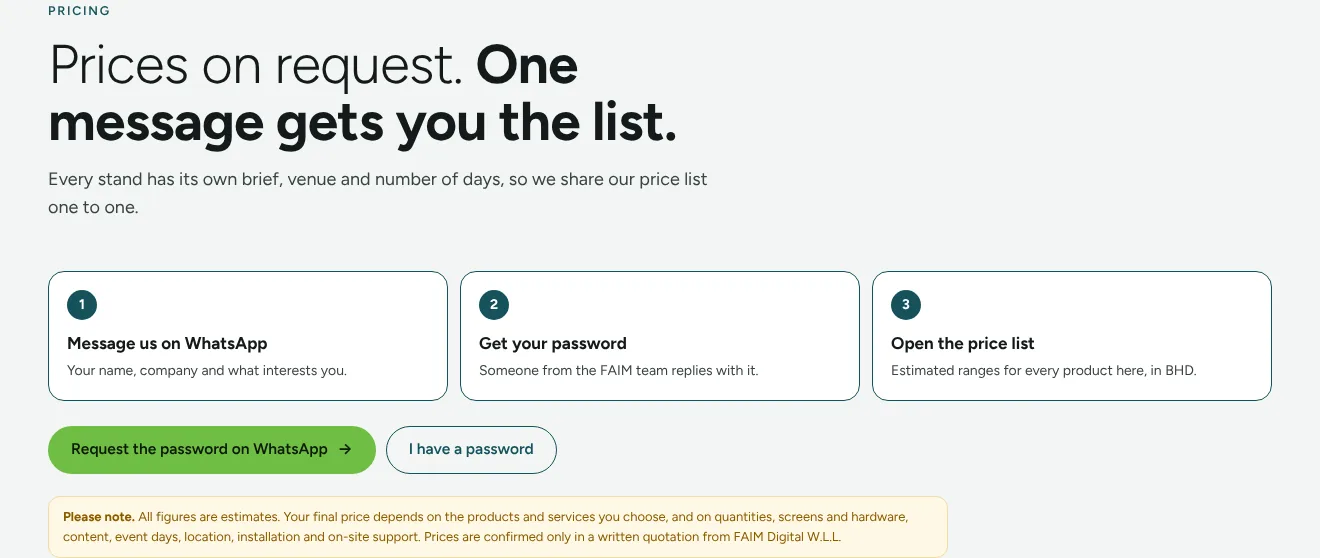
Prices are not published on the page. Every stand has its own brief, venue and number of days, so the pricing section explains how to request the price list on WhatsApp. All figures are estimates until confirmed in a written quotation.
Work we can show you
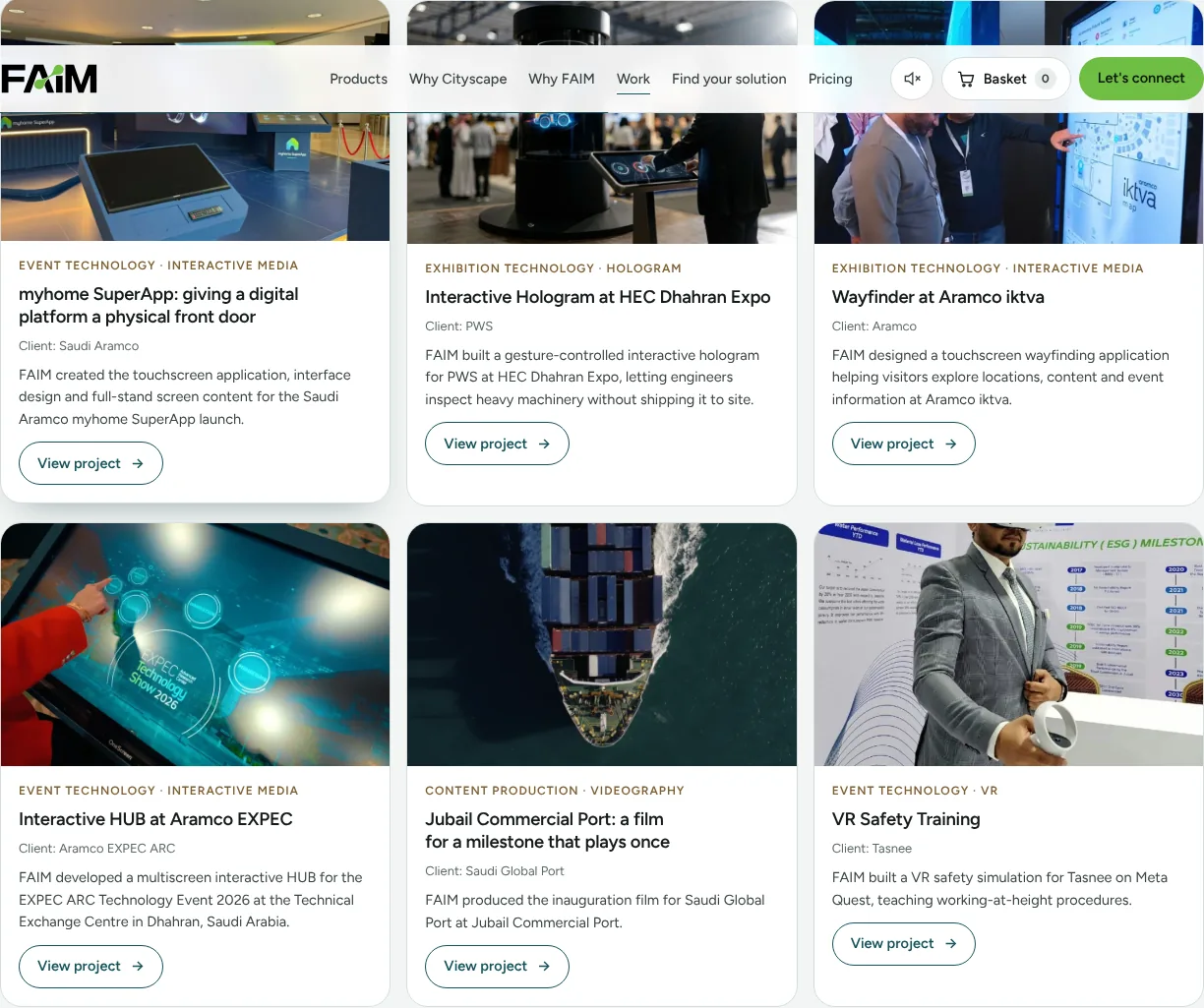
The experience links to FAIM projects already delivered on real floors, each with its client and technology: the myhome SuperApp launch for Saudi Aramco, the gesture-controlled interactive hologram for PWS at HEC Dhahran Expo, the wayfinder at Aramco iktva, the multiscreen interactive HUB at Aramco EXPEC, the inauguration film for Saudi Global Port at Jubail Commercial Port, and VR safety training for Tasnee.
The future of PropTech and interactive property marketing in the GCC
Property marketing in the Gulf is moving from showing to letting people try. Developments are launched earlier, often before construction, and buyers expect to understand a home from a screen before they see it in person. That shifts the job of a stand from display to qualification.
Three changes stand out. First, content is shared: the same visual source feeds the stand, the launch film, the sales gallery and social media. Second, interaction is measured: what a visitor touches becomes data the sales team can use the same day. Third, the stand keeps working after the show: the experience, the phone app and the leads report carry on into sales galleries and campaigns. Exhibitors in Bahrain, Saudi Arabia, the UAE and Qatar who treat their stand as the first step of a sales process, rather than a one-off display, are the ones best placed to use it.
What FAIM handles
FAIM is a hands-on technology partner, based in Bahrain and working across the Gulf. For a Cityscape stand we cover:
- Before the show: experience strategy, concept and UI/UX, development, AI integration and content production from your plans.
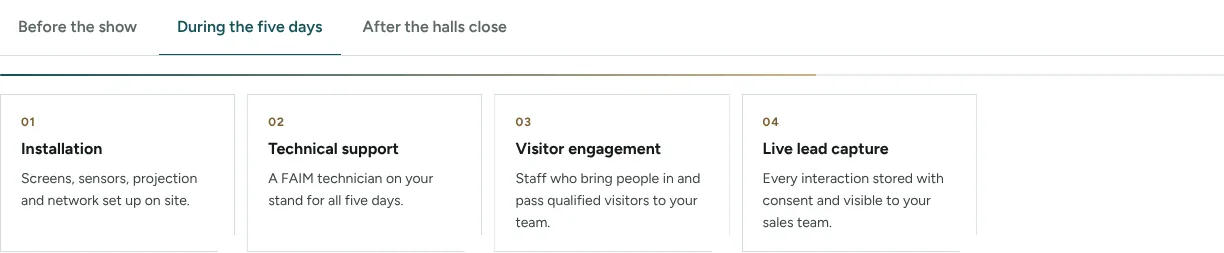
- During the five days: installation of screens, sensors, projection and network, a FAIM technician on the stand, visitor engagement staff and live lead capture.
- After the halls close: an analytics report, lead export, follow-up content and conversion support.
Every product can run on its own or be combined, and each can be rebranded for your project.
Questions clients ask
What interactive technology can property developers use at Cityscape Bahrain 2026?
FAIM’s Cityscape experience includes eight: a multi-screen interactive property application, an interest mapper, a design-your-dream-property studio, story miniatures, an interactive feedback wall, premium AI films and content, an interactive AI miniature and gesture-controlled projection mapping. Each has a working demo on the live page.
How does AI property visualisation help sell an unbuilt development?
It turns approved plans into lifelike images and film, from the empty plot to the interior, so visitors can understand the finished place on the first day of sales. These are concept visuals for reference, not construction drawings.
How do exhibitors capture qualified leads without interrupting visitors?
By letting the visitor choose the moment. Interest is recorded through what they open and add to the basket, and contact details are asked for only when they choose to enquire, with a consent box they tick themselves.
What is the basket on the Cityscape experience?
It is a digital shortlist. Visitors add the products they like, review them in one place and send them as a single enquiry. There is no payment.
How quickly does FAIM reply to an enquiry?
A member of the FAIM team replies within one working day. Visitors can also book a consultation straight away from the booking calendar.
Does the stand screen reset between visitors?
Yes, in kiosk mode. After three minutes without input it shows a short countdown, clears temporary answers and returns to the welcome screen. Submitted enquiries are kept.
Does the experience work on phones and tablets?
Yes. The layout adapts from large stand screens to phones with no sideways scrolling, and a QR code opens each product in the FAIM Cityscape phone app.
How much does interactive exhibition technology cost at Cityscape?
Budget bands start at BHD 1,500 and run to BHD 20,000, with a custom option for larger projects. The detailed price list is shared one to one on WhatsApp, and every figure is confirmed in a written quotation.
Planning your Cityscape Bahrain 2026 stand?
Good property exhibition technology starts with the visitor, not the screen. Open the working experience, add what fits your stand to the basket and send it to us. We will reply within one working day.
Open the Cityscape experience Find the right solution WhatsApp FAIM
Related reading
- No more brochures: multiscreen applications for interactive exhibition stands
- Jewellery Arabia interactive technology: from the display case to a connected visitor journey
- Projection mapping on curved and irregular surfaces
- Inside the FAIM JARVIS Experience Library
- FAIM’s interactive exhibition work
- More from the FAIM blog
Visitor figures are taken from the Cityscape Bahrain 2026 sales brochure by inD, the show’s organiser. FAIM is an independent technology provider, not the organiser. Images marked as reference visuals show the kind of experience described and are not FAIM projects. AI-generated property images are for reference and concept only, and the property belongs to its developer.
Joby Thuruthel / FAIM
Found this useful?