
Technical story 11 · Jewellery and luxury retail
Hall 5, a Tuesday afternoon in late November. A visitor has walked past forty stands in twenty minutes. She slows at a lit screen showing a necklace she has not seen in any case on the floor, touches it, turns the piece with a finger, saves it, and asks the consultant beside her whether she can see it in white gold. The consultant already knows which piece she means, because it is on his tablet. That is the whole idea in ninety seconds.
Jewellery Arabia interactive technology is not about putting screens on a stand. It is about making discovery easier for the visitor and giving the sales team better context for the conversation that follows. Jewellery Arabia 2026 runs from 24 to 28 November at Exhibition World Bahrain, and the organiser lists more than 700 brands, 7 halls, 25+ exhibiting countries and 56,000+ visitors across 34 editions. At that scale, the stand that helps people find the right piece, and remembers what they liked, is the stand that gets the follow-up call.
The principle. Technology should never replace the jewellery or the sales conversation. It should get a visitor to the right piece faster, record what interested them with their consent, and hand that context to a person who can close the conversation properly.
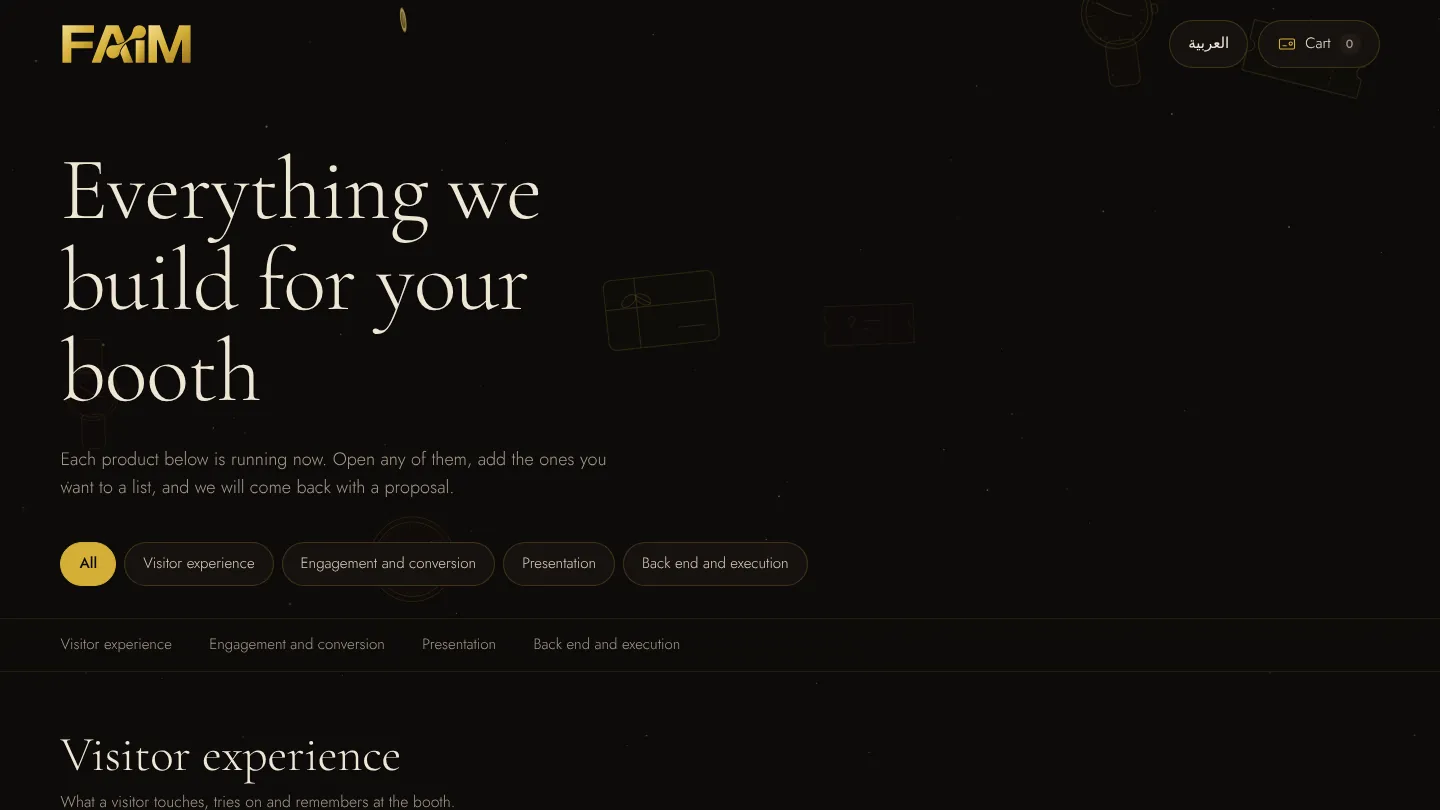
We built a working version of this for the show. Everything in this article is running now in the FAIM Jewellery Arabia experience, and you can open each module from the links below as you read.
Why a jewellery exhibition needs a different digital approach
Most exhibition technology is built to explain a product. Jewellery does not need explaining in the same way. People buy it on detail, on feel and on trust, and the decision is personal. A screen that shouts at the aisle works for a car launch. On a jewellery stand it competes with the very thing the visitor came to see.
There are practical problems too. A house may bring a few dozen pieces and own several hundred. The case holds what the case holds. The best consultant on the stand can talk to one visitor at a time, and the visitor who drifts away after a good conversation usually leaves nothing behind but a memory of the stand.
So the technology has three jobs on a jewellery stand, and only three:
- Extend the case. Let visitors browse the full collection, including pieces that stayed in the vault, without crowding the counter.
- Personalise the search. Help a visitor narrow hundreds of pieces to the three that suit them.
- Keep the thread. Record what the visitor saved, tried or asked about, with consent, so the follow-up is about their pieces and not a generic catalogue.
Everything else is decoration. If a module does not serve one of those jobs, it should not be on a fine jewellery stand.
The visitor journey, start to finish
We design the stand as one connected journey rather than a set of separate screens. The visitor can enter at any point and leave at any point, and the system remembers where they were.
- Attract. A live wall or a lit gallery screen catches the eye from the aisle.
- Explore. The visitor browses the collection on a touchscreen or their own phone.
- Try. A virtual mirror shows a piece on them before the case is opened.
- Personalise. A short style quiz or a design studio narrows the choice.
- Save. Favourites go into a collection the visitor keeps.
- Enquire. The visitor asks for the physical piece, a consultation or a follow-up.
- Continue after the event. A private link and WhatsApp keep the conversation going.
The handover moment. The point where a visitor taps “Show me this piece now” is the point where the screen steps back and the consultant steps in. Every module in the journey is built to reach that moment cleanly.
The interactive jewellery gallery
The exhibition problem
The case holds twenty pieces. The collection has two hundred. Visitors cannot ask about what they cannot see, and staff cannot bring the vault to the counter for everyone who is curious.
What the visitor experiences
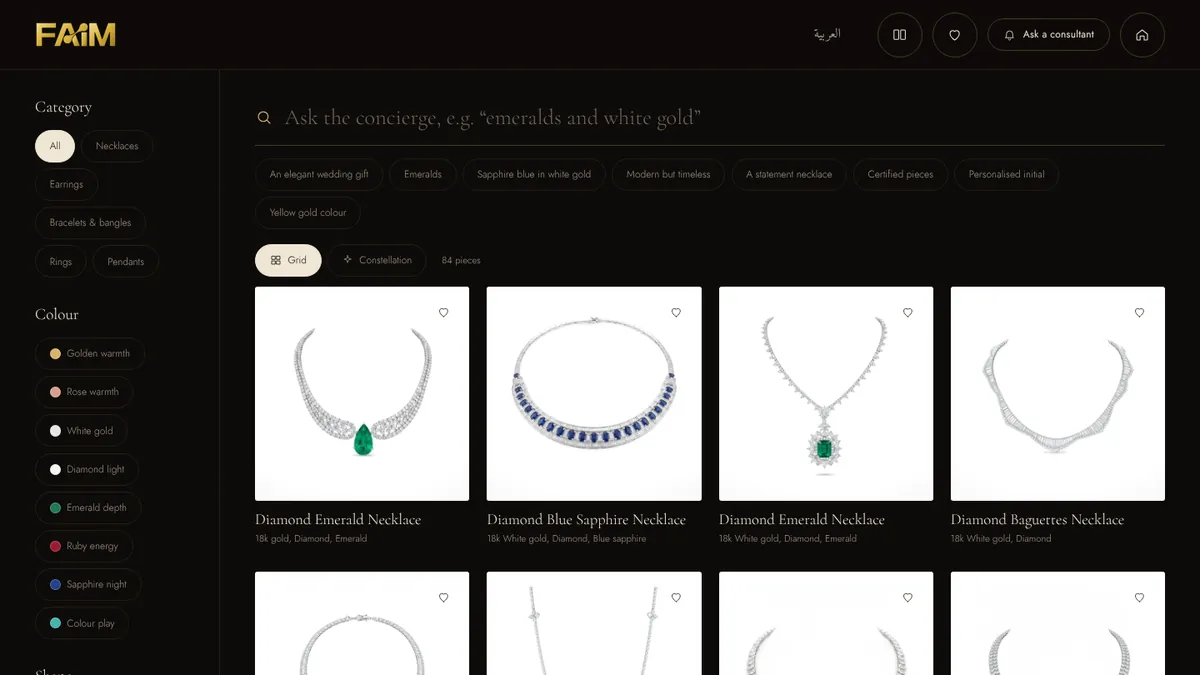
The gallery shows every published piece on one screen, sorted by category, colour and shape. A visitor can tap “Necklaces”, then “Emerald depth”, and the collection narrows in front of them. A search bar works like a concierge: typing “emeralds and white gold” or tapping a suggestion such as “An elegant wedding gift” filters the pieces in plain language. A constellation view lets people browse by feel rather than by list, which suits visitors who do not yet know what they want.
How the system works
The gallery is a web application running from a product database. Each piece carries its images, category, metal, stones and a short story. The filters are built from that data, so adding a piece in the content system updates every screen on the stand. Images are optimised for large touchscreens and phones alike, and the whole catalogue is cached on the device so it keeps working when the hall connection is busy. We explain the approach in detail in our offline-first article.
How it supports the sales team and the business
A visitor who has browsed to a specific piece walks up with a question that is already narrowed. The consultant starts at the second step of the conversation instead of the first. Across the show, the gallery also shows which categories and colours people opened most, which is useful when deciding what to bring next year.
The product explorer: detail without opening the case
Tapping a piece opens its own page. The visitor can view, magnify and turn the piece, read the specification as listed, and choose what to do next: register interest, ask on WhatsApp, save it to their collection, send it to their phone, compare it with another piece, see it on themselves or explore it by hand gesture. One button stands out on purpose: “Show me this piece now”. That is the request a consultant wants to receive.
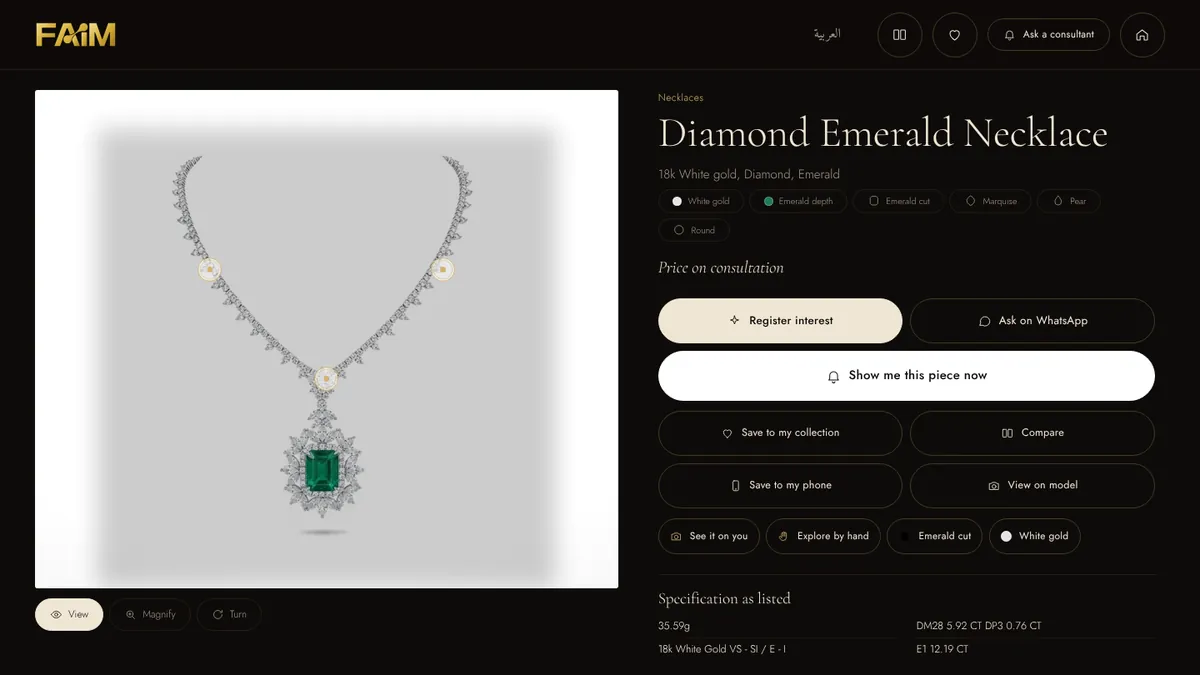
Prices are shown as “Price on consultation” unless the house chooses otherwise. That is deliberate. The explorer opens the conversation, it does not replace it.
Personal style discovery: three picks, not ninety
The exhibition problem
Many visitors cannot name what they want. They know the occasion and the feeling, not the cut or the setting. Staff spend the first minutes of every conversation asking the same opening questions.
What the visitor experiences
Five visual questions. The first one asks what they are shopping for: a wedding, a gift, everyday elegance, an evening to remember, or something just for themselves. Each answer is a picture, not a form field. At the end the visitor sees three pieces matched to their answers, ready to save, compare or send to their phone. Shy visitors like it because it is a start that does not require talking to anyone.

How the system works
Each answer adds weight to tags in the product database: occasion, style, colour, metal and price band. The three results are the highest-scoring pieces from the house’s own approved catalogue. Nothing is made up. The system cannot invent a price, a stone origin, a certificate or a delivery time, because it only returns what the house has published. The answers themselves become part of the lead, with consent, so the consultant knows the visitor said “a gift, classic, white gold” before saying hello.
The show organiser is thinking the same way. The official Jewellery Arabia app includes Dana, described by the organiser as “an AI assistant”, to help visitors plan their visit and find brands. A stand-level discovery quiz does the same job one level down: inside a single collection.
AR jewellery try-on: the virtual mirror
The exhibition problem
Trying on high-value jewellery takes a consultant, a tray, a mirror and time. On a busy afternoon, most visitors never get to that step.
What the visitor experiences
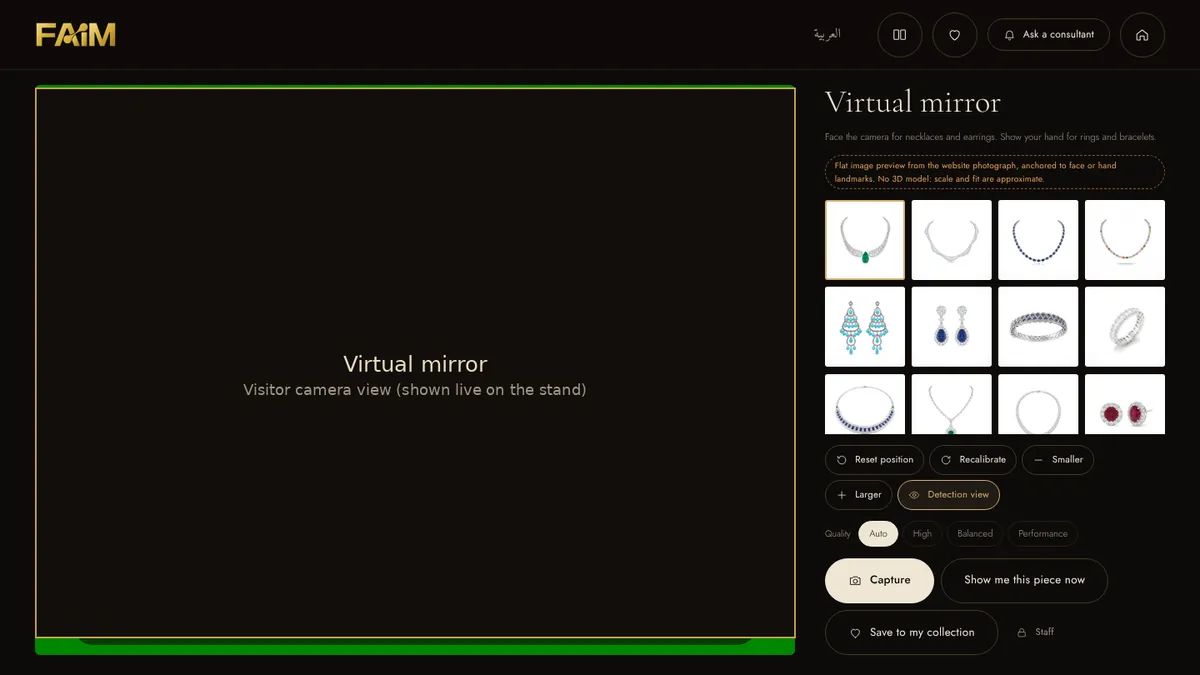
The visitor stands in front of the screen or opens it on their phone, allows the camera, and picks a piece. Facing the camera shows necklaces and earrings. Holding up a hand shows rings and bracelets. They can make the piece larger or smaller, reset its position, switch to another piece and capture an image. When they find one they like, “Show me this piece now” and “Save to my collection” are one tap away.
How the system works
The browser asks for camera permission. Face and hand landmarks are tracked in real time, and a flat image of the piece, taken from the product photograph, is anchored to them and calibrated per piece. If tracking is not available, the visitor can place the piece by hand, so the try-on never stalls. Images are processed on the device and nothing is stored unless the visitor captures and chooses to keep it.
Honest limits. This is a visual preview, not a fitting. It uses a flat image, not a 3D model, so scale, fit and sparkle are approximate, and lighting and camera quality affect the result. It does not replace physical try-on. Its job is to get the visitor curious enough to ask for the real piece.
How it supports the sales team and the business
Every capture is a shortlist. The consultant knows which pieces to bring out of the case, and the case opens for a visitor who is already interested. We label the feature clearly as approximate on screen, which protects trust.
Touchless exploration with hand gestures
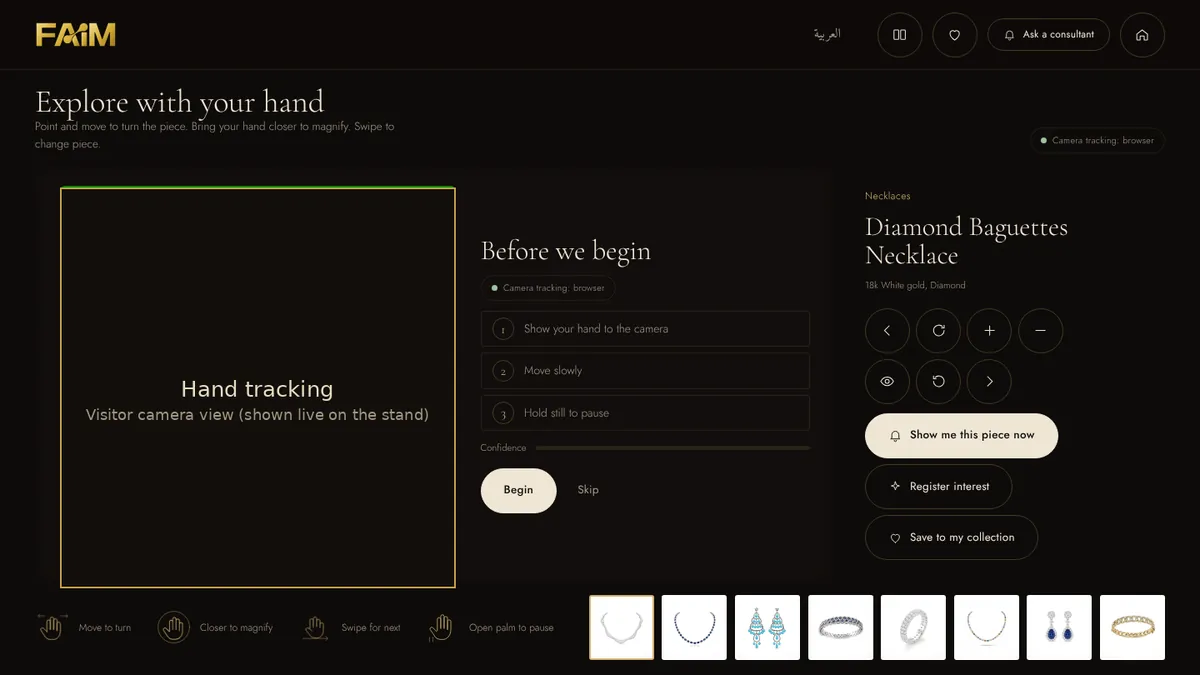
For a stand that wants to draw a crowd, the motion explorer lets a visitor turn, magnify and swipe through pieces with a hand in the air, and pinch to open the details. A short “before we begin” step teaches the gestures: show your hand, move slowly, hold still to pause. Touch controls stay on screen for anyone who prefers them, and nobody needs to wipe a shared screen. The trade-offs between touch and touchless are covered in our hand tracking article.
The RFID card table: browsing you can hold
Some visitors want something physical in their hand. On the card table, each printed card stands for one piece. Place a card on the light and the piece opens. Place two or three to compare them side by side. In the live demo the cards are dragged on screen, because this is a simulation until RFID readers are fitted to a table. On a stand, each card carries an RFID tag and the reader under the surface triggers the content the moment the card touches it.
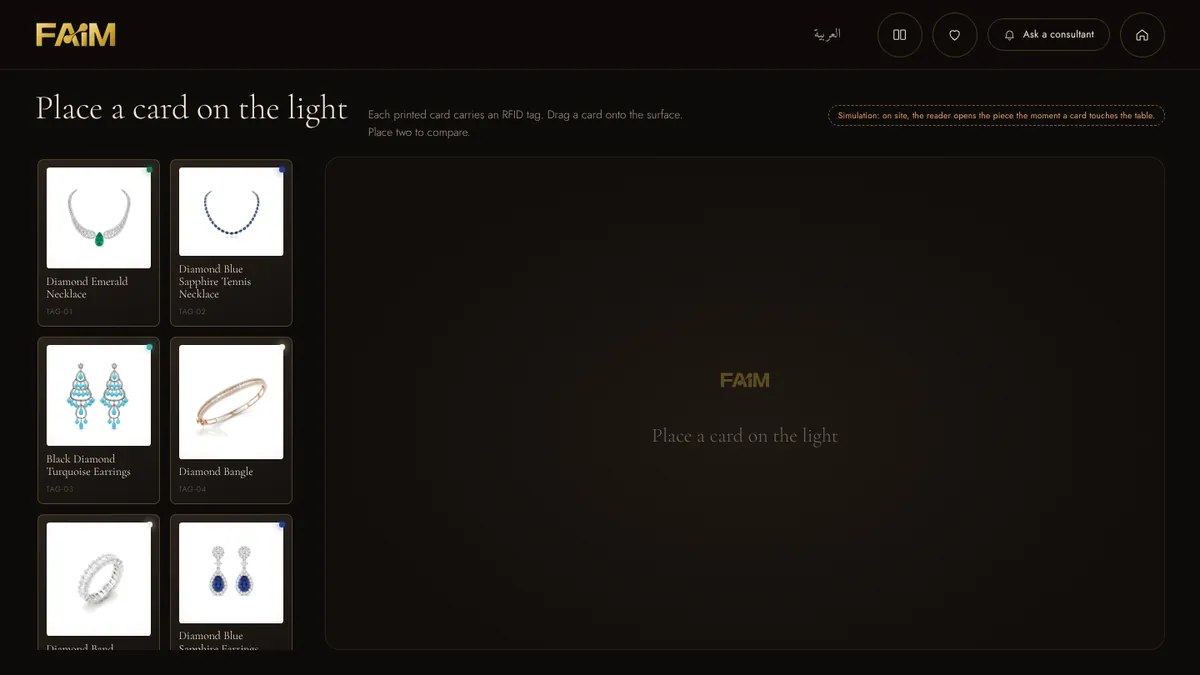
It works well for houses with a strong print identity, and the cards double as a takeaway with a QR code on the back.
The design studio: personalisation made concrete
The exhibition problem
Bespoke enquiries are valuable and vague. “Something like this but different” is hard to quote and easy to lose.
What the visitor experiences
The visitor chooses a piece, then the centre stone, the metal colour, the setting and an engraving, and watches a concept visual update as they go. When they are happy, they create a design passport: a saved record of their choices that a consultant can pick up on the stand or after the show.
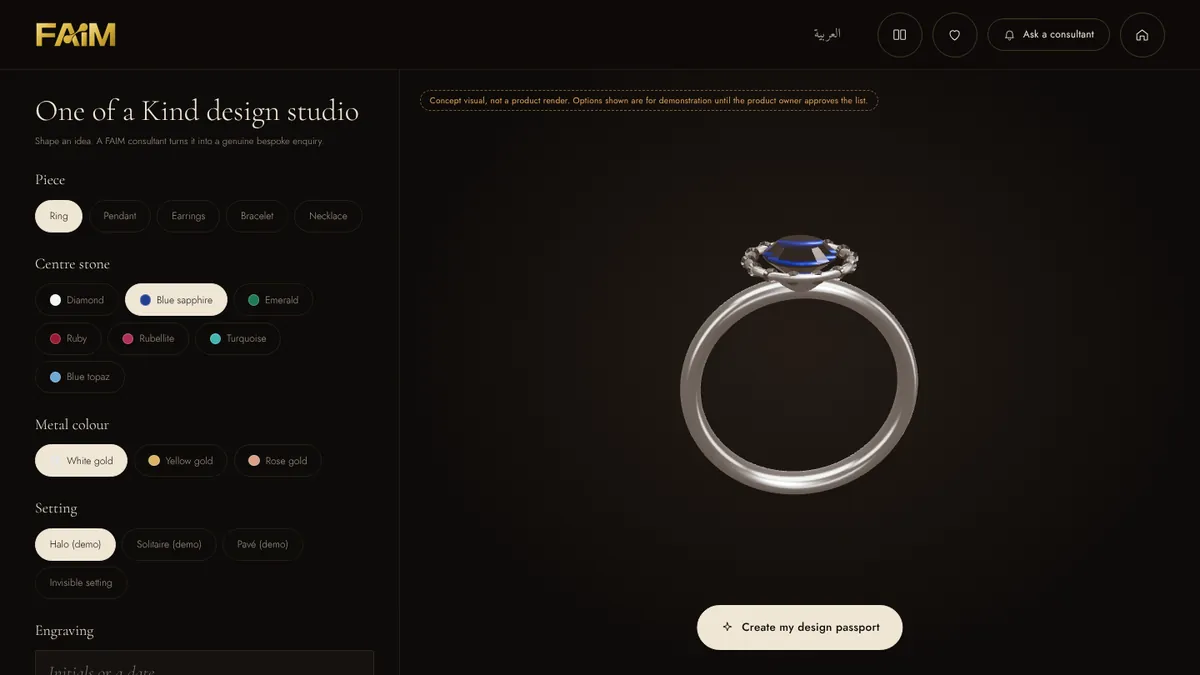
How the system works
The studio uses configurable product logic and layered visual assets. Each option swaps a layer in real time, and the saved configuration is written to the lead record with the visitor’s consent. The visual is labelled as a concept. Unless the house connects it to a verified production or quotation system, it shows an idea, not a confirmed price or a guaranteed result.
How it supports the sales team and the business
General interest becomes a specific enquiry with details attached. The consultant starts from the visitor’s own choices, and the design team gets a brief instead of a sentence.
The live photo wall and the golden portrait
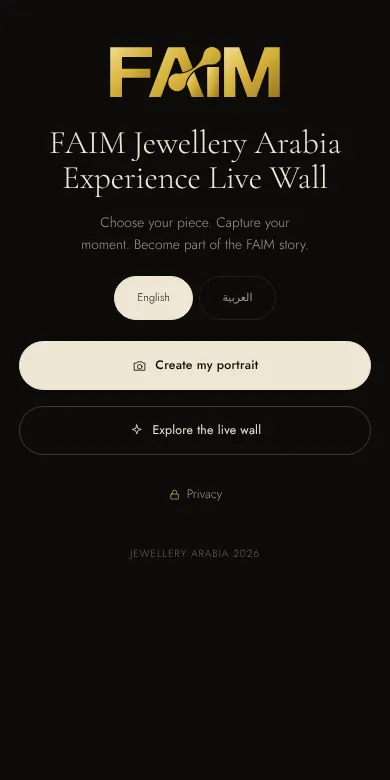
Attention on a busy floor is earned. The live photo wall is the attract layer of the journey. A visitor scans a QR code on their own phone, chooses a piece, takes a photo and composes it on a branded background with the background removed. Each portrait passes a consent check and a quality check before it reaches the large screen, where it appears within seconds alongside the piece they chose.
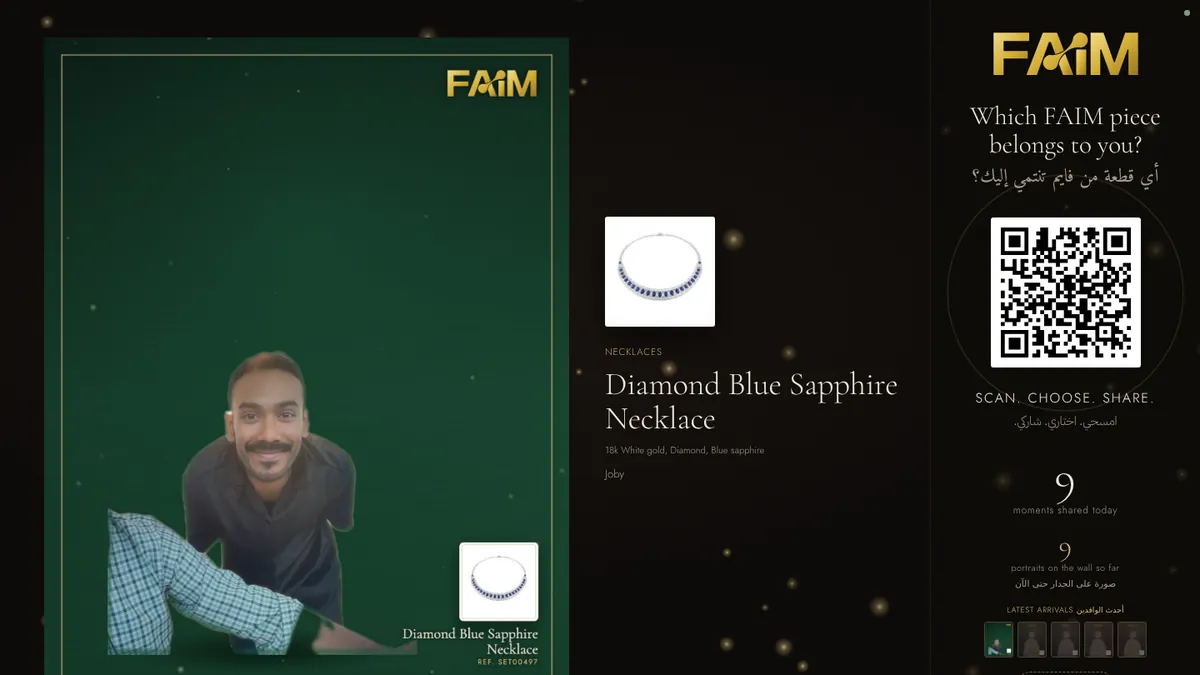
Staff can pause publishing or hide a card at any time. Visitors get a private link to download their image, see their voucher or remove the photo. Photographs are never used without consent, and the retention period is set by the house before the show opens. The wall keeps the stand looking busy all day, and every portrait is a person who chose to interact with the brand.
Create a portrait Watch the live wall
Lead capture, the golden gift and mobile continuation
The exhibition problem
Business cards get lost. Notes on a pad are unreadable by Thursday. The visitor who was ready to talk on day two is a stranger by the following week.
What the visitor experiences
From any piece, the visitor can register interest. A short form with phone validation and an unticked consent box takes under a minute. The FAIM Golden Gift gives them a clear reason to register: one voucher per phone number, shown as a QR, redeemed once at the counter. Their selected piece is attached to the enquiry automatically.
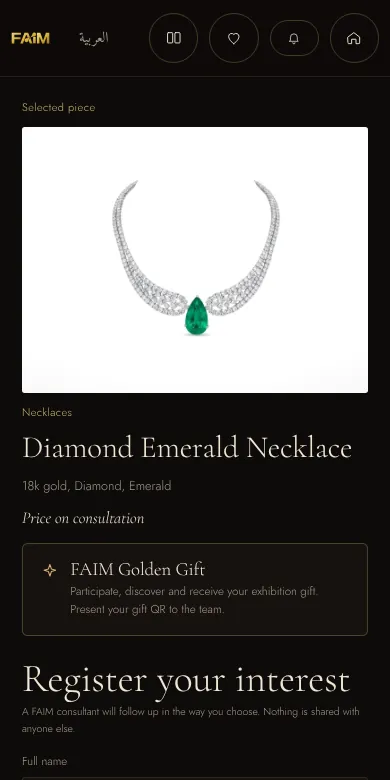
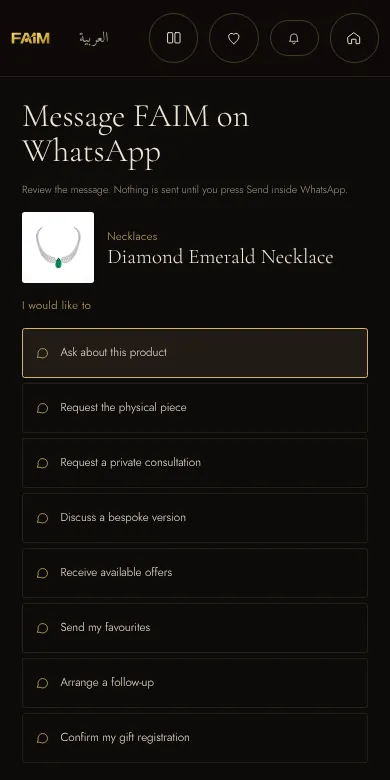
For visitors who prefer messaging, the WhatsApp flow shows a ready-written message before anything is sent. They choose what they want: ask about the product, request the physical piece, book a private consultation, discuss a bespoke version, receive offers, send their favourites or arrange a follow-up. Nothing is sent until they press Send inside WhatsApp.
How the system works
Each enquiry writes a record with the visitor’s consent, the pieces they saved or tried, their quiz answers and the time. No personal data travels inside QR codes or links. Records sync to the staff dashboard live and export as a spreadsheet or to a CRM at the end of each day. The architecture behind this is explained in our lead capture article.
How it supports the sales team and the business
The follow-up message can name the exact necklace the visitor saved. That one detail is the difference between a reply and silence.
Behind the stand: the control centre and content system
Two screens the visitor never sees make the rest work. The control centre is a PIN-protected dashboard for the stand team, with new leads, visitor lookup, gift redemption, portrait moderation and live analytics. The content system lets the house edit products, words, branding, wall backgrounds and try-on calibration without a developer, and every change reaches every open screen when it is saved.
The whole platform runs from one small server on a laptop at the stand. Screens cache the app and data, queue anything written while offline and send it when the connection returns. If the hall Wi-Fi fails at four in the afternoon, the stand does not.
The interactive presentation
For buyer meetings, distributors and the house’s own leadership, a narrated presentation walks through the stand section by section, with live demos inside the slides rather than screenshots. Step through it at your own pace or let it play.
Games and gamified moments, used with restraint
A game can bring energy to a stand, and on a fine jewellery stand it has to know its place. Done well, it feels like a private invitation rather than an arcade. Ideas that suit the category include a gemstone discovery quiz, a “find your one of one” collection match, a craftsmanship challenge or a treasure trail that leads across a pavilion and ends with a VIP consultation unlock. The rules we hold to are visual restraint, short play time, brand consistency, an optional reward and consent before any data is kept. If a game makes the stand feel louder than the jewellery, it is the wrong game.
For storytelling at a larger scale, the same thinking extends to a transparent hologram column with a piece floating at its core, or a gesture-controlled hologram like the one we built for HEC Dhahran Expo. The physical piece stays the hero.
Jewellery Arabia interactive technology: from interaction to business value
Technology supports a sale by improving context and continuity. It does not guarantee one. The journey we design for looks like this:
Attention → Exploration → Preference → Enquiry → Appointment → Follow-up
- Attention. Light, motion and the live wall draw the eye from the aisle.
- Exploration. The visitor browses at their own pace, without waiting for a free consultant.
- Preference. They save, compare, try on or design. Each action says something about taste.
- Enquiry. They choose to leave their details, with the piece attached.
- Appointment. They request a private consultation or the physical piece.
- Follow-up. The sales team receives the selected pieces and the visitor’s own answers.
What a house can measure from this, without guessing, is the number of pieces explored, saved and tried, the number of enquiries with a piece attached, the number of consultations requested, and which collections drew the most interest by day and by hour. Those are counts, logged by the system, not estimates.
The future of jewellery retail is blended, not virtual
Nobody serious expects fine jewellery to be bought mainly through a screen. The physical piece, the trust in the house and the person behind the counter remain the centre of the sale. What is changing is everything around that moment.
Visitors will expect personalised catalogues that remember them, a stand that continues on their phone, private digital clienteling from consultants they met in person, and good Arabic and English throughout. Houses will use try-on as an exploration tool, digital storytelling to explain provenance and craft, and the data from each show to plan the next collection. Intelligent discovery will be judged on honesty: recommendations drawn only from the real catalogue, with nothing invented. And the exhibition, the boutique and the website will start to feel like one journey rather than three.
Bahrain is a natural place to build this. A show with Jewellery Arabia’s history, a visitor base drawn from across the GCC and studios that can build and support the technology on the same island make it practical to try ideas on a real floor rather than in a deck.
Where it fits
- Try the Jewellery Arabia technology experience
- FAIM solutions for events and exhibitions
- Explore FAIM’s interactive experience catalogue
- See FAIM’s interactive exhibition work
- Review the multiscreen exhibition approach
- Designing touchscreens for an exhibition floor
For show details from the organiser: the official Jewellery Arabia website, visitor registration, the brand directory and why exhibit.
Questions clients ask
What interactive technology can jewellery brands use at Jewellery Arabia?
The most useful set for a jewellery stand is an interactive gallery for the full collection, a product explorer for detail, a style quiz for discovery, an AR virtual mirror for quick try-on, a design studio for bespoke requests, a live photo wall to draw attention, and lead capture with WhatsApp follow-up. Each can run alone or as one connected journey, and all of them are live in the FAIM Jewellery Arabia experience.
How does virtual jewellery try-on work?
The visitor allows the camera, picks a piece, and the system tracks face or hand landmarks in real time. A calibrated image of the piece is anchored to those points so it moves with the visitor. If tracking is unavailable, the piece can be placed by hand. It is a visual preview, so scale and fit are approximate.
Does AR try-on replace physical try-on?
No. It is designed to make visitors curious enough to ask for the real piece. Lighting, camera quality and the flat image mean it cannot show true sparkle, weight or fit. On the stand, every capture works as a shortlist for the consultant to bring out of the case.
Can visitors save jewellery they discover at an exhibition?
Yes. Any piece can be saved to a personal collection, sent to the visitor’s own phone or attached to an enquiry. The visitor keeps a private link after the show, and the house sees the saved pieces only when the visitor chooses to register interest.
How can a touchscreen catalogue support a jewellery sales team?
It answers the opening questions before the consultant arrives, so conversations start further along. It also tells the consultant which piece the visitor is looking at, and over the show it shows which categories, colours and collections drew the most attention.
Can the experience connect with WhatsApp or a CRM?
Yes. Visitors can send a ready-written WhatsApp message about a specific piece, and enquiries export as a spreadsheet or into a CRM at the end of each day. No personal data travels inside QR codes or links.
How can jewellery brands capture leads without interrupting the visitor?
By letting the visitor choose the moment. Registration sits behind actions people already want, such as saving a piece, requesting a consultation or claiming a gift. The form is short, phone numbers are checked, and consent is an unticked box the visitor ticks themselves.
Can the experience work in Arabic and English?
Yes. Every visitor-facing module switches between English and Arabic, with right-to-left layouts, and the content system holds both languages so the house can edit either without a developer.
Planning an interactive Jewellery Arabia experience?
Good Jewellery Arabia interactive technology starts with the stand, not the screen. FAIM designs and builds custom exhibition technology in Bahrain, including interactive catalogues, AR experiences, lead-capture systems, games, films and connected mobile journeys. Open the working experience on your phone, then tell us about your stand.
Experience it live Talk to FAIM WhatsApp FAIM
Joby Thuruthel / FAIM
Found this useful?