Story · Concept build · Interactive hologram
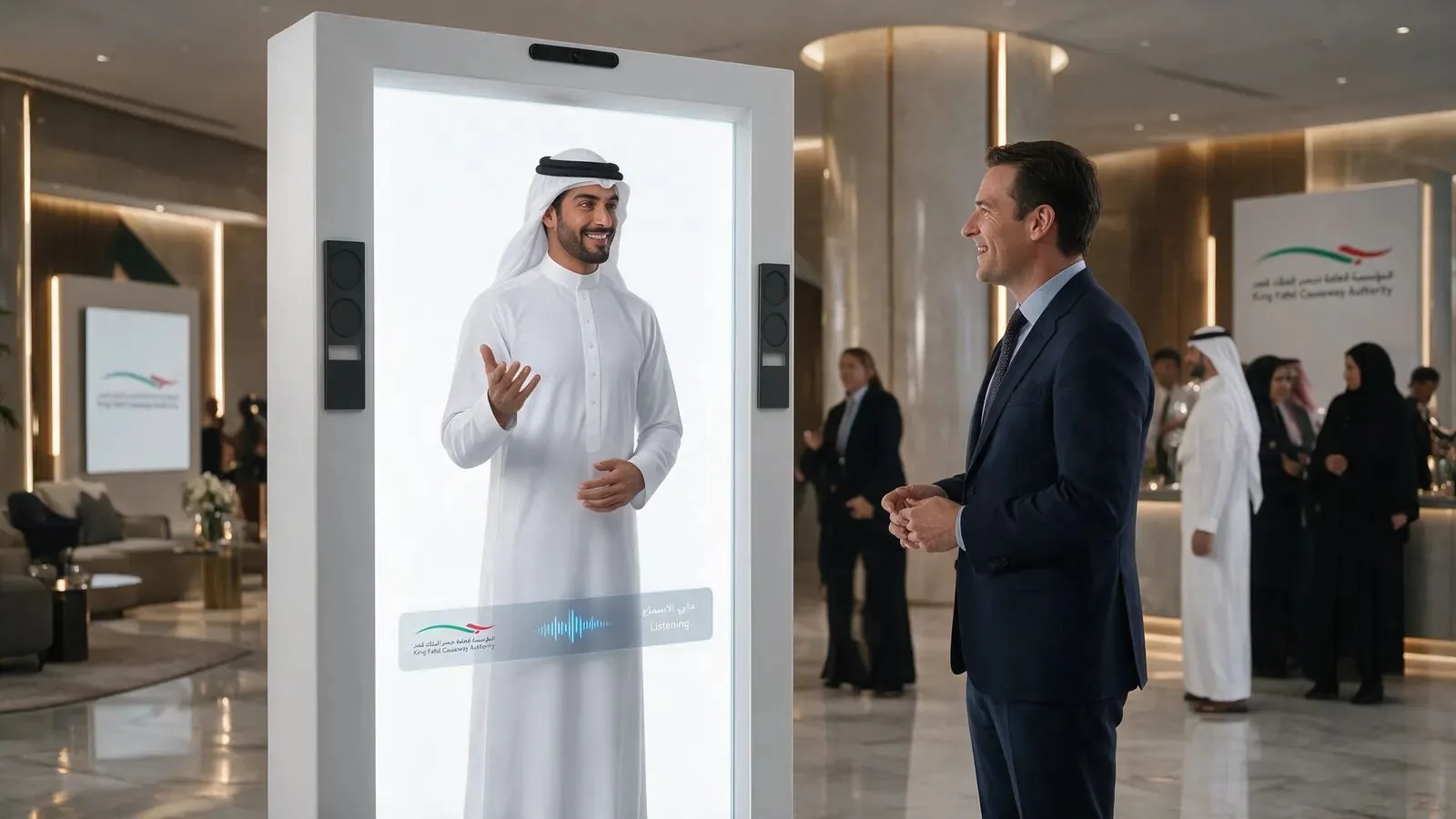
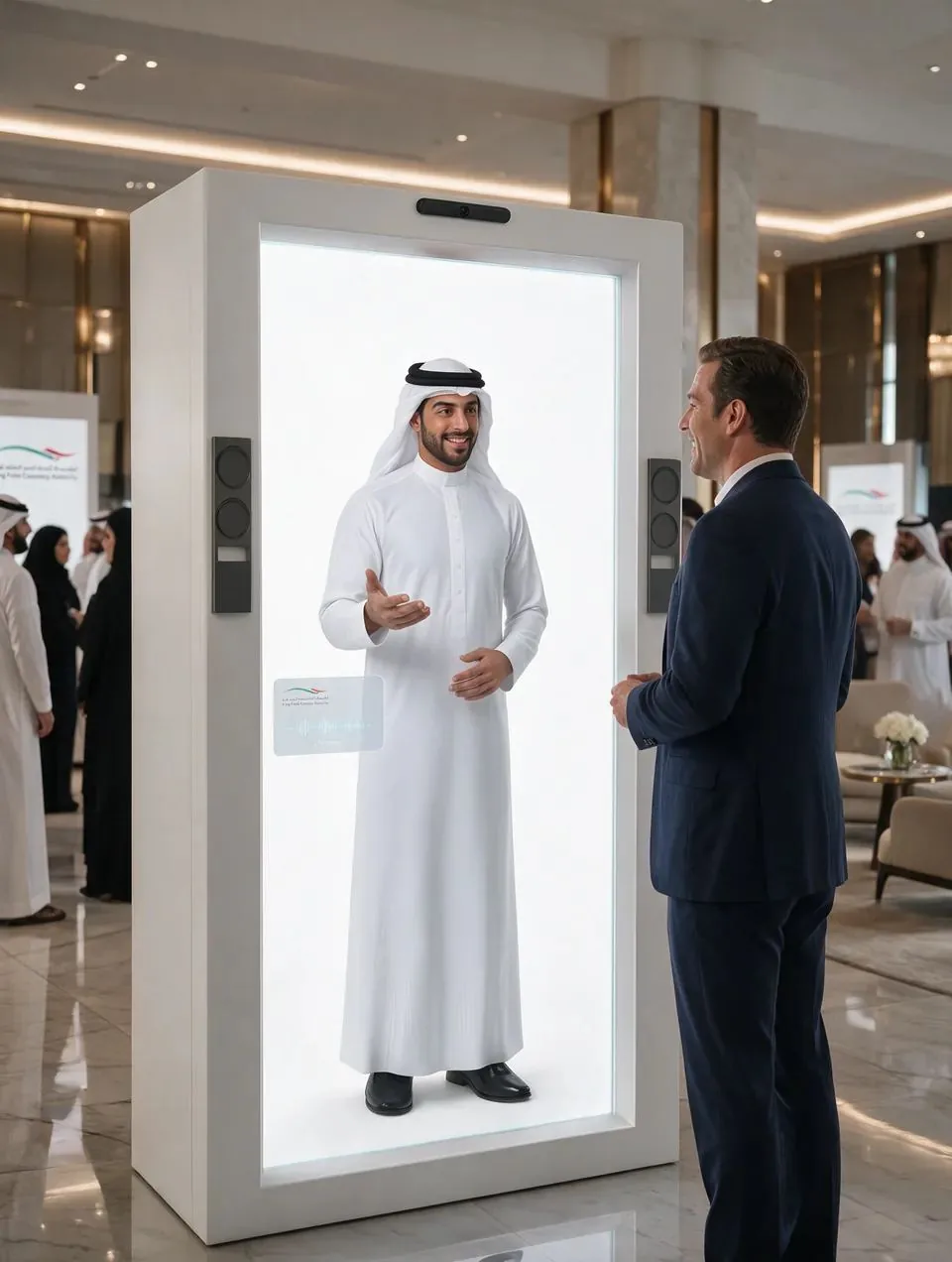
Thursday, 6.40 in the evening. A visitor comes through the hall entrance with a lanyard in one hand and a phone in the other, already scrolling for the agenda. He passes the registration desk. He passes the coffee stand. Then a man inside a tall white cabinet turns his head and looks at him.
He slows down. That is the moment we design for. Somewhere between the first glance and the second step there is a hesitation, usually a second or two, where a person decides whether something is for them or just part of the furniture. If the host speaks first, in the visitor’s language, and offers one useful thing, the visitor stops. If the host says nothing, he is a very expensive poster.
Ninety seconds later the same visitor has asked where the main hall is, asked whether there is a prayer room, stood next to the host for a photo and scanned a QR code to take it home. He walks off with a picture on his phone that has the organiser’s name on it. That is the whole idea, and the rest of this post is how we made it work for the King Fahd Causeway Authority.
The scene above is the visitor moment we built the concept around. It describes the design intent, not an event that has already taken place.
A hologram box is a screen until someone inside it notices you. Our job was to build the someone, and then prove it works before anyone signs.
One enquiry, and a choice about how to answer it
The enquiry was about our 86-inch hologram cabinet: a white enclosure with a transparent display, speakers and a computer inside, and a life-size digital host standing in it. The question underneath was the one every organiser has. What can this actually do for our visitors? How it should look, sound and behave was left to us.
Open freedom is a gift and a trap. A brief with no limits is easy to answer with a mood board and a price table, and nearly impossible to judge. A client cannot picture a host from a paragraph. They cannot hear a voice in a PDF. And they cannot tell whether a selfie feature is charming or awkward until someone has tried it.
So we made a rule for ourselves early. No brochures, no PDFs. If we were going to propose a host, the client should be able to meet him. If we proposed a selfie, they should be able to take one. If we proposed a package, they should be able to build it, switch parts on and off, and watch the box change in front of them. Don’t read it. Play it.
That decision shaped everything after it, and it cost us more time up front. It also meant every argument in our proposal would be tested by the client’s own hands instead of by our adjectives.
Five questions before a single pixel
Before any design, we wrote down the five questions a host at a public authority has to answer well. Every feature had to earn its place against one of them. Anything that did not was cut, however good it looked.
Who walks up?
Travellers, delegates, families and officials. Some in a hurry, some curious. Many prefer Arabic, many English.
Which language first?
Both, chosen by the visitor in one tap, with right-to-left layouts done properly and Arabic reviewed by a native speaker.
What must the host never say?
Anything the organiser has not approved. A public authority cannot have a host that improvises.
What does the visitor take home?
A photo with the host, framed in the organiser’s branding, collected on their own phone.
How does the organiser know it worked?
Counts the team can read the next morning: approaches, conversations, topics, photos, follow-ups.
This is where teamwork matters more than technology. The client knows its visitors: who arrives when, what they ask, what the authority wants them to remember. We know the floor: how far away a person reads a screen, how long they will wait for an answer, what makes them walk past. A concept only works when both sides fill in the parts they know. Our first job was to make it easy for the client to fill in theirs, which is why these five questions became the spine of the presentation itself.
We then turned the visitor’s ninety seconds into a story in nine short chapters, so the client could meet the host in the same order a visitor would.
- Meet the hologram
- A visitor approaches
- A conversation begins
- The technology inside
- Configure the experience
- Take a selfie
- A digital copy to keep
- Expand with FAIM
- Configure and contact
Seven problems, and what we did about each
None of these were theoretical. Each one came up while we were building, and a few only showed themselves when we tested on real phones.
Problem 1: in a PDF, a hologram cabinet looks like a fridge
A white box in a flat render tells a decision-maker almost nothing. It hides the parts that make it work, and it gives no sense of scale or of what the client is paying for.
What we did
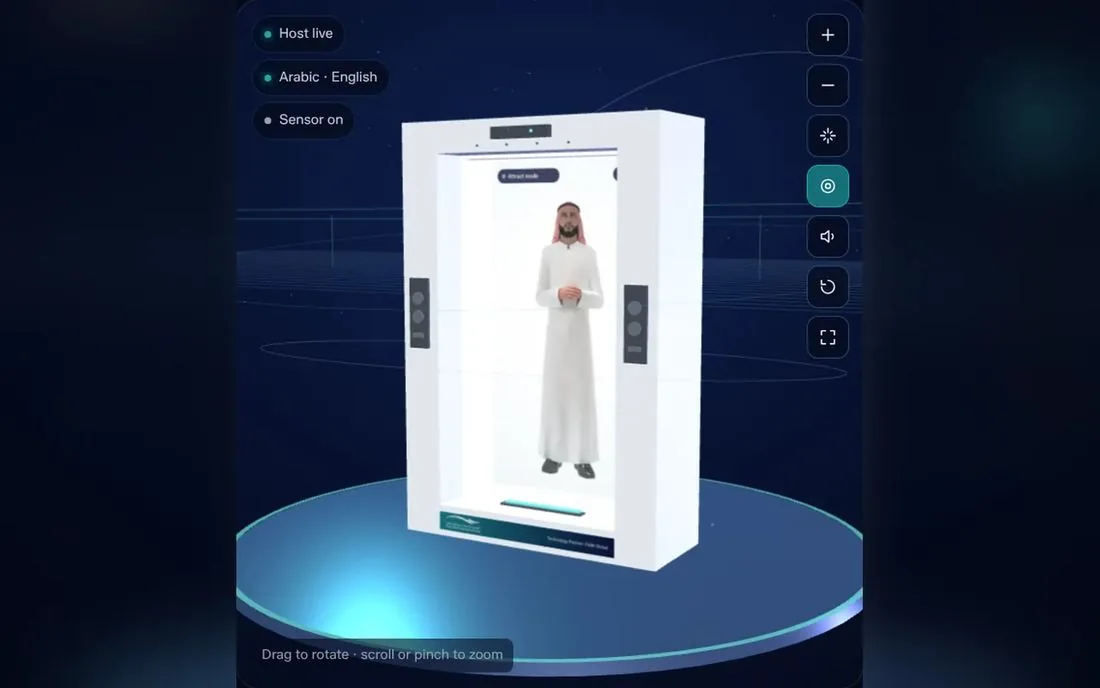
We modelled the cabinet in real-time 3D, in the browser, so it can be turned, zoomed and opened up. One button pulls the box apart into its layers: the transparent display, the host rendering layer, the touch layer, the directional speakers, the camera and depth sensor, the microphone array, the processing computer, ventilation and the branding panel. An X-ray mode shows them in place. When the client switches an option on in the package builder, that part lights up in the model.
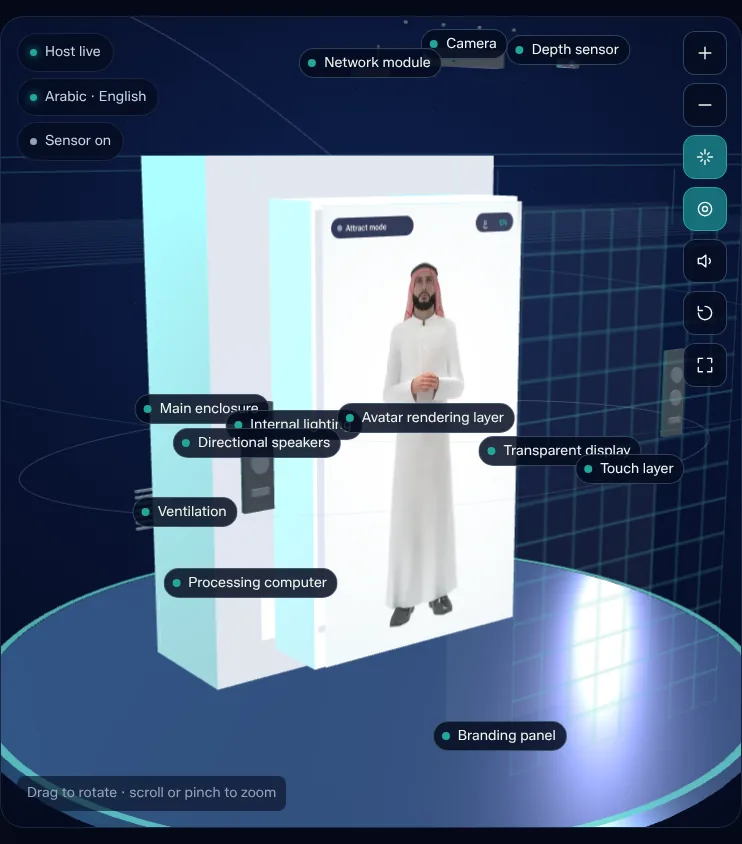
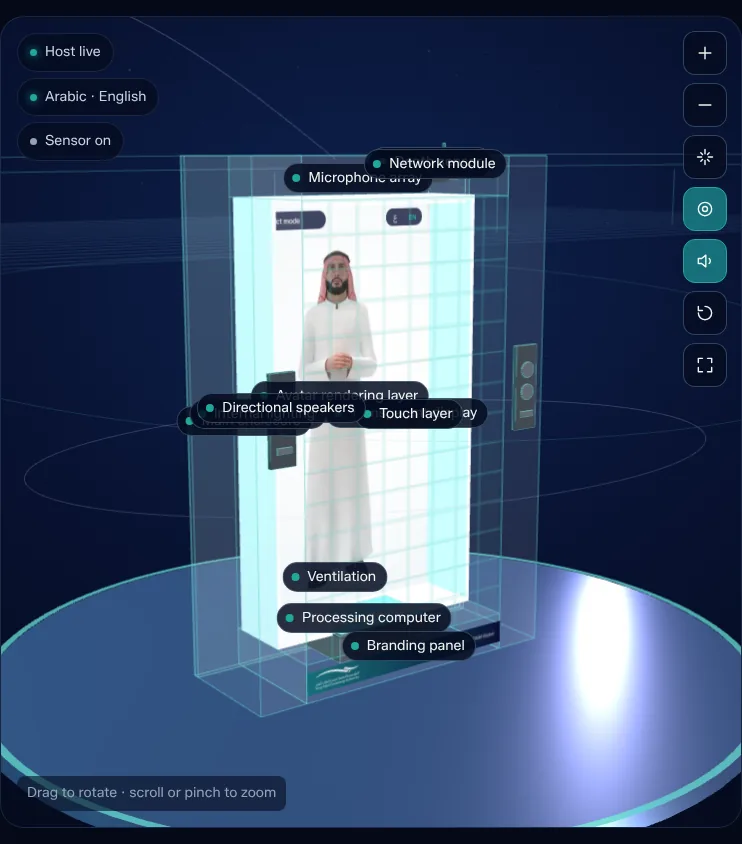
From the build Exploded and X-ray views, captured from the working presentation.
Problem 2: two languages on one screen, without one of them feeling translated
Plenty of bilingual screens are English screens with Arabic poured in afterwards. Text runs the wrong way, numbers jump, buttons end up on the wrong side.
What we did
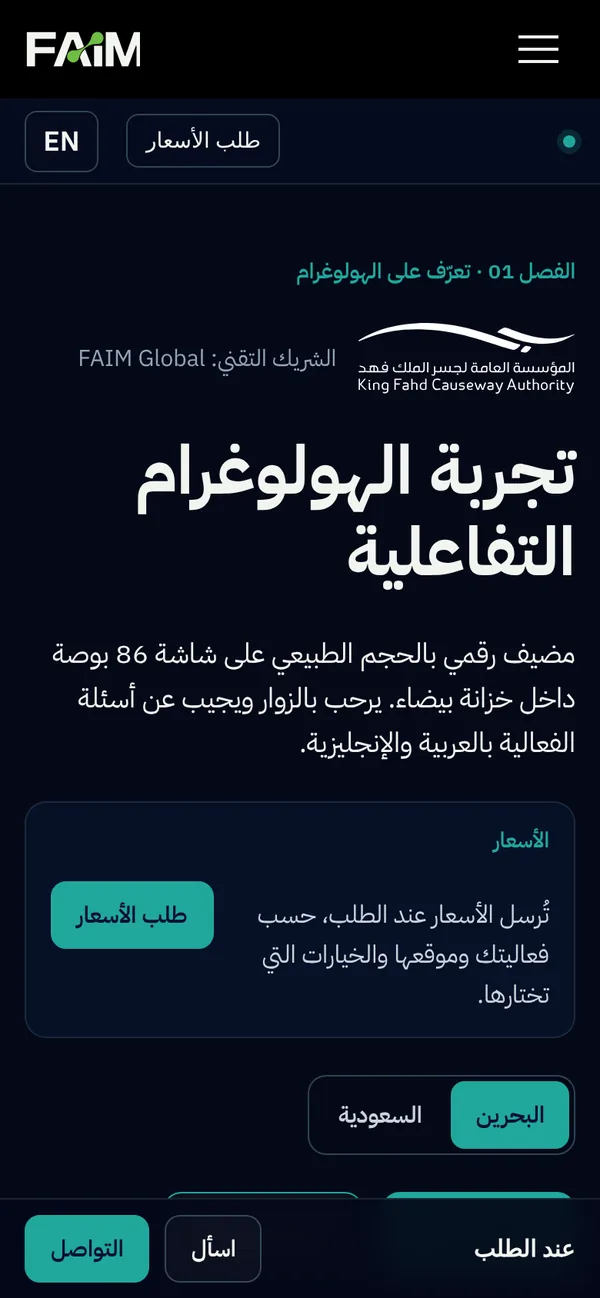
The whole experience flips to a proper right-to-left layout in one tap, with an Arabic typeface chosen for screens. We also hold a rule on every project: Arabic is never published from an automatic translation. Anything a native speaker has not reviewed is marked as awaiting review, and the English version plays in the meantime. It is slower. It is also the only way a public authority can trust what its host says in its own language.
Problem 3: a host who only says what has been approved
A friendly host who makes something up is worse than no host at all. For a public authority, one wrong answer about a procedure or a route becomes a complaint.
What we did
The host answers from information the organiser has approved, and nothing else. In the presentation the client picks a question a visitor would ask and watches the host answer in English or Arabic, with subtitles that highlight word by word. When a question falls outside what he knows, he says so and points the visitor to a person. We also list suggested questions on screen, because most visitors do not know what to ask a hologram until they see an example.
Problem 4: nobody hands a stranger their phone
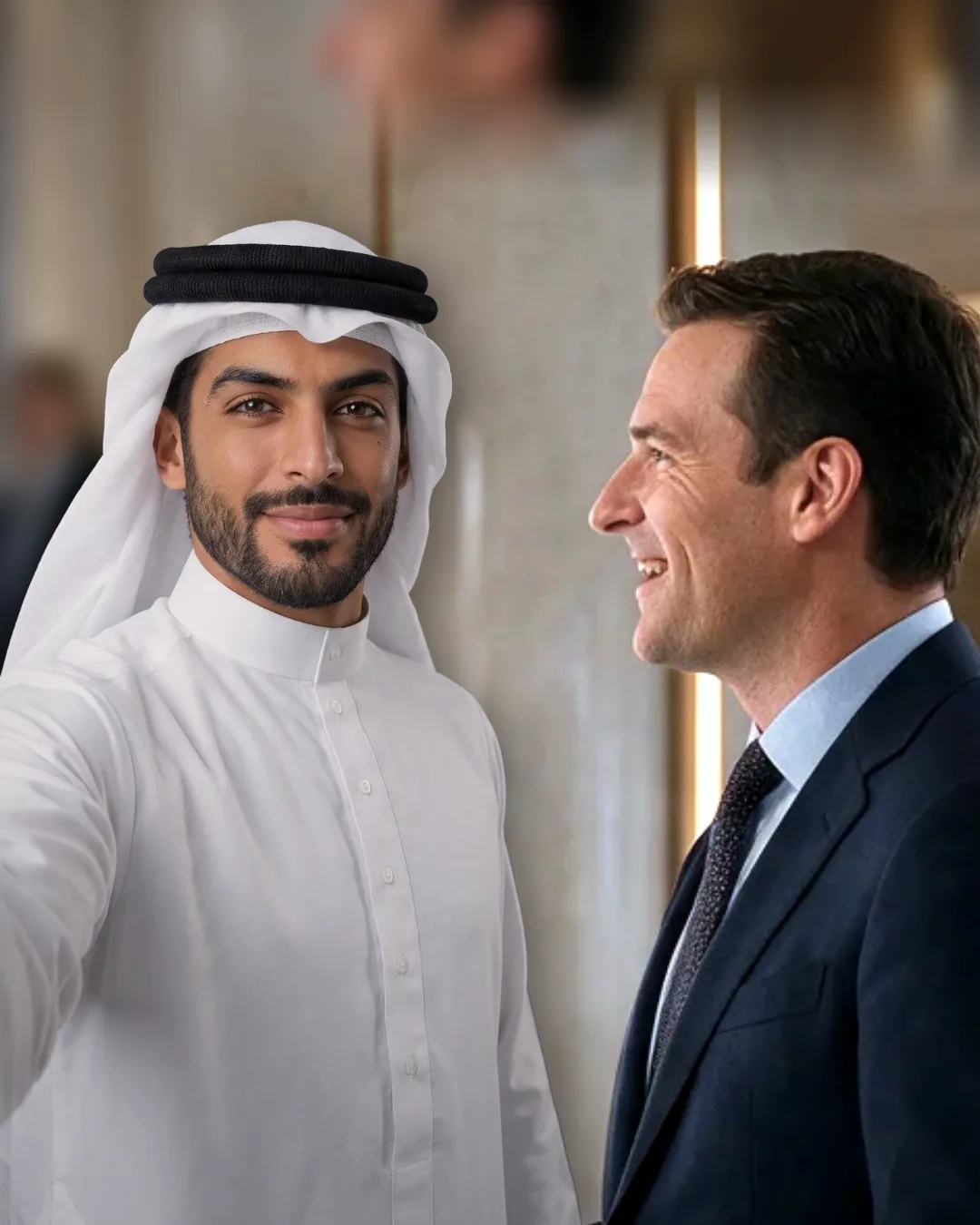
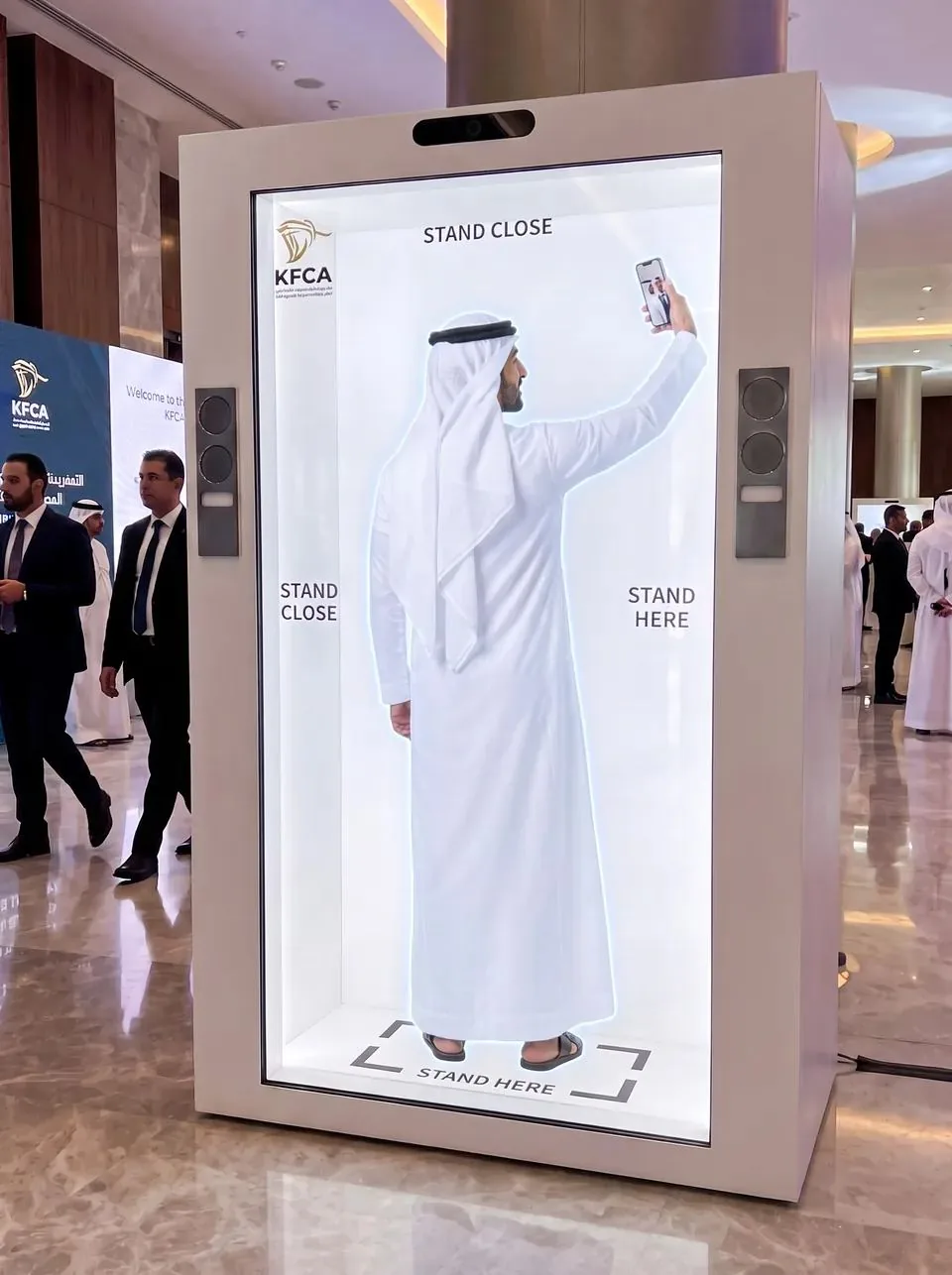
Selfie stations usually need staff, a queue and someone holding a phone. We wanted the host to take the photo himself, and we wanted the result to look like one picture, not a person pasted next to a cut-out.
What we did
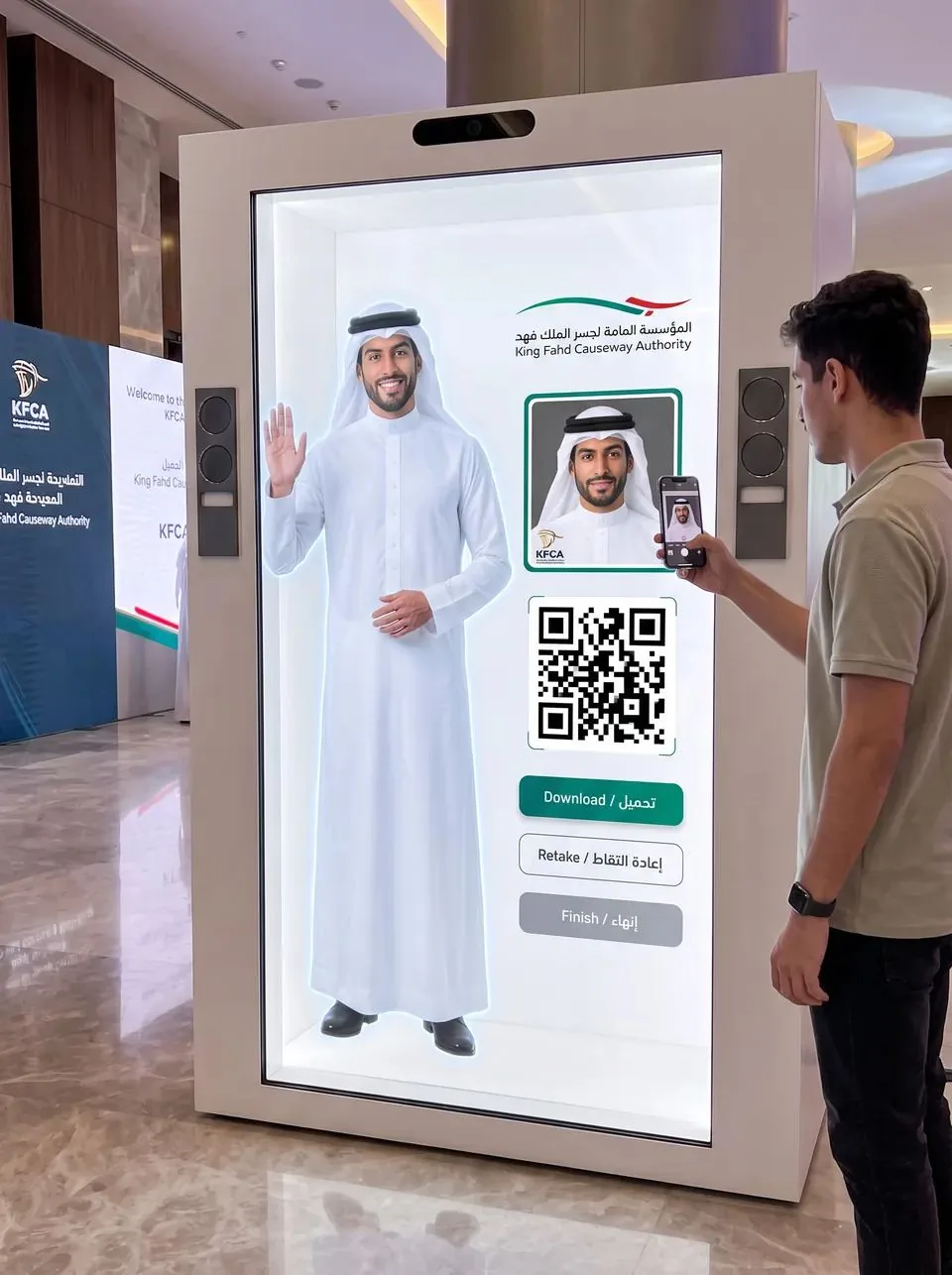
In the concept the host turns to the visitor, raises his own phone and frames them both. To show the client how real that can look, we built the photo step into the presentation. Upload a photo and it does four things: finds the face to decide where the visitor goes, matches colour and light between the visitor and the host, balances contrast so both faces stay clear, and adds the organiser’s frame and a QR code. The visitor can still move, scale or rotate themselves if the placement is not quite right.
Privacy was designed in, not added later. Face detection is used only for placement. It never identifies anyone, and in the presentation it runs on the viewer’s own device. On the hologram, the photo is collected through a QR link that expires after a set time, and nothing is posted anywhere.
Problem 5: the first voice sounded like a sat-nav
Our first version used the voice built into the browser. It worked, and it sounded exactly like what it was. A host who sounds robotic undoes everything the visuals build.
What we did
We replaced it with a recorded introduction and took the synthetic voice out of the experience entirely. Then we timed the subtitles to the recording itself, word by word, so each of the 34 words lights up as it is spoken. One more practical fix: every browser blocks sound until a person interacts with the page, so the introduction starts on the visitor’s first tap anywhere, rather than waiting for them to find a play button.
Problem 6: not every visitor has a good phone
A presentation that only works on a new laptop is a presentation the client’s colleagues will open on an old phone in a meeting room. If it breaks there, it breaks everywhere that matters.
What we did
We tested at four widths, from a large desktop down to a narrow phone, in both languages, and fixed every place where something spilled sideways. Face detection falls back to the phone’s main processor when there is no graphics acceleration, so the selfie still works on modest devices. And the enquiry form asks for four things only: name, mobile number, location and consent. Everything else is optional and folded away, because every extra required field is a reason to leave.
Problem 7: turning attention into a conversation that goes somewhere
A beautiful experience that ends with “thank you for watching” wastes the attention it earned. The client needed an easy next step, and we needed to know exactly what they wanted before we quoted.
What we did
One clear action per section, never three competing buttons. The package builder sends the client’s exact selection with their message, whether they choose WhatsApp or email, so nobody has to explain it twice. They can download a proposal built from their own choices, or copy a share link that carries the configuration and no personal data at all. Pricing rules for Bahrain and Saudi Arabia are stated openly, and in our private gallery the same presentation swaps every figure for a request button.
The technology behind it: four layers, one host
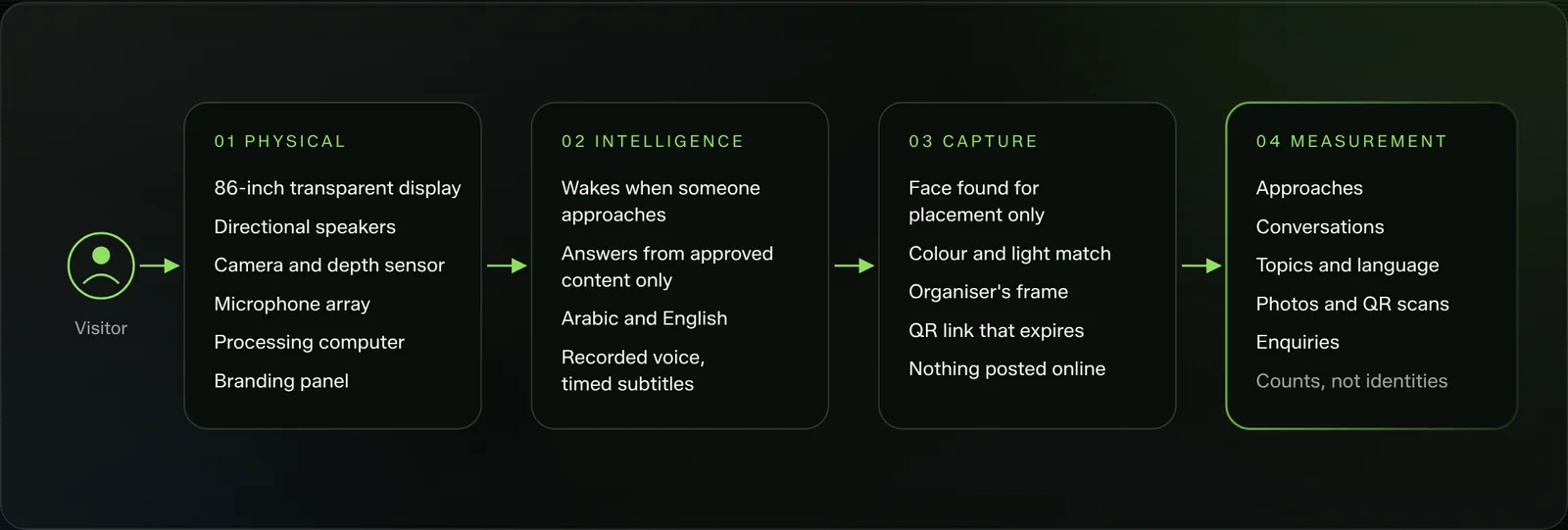
Hardware and software are composed together here, the way parts of an arrangement are written for each other. The cabinet is only as good as what runs inside it, and the software is only as convincing as the glass and sound it plays through. We think about it as four layers that pass the visitor from one to the next.
The presentation itself follows the same principle of doing as much as possible on the viewer’s own device. The 3D cabinet runs on three.js, an open-source 3D library for the web. The selfie step uses a small open-source face detection model from face-api, about 190 kilobytes, loaded only when someone opens the selfie step and run entirely in their browser. The proposal document is generated on the device too. Nothing about the visitor is sent to a server to make any of it work.
Turn it, open it, configure it
The cabinet responds to every option the client switches on, so the package and the object are the same thing on screen.
Placement, colour, frame
Detection decides where the visitor goes, then grading matches skin tones and light so the photo reads as one picture.
Recorded, then timed
Each word’s start time comes from the recording itself, so the subtitles never drift ahead of the voice.
The selection travels with the message
WhatsApp, email, proposal and share link all carry the client’s exact choices, with no personal data in the link.
What we would count on the day
This is a concept, so there are no event figures yet, and we will not invent any. What we can show is exactly what the hologram would log and how each number answers a question the organiser already has. Every count is anonymous. None of them needs a name or a face.
Approaches
How many times the sensor woke the host. Read against footfall, it tells the organiser whether the placement works.
Engagement time
How long a visitor stays once the host has spoken. The gap between approaches and conversations is the first thing we would tune.
Topics and language
What visitors ask, and in which language. The organiser learns what signage is missing and which language to lead with.
Photo to scan rate
Photos taken against QR scans. It shows whether the take-home moment lands, and it is the closest thing to a retention proxy.
Repeat interaction
Visitors who come back to ask a second question. A strong signal that the answers were useful, not just novel.
Visitor to intent
Follow-up requests started at the host, for organisers who want the host to collect them, with consent.
Five moments where the host earns its place
The host is one part of a visitor’s day. These are the five moments it touches, in order, and the completed works where we have already proven each one on a real floor.
-
Entry
The host notices the visitor and speaks first, so the welcome is personal from the first second.
Floor-proven: Interactive Hologram, HEC Dhahran Expo
-
Wayfinding
Where is the hall, the prayer room, the exit. Plain questions answered instantly, in the visitor’s language.
Floor-proven: Wayfinder, Aramco iktva
-
Interaction
A conversation that goes past directions: what is on today, what the organiser wants people to know.
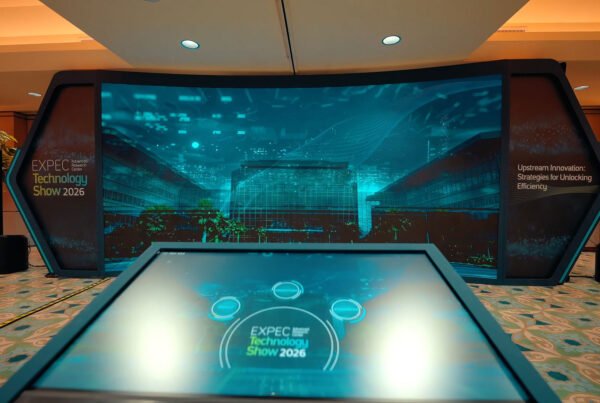
Floor-proven: Interactive HUB, Aramco EXPEC
-
Data capture
The selfie and the QR code, with consent first and contact details only if the visitor offers them.
Floor-proven: Reaction Game with live leaderboard
-
Reporting and follow-up
Anonymous counts the next morning, and a clear way for interested visitors to hear back.
Floor-proven: Aramco TeraPOWERS Event
Plenty of companies can rent you a box
There are good suppliers in the Gulf who will deliver a hologram cabinet on time and switch it on. That is a real service and we respect it. What we offer is the part that happens inside the box and around it, built by one team that answers for all of it.
Hardware and software from the same desk
The people who choose the speakers also write the script and build the photo step. Nothing gets lost between three vendors.
You see it working before you sign
We build a working version of the idea, so decisions are made by trying, not by trusting a render.
Arabic is never an afterthought
Right-to-left layouts from the first sketch, and no Arabic goes live without a native review.
Counts, not identities
Face detection for placement only, links that expire, and data kept to what the organiser actually needs.
No invented results
We tell you what we will measure and how. Figures arrive after the event, from the event.
Engineered with care in Bahrain, deployed across the Gulf
Built and tested in our Bahrain studio before it travels, with our own crew on site.
Trust gets you the brief. Teamwork gets you the result.
When a client hands over a brief with no limits, they are trusting you with their visitors. The way to repay that is not to disappear for a month and come back with a reveal. It is to make the client part of the build: show the host early, let them hear the voice, let them break the selfie step with their own photo and tell you what felt wrong.
Inside FAIM the work moves the same way. Content, 3D, sound, code and hardware are composed like parts of one piece of music, each written knowing what the others are doing. Premium requests are where this shows most. A different host, a second language, an extra screen or a custom game is a change to the arrangement, not a new project, because the parts were designed to work together from the start.
Where the project stands
- This is a concept prepared for the King Fahd Causeway Authority. It has not yet been deployed at an event.
- Images marked “Concept visual” are generated illustrations. Images marked “From the build” are screenshots of the working presentation.
- Host answers, scripts and Arabic content are finalised with the organiser and reviewed before anything goes live.
Questions organisers ask
Can the hologram host speak Arabic and English?
Yes. The visitor chooses a language on the screen and the host answers in it. Arabic content is reviewed by a native speaker before it goes live, and the screen switches to a right-to-left layout.
Does the selfie feature recognise or store faces?
No. Face detection is used only to place the visitor beside the host in the photo. It never identifies anyone. The visitor collects the photo through a QR code whose link expires after a set time. If your event falls under Bahrain’s Personal Data Protection Law or Saudi Arabia’s PDPL, we set the consent wording with you before launch.
Can the script and answers change for each event?
Yes. The host, the voice, the script, the questions and answers and the photo frame are all set per event, using information the organiser approves.
Where do you deploy it?
We build and test in Bahrain and deploy across the Kingdom of Bahrain and the Kingdom of Saudi Arabia.
Keep reading
- Holographic displays for events and exhibitions
- How wayfinders and holographic hosts transform the visitor welcome
- Ship the hologram: interactive product demos on the show floor
- How a cylindrical hologram works, from CAD file to exhibition floor
- Lead capture on a stand: the architecture behind 217 qualified leads
- Designing touchscreens for an exhibition floor
- ChatGPT found us, a friend sent the client: a reaction game story
- Don’t read it, play it: inside the FAIM JARVIS Experience Library
- Intelligent reception and registration desk
All 16 Products (Floor-Proven Prototypes)
16 PRODUCTS · ONE STUDIO · FAIM. Completed works proven on real floors. 100% interactive, 1 tap to experience. Ask JARVIS to choose.
Event & Exhibition Technology
F-7085PHANTOMF-3042VAULTF-6019BLADEF-1028IGNITIONF-8091CONCIERGEF-2073COMPASSF-4056WALLF-6041NEXUS
Interactive Media & Games
F-5037PORTALF-9064REFLEXF-7053PRISMF-8017PULSE
AI SOLUTIONS & WEB / APPS
F-4029CORTEXF-9031FORGEF-3098REELF-0019COMMIT
Jarvis · FAIM Concierge
Want a host like this at your next event?
Tell us who walks up and what they need to know. We will show you the host before you decide anything. Or open the library and let JARVIS pick the products that fit your floor.
Joby Thuruthel / FAIM
Found this useful?