
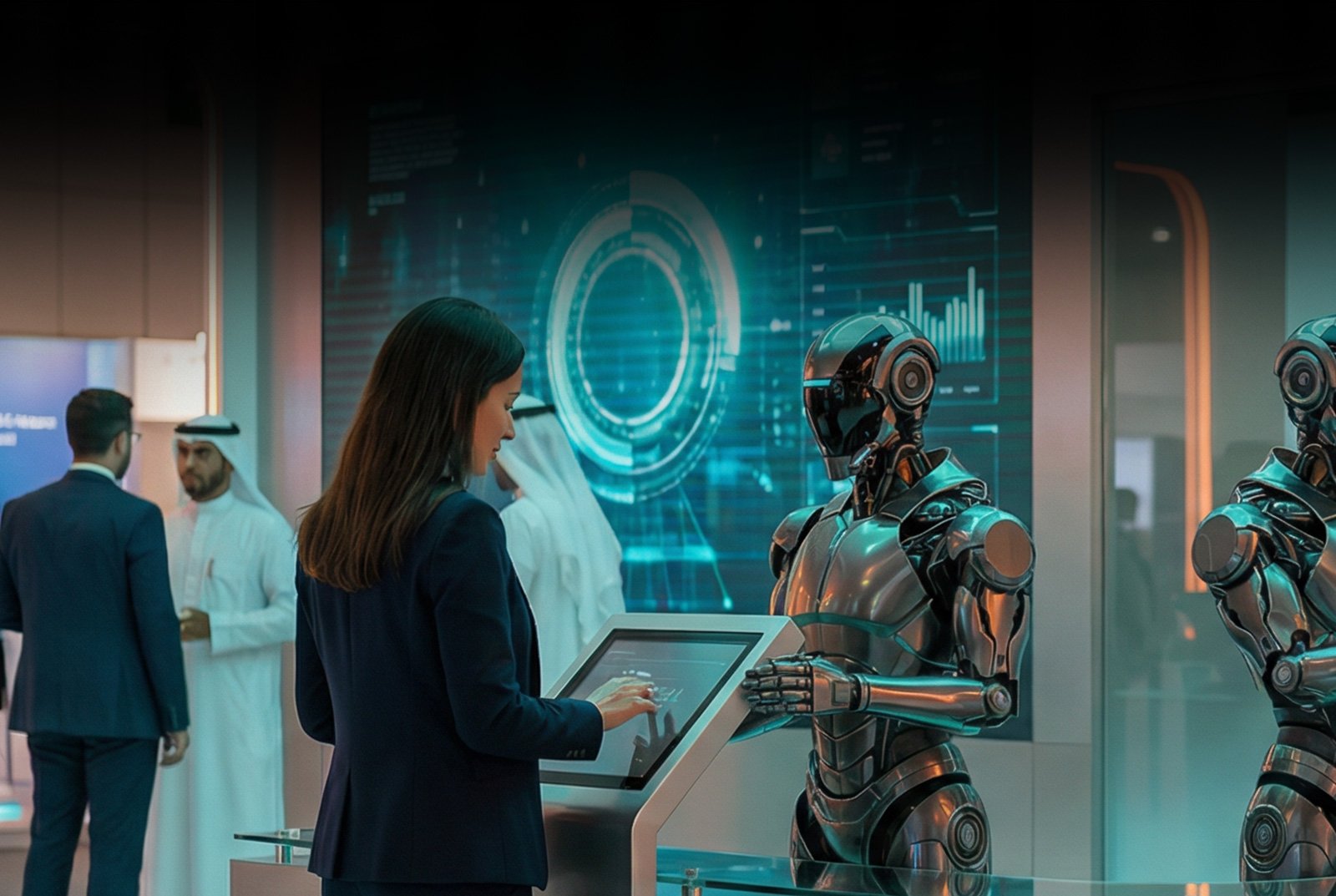
Technical story 06 · Exhibition booths and reception
Day three, 5pm. The stand manager hands the sales director a box. In it: 180 business cards, a tablet with a dead battery, and a notebook with names and no companies. Nobody can say which of these people spent four minutes with the product and which took a pen on the way to the coffee.
We have seen that box. The capture layer described here is the alternative, and it is the backbone of the exhibition booth and reception pages.
The principle. Every zone on the stand can end in capture, and every capture carries what the visitor did before it. Sales gets a ranked list, not a pile.
What the client actually needs
The ask is “collect leads”. The need is for the follow-up call to start with context: you looked at the boom assembly, you asked about delivery times, you played the game and scored well. That context has to be captured by the stand itself, automatically, because no human can remember it for 200 people.
One capture layer, many entry points
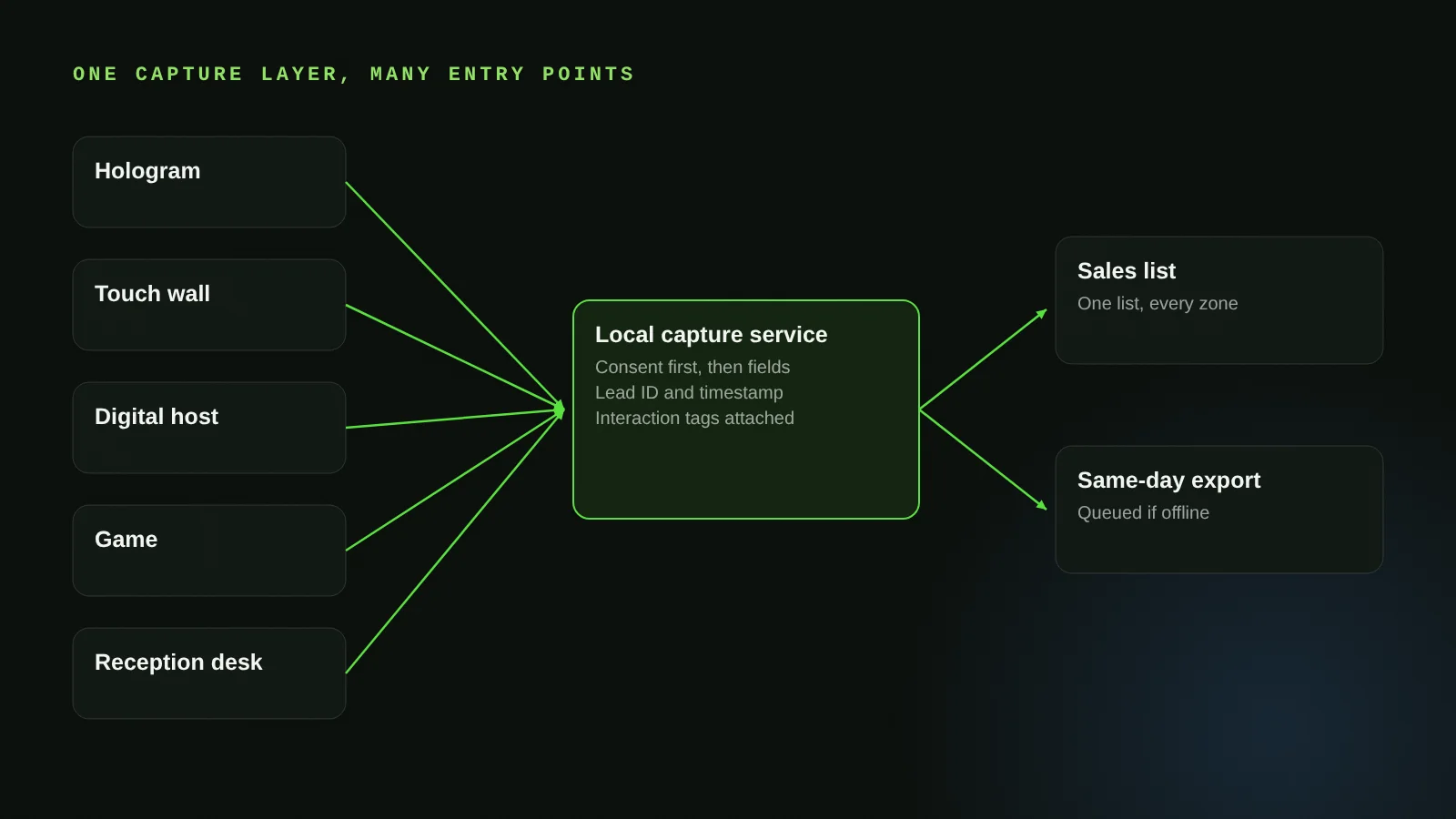
Across a stand the hologram, the touch wall, the digital host and the game are separate applications. They share one thing: a local capture service on the stand’s network. Any of them can hand a session to it. The service holds the record, applies consent, assigns a lead ID and timestamps it. The sales team sees one list regardless of which zone the visitor came through.
Consent first, then fields
Before any personal field is written the visitor sees a consent screen in Arabic or English, and the record stores that consent with its time. Fields are the minimum you asked for, not everything we could collect. Name, company, contact, and the interaction tags. Nothing is inferred and nothing is written without a tap.
Interaction tags: the part that changes the follow-up
Each application reports what the visitor did as a short list of tags: which components they opened on the hologram, which catalogue pages they lingered on, what they asked the digital host, how they scored in the game. The capture service attaches those tags to the lead. At HEC Dhahran this is how 217 qualified leads came out of 4,187 interactions: the ones who completed the full drill-down and then left a contact were different from the ones who glanced.
Offline, timestamped, exported same day
The capture service runs on the stand’s local network and writes locally first, so a dead venue connection changes nothing (the offline-first story covers this in depth). At the end of each day we export to CSV, Excel or your CRM. At the end of the event the data is wiped from stand hardware before it is packed, and the only copy is yours.
The reception desk is the first capture point
On a conference, the capture layer starts at the door. Check-in creates the record, the badge QR becomes the visitor’s key, and any zone that scans it appends tags to the same record. Our reception desk page covers the check-in side.
Where it fits
- AI-powered exhibition booth
- AI-powered reception and registration desk
- VAULT: secure data capture and lead systems
- ATHENA: the report written from the data
Questions clients ask
Can leads go straight into our CRM?
Yes, through an API scoped as a line item. Records sync as they are written when online and from the local queue when the connection returns.
What about privacy and consent?
Consent is captured on screen before any personal field, stored with the record, and the data is wiped from hardware after handover. You own the data; we keep none of it.
Can a visitor be captured in more than one zone?
Yes. A badge QR or a returning check-in links zones to one record, so the lead shows everything the visitor did, not just the last stop.
How is a lead marked qualified?
By rules you set at the brief: for example, completed a drill-down, asked a product question, or scored above a threshold. The export carries the tags so your team can re-rank.
More technical stories
- How a cylindrical hologram works: from CAD file to exhibition floor
- Designing touchscreens for an exhibition floor: glare, gloves and the two-tap rule
- Offline first: how we build event applications that survive the venue Wi-Fi
- Hand tracking on a stand: when touchless beats touch, and when it does not
- VR safety training that scores decisions: inside the Tasnee working-at-height build
- Multiscreen sync: driving every display on a stand from one content panel
- Show control for launches: one trigger, a countdown that waits, no second take
- Rendering for the wall: pixel maps, anamorphic corners and why 16:9 is not a plan
- Building a physical reaction game: Unity, custom circuits and a one-minute clock
Start with a conversation
Tell us what a good lead looks like to your sales team. Exhibition booth WhatsApp FAIM
Joby Thuruthel / FAIM
Found this useful?


👍🏻
Thank you
Wow great