
Technical story 03 · Web and application development
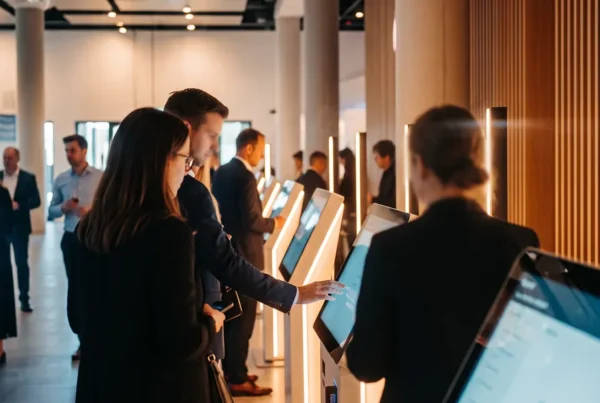
11:04 on the first morning. The hall Wi-Fi, shared with 6,000 phones, drops for ninety seconds. On one stand a check-in kiosk shows a spinning circle and a queue forms. On the stand next to it, nothing happens at all, because nothing on that stand was waiting for the internet.
The second stand is how we build. This story explains the architecture behind every application on our web and application development page, and why the same rule covers a reception desk, a touch wall and a game.
The rule. Nothing a visitor touches may depend on a connection that leaves the stand. Write locally, show locally, sync when you can.
The need behind the request
Clients rarely ask for offline capability. They ask for a registration app, a product explorer, a lead form. The need underneath is that it works at 11:04 on day one, and the only way to promise that is to design as if the venue has no internet at all. Then anything the connection adds is a bonus.
The three layers
Every FAIM application has the same shape, whether it runs on one kiosk or across a whole stand.
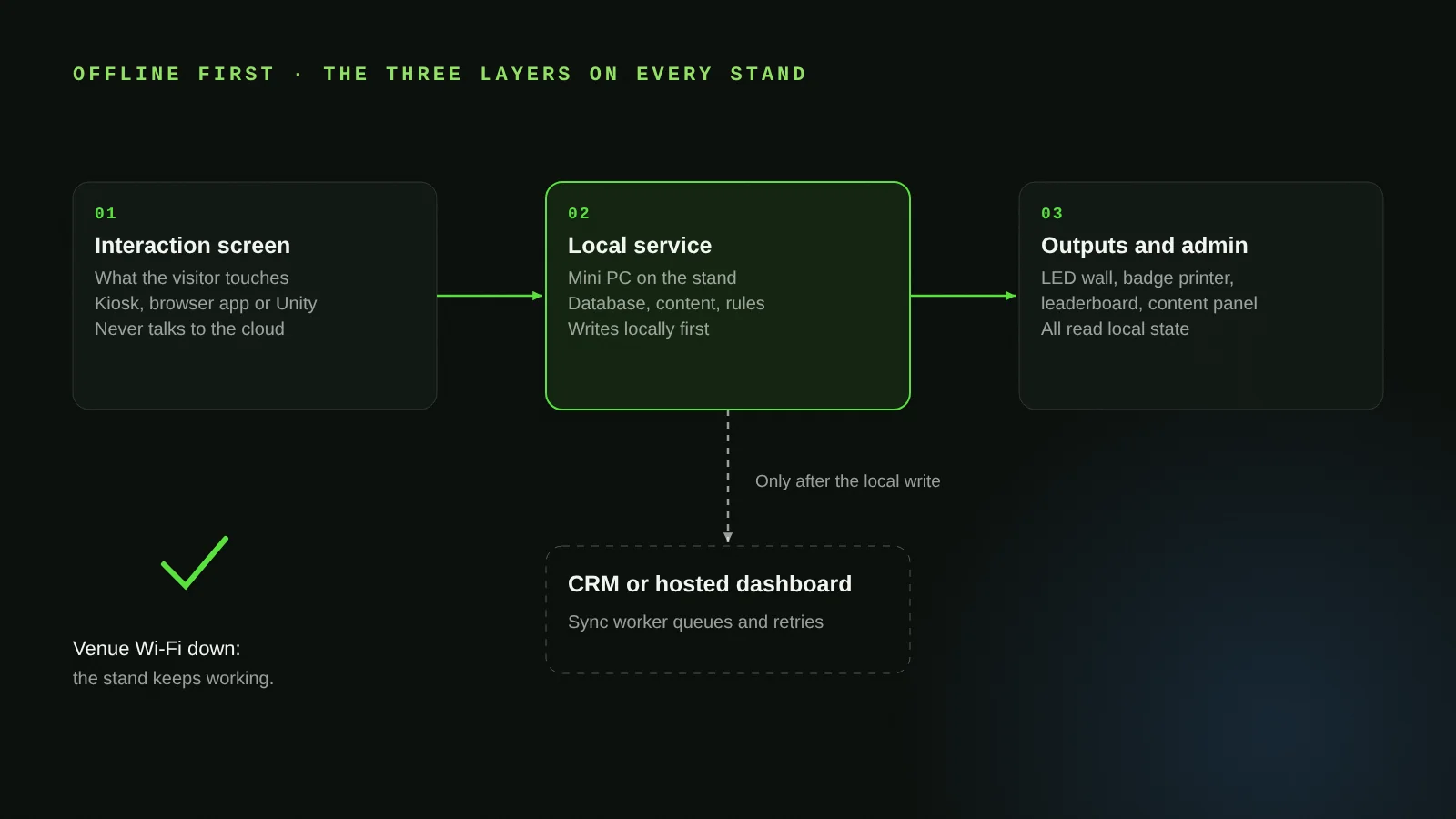
- Interaction screen. What the visitor touches. A browser-based or kiosk application on Windows, Android or iPad, or Unity where 3D or motion input is involved.
- Local service. A small server on the stand, often a mini PC, holding the database, the content and the rules. The interaction screen talks to this, never to the cloud directly.
- Output screen and admin. The wall behind the kiosk, the badge printer, the leaderboard, and the panel your team uses to change content. All read from the local service.
The interaction screen and the output screen are always separate processes. A kiosk can drive an LED wall behind it because both are clients of the same local state, not because one is mirroring the other.
Write locally first
When a guest checks in, the record is written to the local database with a timestamp and a device ID before anything else happens. The badge prints from that record. The welcome screen greets from that record. Only then does a sync worker try to send it to your CRM or our hosted dashboard. If the connection is down, the worker queues it and retries. If the connection is up, sync is near-instant and nobody can tell the difference.
Conflict is handled by design, not by luck
Two kiosks can check in the same guest if the list has a duplicate. We resolve that at the local service with one rule set: first write wins, the second is flagged for the staffed lane. Every record carries its origin device and time, so the export afterwards is a clean, ordered log rather than a puzzle.
Content changes without a developer
Because content lives in the local service, the admin panel can change a headline, swap a video or add a product ten minutes before doors, and every screen on the stand updates. This is the same mechanism that drove the synced displays in the EXPEC HUB and the service modules on the myhome SuperApp stand.
What leaves the stand, and when
At the end of the event the local database is exported to CSV, Excel or your CRM, the sync queue is confirmed empty, and the data is wiped from stand hardware before it is packed. The client owns the delivered assets, including the data. We keep our tools and frameworks; you keep everything that was yours.
Where it fits
- Web and application development
- AI-powered reception and registration desk
- COMMIT: event software and platforms
- VAULT: secure data capture
Questions clients ask
Does the stand need any internet at all?
No. Everything a visitor sees runs on the local network. Internet adds live CRM sync, remote monitoring and online features, and the application catches up when it is available.
Can it connect to our CRM?
Yes, through an API. Name the system at the brief and we scope the integration as a line item. Records sync as they are written when online, and from the queue when the connection returns.
Who hosts it after the event?
Your choice. We can host a dashboard, you can host it, or the application stays on stand hardware for the next show. Permanent installations in showrooms run the same architecture on a local server.
Can our team change content themselves?
Yes. Every build includes an admin panel for text, media, branding, layouts and roles. No developer needed for day-to-day changes.
More technical stories
- How a cylindrical hologram works: from CAD file to exhibition floor
- Designing touchscreens for an exhibition floor: glare, gloves and the two-tap rule
- Hand tracking on a stand: when touchless beats touch, and when it does not
- VR safety training that scores decisions: inside the Tasnee working-at-height build
- Lead capture on a stand: the architecture behind 217 qualified leads
- Multiscreen sync: driving every display on a stand from one content panel
- Show control for launches: one trigger, a countdown that waits, no second take
- Rendering for the wall: pixel maps, anamorphic corners and why 16:9 is not a plan
- Building a physical reaction game: Unity, custom circuits and a one-minute clock
Start with a conversation
Tell us what the application has to do and where it runs. Web and application development WhatsApp FAIM
Joby Thuruthel / FAIM
Found this useful?