AR and VR
Immersive AR and VR experiences
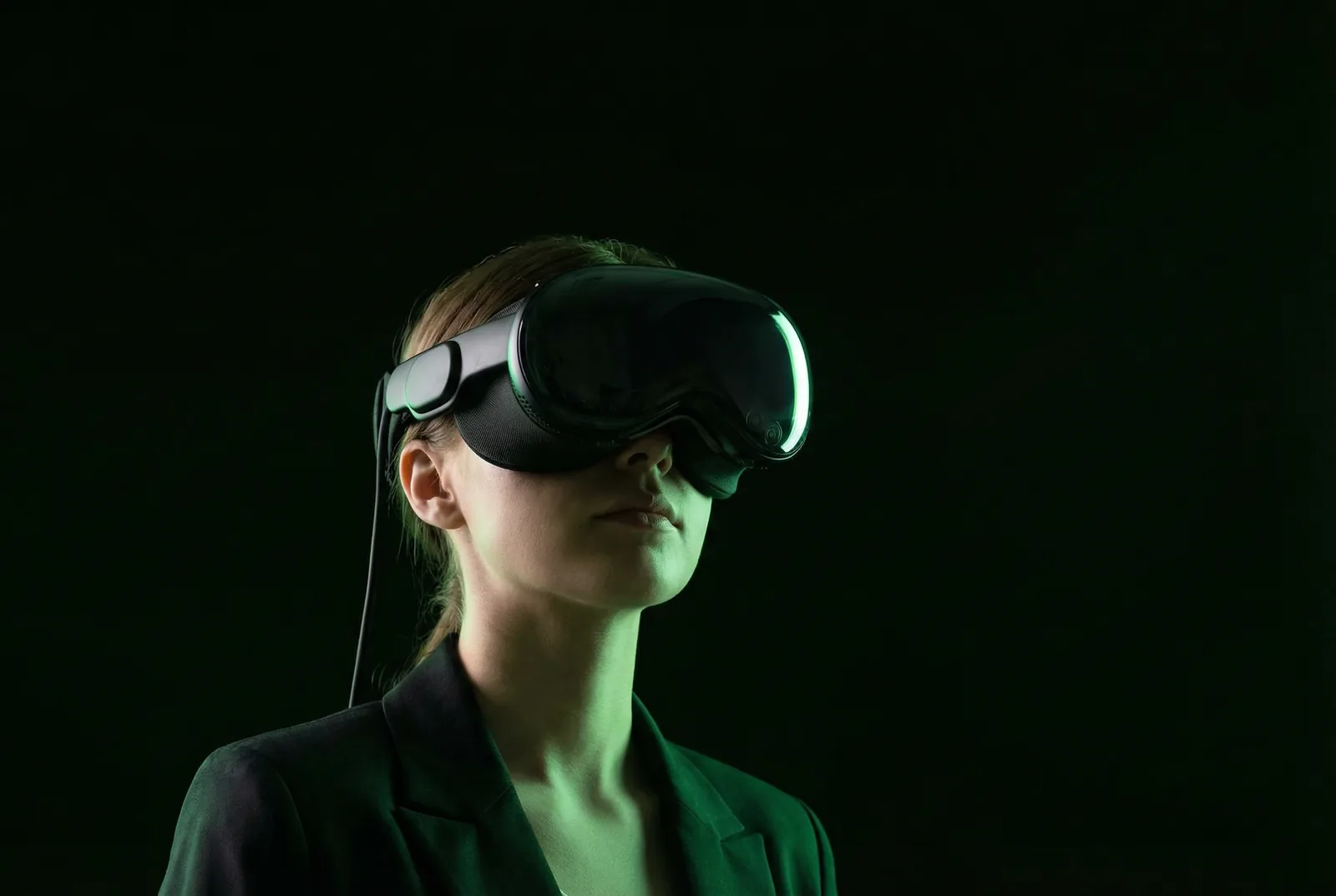
VR earns its place when it lets people do something they cannot safely or practically do in the room: stand at height, walk inside a reservoir, tour a plant that is not built yet. AR earns its place when it adds a layer to the stand a visitor is already standing on, through their own phone. FAIM builds both, for events and for training.
Over 200 Tasnee employees completed our Working at Height VR training at a single event.
Home / Solutions / Immersive AR and VR Experiences
The problems we solve
-
The thing you want to show is too big, too dangerous or not built yet.
A VR journey puts the visitor inside it. Reservoirs, refineries, ports and towers, at full scale, with nothing shipped to the venue.
-
Safety training is a slide deck nobody remembers.
A headset simulation makes people inspect the harness, check the anchor and move at height. Decision accuracy and reaction time are scored, not assumed.
-
Headsets at events mean cables, crashes and a queue of one.
We deploy standalone wireless Meta Quest headsets, pre-loaded, with a FAIM operator rotating visitors through and sanitising between sessions.
-
AR needs an app nobody will download.
Markerless web AR runs from a QR code in the visitor's own browser. No app store, no install.
-
The experience looks great and captures nothing.
Every session logs duration, completion and score, and can end with a consent-based lead capture on the output screen.
Why FAIM
- We build in Unity for the specific brief, hardware and venue. Nothing off the shelf.
- Our VR training for Tasnee is a working-at-height simulation with scored decisions, delivered to more than 200 participants at one event.
- Two screens, always: the headset for the visitor and an output screen for the crowd, so a VR booth draws a queue instead of hiding the show.
- A FAIM operator runs the headsets on site. Battery rotation, hygiene, resets and the occasional nervous first-timer are handled.
- Arabic and English voice-over, text and UI as standard.
The technical space
Every FAIM system has the same four parts. What the visitor touches, the FAIM application that runs it, what comes out, and the panel your team controls it from. Data moves along the connectors in both directions, on a local network, with no dependency on venue internet.
Visitor inputHeadset, controllers, hand tracking or the visitor's phone camera.
FAIM experience engineUnity build, scenario logic, scoring, bilingual content.
Output screensHeadset view mirrored to a crowd screen, leaderboard, capture form.
Admin and dataSession logs, scores, completion rates, lead export.
How it works, step by step
- Brief
You tell us what the visitor should see, do and remember, and where the booth sits on the floor.
- Scenario design
We storyboard the journey or training module, write the bilingual script and define what gets scored.
- 3D build
Assets are modelled or optimised from your CAD, and the scenario is built in Unity for Meta Quest or web AR.
- Test
Motion comfort, timing and scoring are tested with people who have never worn a headset.
- Install
Headsets, mirror screen and signage are set up and run through on the day before doors.
- Run and report
A FAIM operator rotates visitors. Sessions, scores and leads are exported at the end of the event.
Virtual reality for events and training
A VR experience is a place you build so that people can stand in it. For an exhibition that means a reservoir, a port, a production line or a city district, rendered at scale and walked through with a headset. For training it means a scenario with consequences: a harness that is not clipped, an anchor point that is wrong, a step taken too close to the edge. The visitor makes decisions and the system scores them.
FAIM builds VR in Unity for standalone Meta Quest headsets, so there is no PC, no cable and no tether on the stand. The headset view is mirrored to an output screen for the people waiting, which turns a one-person experience into a booth that draws a crowd.
Augmented reality on the visitor’s own phone
AR works best when it costs the visitor nothing. Our markerless web AR runs from a QR code in the phone’s browser: point the camera at the stand, the product or the floor, and a model, a story or a game appears on top of it. No app download, no account, and it works on iPhone and Android.
It suits product reveals, scale models that need an explanation, treasure hunts across a venue and printed material that should do more than sit on a table.
Who it is built for
- Energy, industrial and infrastructure companies showing assets that cannot be brought to a venue.
- HSE and training teams that need measurable safety training rather than attendance sheets.
- Real estate and master developers walking buyers through a project before it exists.
- Exhibitors who want a queue at the stand and the data to follow up afterwards.
Our AR and VR solutions
- ELYSIUM: bespoke VR journeys, from site walkthroughs to product worlds.
- AEGIS: an interactive industrial safety zone combining simulation and scenario response.
- AETHER: markerless AR activations that run on visitors’ own phones.
- PORTAL: AR and VR experiences that take visitors inside places and products you cannot ship.
- ODYSSEY: an immersive LED tunnel that moves visitors between worlds as they walk.
- MAELSTROM: a dual-seat full-motion 360 degree VR simulator.
- SANCTUM: an immersive 360 degree projection room with no headset at all.
Features
- Standalone wireless headsets. Meta Quest, pre-loaded and locked to your experience, no PC tether on the floor.
- Scored scenarios. Decision accuracy, reaction time and completion are recorded per session for training and for engagement reporting.
- Mirror screen. The headset view streams to a crowd-facing screen, with a leaderboard where the experience is competitive.
- Motion comfort by design. Teleport and guided movement, stable horizons and short sessions, so first-timers finish rather than take the headset off.
- Web AR, no app. QR to browser, markerless tracking, works on current iPhones and Android phones.
- CAD to real time. Your engineering models optimised into meshes that run at headset frame rates.
- Bilingual. Arabic and English voice-over, captions and interface.
- Lead capture at the end. An optional consent form on the output screen, exported with the session data.
Technical specification
SpecFAIM standard
01Headsets
Meta Quest standalone headsets, typically two to six per booth depending on session length and expected traffic.
02Engine
Unity, built per project. Scenario logic, scoring and content are FAIM-built, not templated.
03AR runtime
Web-based markerless AR in the phone browser via QR, or a native app where the client already has one.
04Output
Headset mirror to a 55 inch or larger screen or LED wall; leaderboard and capture form on a separate screen.
05Content
3D assets built in studio or optimised from client CAD, BIM or GIS; 360 video supported where live capture is preferred.
06Data
Per-session logs: duration, completion, score, decisions; CSV and Excel export, CRM sync on request.
07Connectivity
Runs offline on a local network. Headsets and mirror screen do not depend on venue internet.
08Space and power
A two-headset VR booth with mirror screen needs about 3 by 3 metres and standard 220V power.
09Lead time
Minimum five to ten working days from approval and advance for an adapted experience. New scenarios with custom 3D typically run four to six weeks.
On-site support
VR at an event fails on small things: a headset at 8 percent battery, a lens smudged by sunscreen, a guardian boundary set in the wrong place. A FAIM operator is on the stand for the whole run to stop those small things from reaching your visitors.
- Install and calibration the day before, including play-area boundaries and mirror screen alignment.
- Operator on site: fitting, briefing, rotation, hygiene between sessions, battery swaps.
- Spare headset and charged batteries kept ready.
- Daily session and lead export, and a final report at the end of the event.
Proof from real projects
For Tasnee we built a Working at Height VR training in Unity for Meta Quest, with equipment checks, harness inspections and safe movement at elevation. The system tracked decision accuracy and reaction time, and more than 200 participants completed it at Tasnee’s Safety and Operational Excellence event. For Aramco TeraPOWERS we built immersive VR journeys that let visitors step inside the reservoir.
How a FAIM project runs
- Conversation. You tell us the event, the audience and what visitors should leave with.
- Written scope. You get a scope with line-item pricing you can adjust: headsets, content, operator days, screens.
- Build. Scenario, 3D and scoring are built for your brief, in Arabic and English, and tested with first-time users.
- On site. A member of FAIM commissions and runs the booth while the event is live.
The client owns the delivered assets. FAIM retains its own underlying tools, frameworks and reusable systems.
Questions clients ask
Which headsets do you use?
Standalone Meta Quest headsets. Our Tasnee training ran as a wireless deployment for fast installation at the event, with no PC on the stand.
Will people feel sick?
We design for comfort: guided or teleport movement, stable horizons and short sessions. First-timers are briefed by our operator and can stop at any point.
Can AR work without an app?
Yes. Our web AR runs from a QR code in the phone browser on current iPhones and Android phones.
Can you use our CAD files?
Yes. We optimise CAD, BIM and GIS models into real-time meshes. Confidential models stay on FAIM hardware and are removed after delivery if you ask.
Do you deliver in Arabic?
Yes. Bilingual Arabic and English delivery is standard across our interactive applications.
Related solutions
- Holographic displays, when the crowd should see the model without a headset.
- AI-powered exhibition booth, to build the VR station into a full stand.
- Interactive games, for competitive VR and leaderboards.
Technical stories
How we build it, in detail, with the case studies and a small interactive lab in each.
- VR safety training that scores decisions: inside the Tasnee working-at-height build
- Hand tracking on a stand: when touchless beats touch, and when it does not
- From the floor to the memory: the FAIM story
Insights
Where this kind of work is heading, and how we would approach it.
- Keep the room: why mixed reality suits corporate events better than full VR
- Light, sound and scent: designing zones people remember
- Mirror, mirror: digital installations that turn guests into art
Start with a conversation
Send the event date, the venue and what you want visitors to step inside. Message us on WhatsApp or email info@faimglobal.com. You can also open working demos in our Experience Library before you commit.