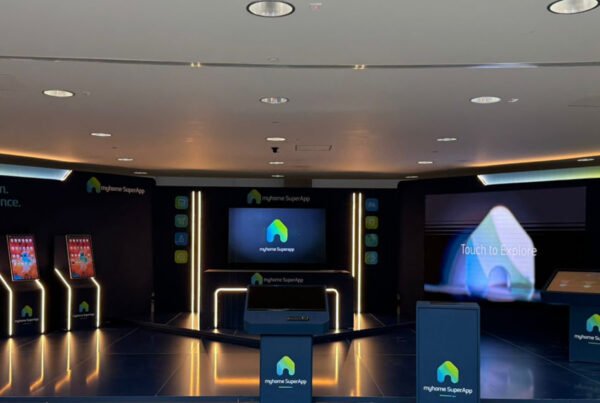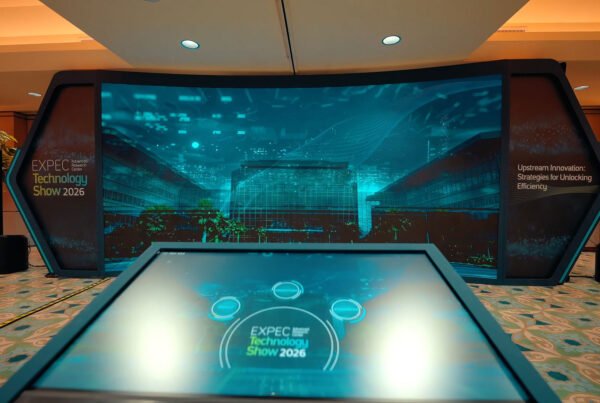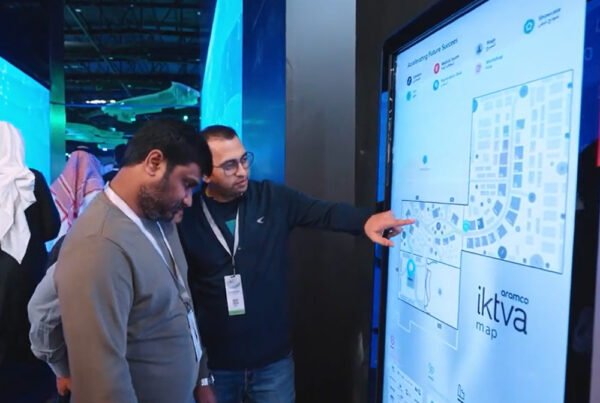
At a security show, the people who stop at your touchscreen will push it to see what happens. Lock it down, keep it off the hall network and plan back from 1 December.
The brief arrived at eleven at night, Riyadh time. A two-minute screen recording and one line asking if we could have it ready for December.
It showed a game. A fake inbox fills the screen and the player has sixty seconds to tap every email that is a phishing attempt. Right answers glow green. Wrong ones shake. At the end, your nickname and score jump onto a leaderboard for the whole stand to see.
The sender was a marketing team at a cybersecurity company in Riyadh. They had space booked at a security show, and a developer had built the game as a web page. It ran in a browser, pulled the leaderboard from a cloud server, and asked players to scan a QR code to register.
It was a good game. I played it four times on my laptop that night and my best score was embarrassing.
Then I thought about who would be standing in front of it.
A crowd that tests things for a living
Most stands worry about visitors walking past. At a security show, the people who stop are often paid to find weak spots, and they are curious by habit. They will swipe in from the edge of the screen and long-press everything to see if a menu appears. Somebody will kneel down and look for a USB port, usually out of plain curiosity.
If the game drops out to a desktop in front of that crowd, that is what people talk about for the rest of the day, and nobody mentions the product.
So before we touched the design, we spent an afternoon in our workshop trying to break the prototype ourselves.
It took about four minutes. A swipe from the right edge opened the system panel. Holding a finger on the score brought up a “save image” option. Then someone pinched the screen, the whole page zoomed until the buttons slid off, and the browser kept that zoom for the next player.
The game left the browser. We rebuilt it as a dedicated application running in a locked kiosk mode, where the screen shows one app, full screen, and the app restarts itself if it ever closes.
The PC went inside the plinth, behind a panel that needs a key, with the power button moved inside too. Spare ports were covered. The only thing a visitor could touch was glass.
Off the hall Wi-Fi, on purpose
The prototype needed the internet for two things: the leaderboard and the QR registration.
Hall Wi-Fi at a big show is shared by thousands of phones. At a security event it is also the last network you want your demo sitting on. We moved everything onto the stand. One small PC ran the leaderboard, and the game screens and LED wall talked to it over a cabled network that never touched the venue. It is the same offline-first approach we use on every build.
We put a small sign on the plinth saying the game ran fully offline. The marketing lead told us later it started more conversations than the logo did.
The QR code went too. Security people are trained not to scan codes they do not know, and this crowd would have smiled politely and walked on. Players typed a nickname on screen instead, and that was all the game kept. Real contact details went through the sales team’s usual badge scanning, with its own consent question. We have written about consent flows in our LEAP 2027 camera mirror story, so I will not repeat it here.
The nickname that read backwards
Nicknames brought two problems the prototype had never shown.
The first was direction. When a player typed an Arabic nickname with numbers after it, the leaderboard put the digits on the wrong side. Arabic and Latin names on neighbouring rows pushed each other around. On a laptop it looked like a small glitch. On a four metre LED wall it looked careless.
We isolated the text direction of every name so one entry could not disturb the next. Then two native Arabic readers on our team typed in fifty test names, mixed every way they could think of, and read each line on the actual wall.
The second problem was manners. If a crowd can put words on a giant screen, somebody will try. We added a word filter in Arabic and English, and a quiet button on the staff tablet that hides any name from the wall in one tap.
Anything a visitor types that the stand then shows in public needs a filter and a person with a hide button. Test it in both languages on the real screen, not on a laptop.
Twelve days out
The product team called. A new phishing trick had been all over the news that week, and they wanted a round of the game built around it.
Late changes are usually where builds break. This one was easy, because the questions had never been in the code. Every email in the game lived in a content file. Adding a round meant writing new emails, having them checked in both languages, and loading the file.
We agreed a rule with the client that afternoon. Content could change until rehearsal day. Code could not.
Build-up night
The evening before opening, with the stand almost finished, someone switched on the lightbox and the LED wall at the same moment and the stand circuit tripped.
Everything went dark except the game PC, which sat on its own small battery backup. When power came back, the wall lit up and the leaderboard carried on from where it was. It had never relied on anything outside the stand, so there was nothing to reconnect.
The stand builder moved the lightbox to a second circuit, and we went back to checking glare under the hall lights. A slight tilt of the screen sorted it. Our notes on designing touchscreens for exhibition floors go into that in more detail.
Show week
By late morning on day one there was a queue. A round took sixty seconds, but the top players kept coming back to beat each other, and new visitors stood waiting behind them.
We carry spares, so a second touchscreen came out of the case and became a practice station. Scored rounds stayed on the main screen. We also reset the leaderboard at noon each day, which gave the afternoon crowd a real shot at the top.
On the second day a man spent nearly ten minutes at the game without playing much of it. He swiped every edge. He tried two fingers, then three. He crouched to look at the plinth. Then he stood up, laughed, and asked the sales lead who had built it.
It turned into one of the longest conversations on the stand. That evening the marketing lead sent us a photo of him mid-swipe, with no message attached.
One of our team stayed by the stand for all three days, as we do with every installation. Most of the time there was nothing to fix.
This story is a composite drawn from common situations we see on interactive stands at technology and security shows, not a single client project.
Working back from 1 December 2026
Black Hat MEA 2026 runs from 1 to 3 December 2026 at the Riyadh Exhibition and Convention Centre in Malham, according to the event’s official site. Our interactive stand builds typically take four to six weeks, so a brief in late October is already close to the line.
- By end of OctoberBrief and game conceptAgree the game, the screens and what data the stand will keep.
- Weeks 1 to 3Build and lockdownDedicated app, kiosk mode, local network, locked plinth.
- Week 4Break-it dayOur team tries to escape the app, pulls the power and floods the leaderboard with bad names. Native Arabic review on the real wall.
- Last week of NovemberRehearsal and code freezeContent can still change. Code cannot.
- 1 to 3 DecemberBlack Hat MEA 2026Commissioned on site by FAIM, with spares in the room.
Buyer checklist for a security show stand
- Ask your supplier to try breaking the experience in front of you: edge swipes, long presses, pinch zoom, a pulled cable.
- Run touch games as a dedicated app in locked kiosk mode, not as a web page in a browser.
- Put the PC and its ports behind a locked panel, power button included.
- Keep the stand on its own cabled network and check the experience works with the internet unplugged.
- Skip QR codes for this audience. Keep game data to a nickname and take leads through your sales team. Our post on lead capture architecture for exhibition stands covers that side.
- Filter public nicknames in Arabic and English, give staff a one-tap hide button, and test mixed text on the actual LED wall.
- Keep game content in files so late changes never touch code, and agree a freeze date.
- Put the game PC on battery backup and find out which circuit the LED wall shares.
- Plan for the queue with a practice station and a daily leaderboard reset.
Exhibiting at Black Hat MEA 2026?
If you are planning an interactive game or any interactive exhibition stand in Riyadh or Bahrain, talk to us this week. We will tell you where it is likely to fail and how we would stop that before the hall opens.
Questions buyers ask
When is Black Hat MEA 2026?
Black Hat MEA 2026 runs from 1 to 3 December 2026 at the Riyadh Exhibition and Convention Centre in Malham, according to the event’s official site.
Is there still time to build an interactive game for Black Hat MEA 2026?
Our interactive stand builds typically take four to six weeks. Our minimum is five to ten working days from approval, which suits a simpler experience than a new game.
What happens if the hall Wi-Fi or power fails?
Our builds are offline-first, with redundant inputs and automatic recovery. We carry spares, and one of our team commissions and stands by every installation.
How do we capture leads without a QR code?
Keep the game to a nickname and let your sales team collect contact details through badge scanning, with a separate consent question checked by your own legal adviser.
Sources
- Black Hat MEA: FAQ (2026 edition, 1 to 3 December 2026, Riyadh Exhibition and Convention Centre, Malham)
- Black Hat MEA: About us (annual cybersecurity event in Riyadh, co-organised by Tahaluf and the Saudi Federation for Cybersecurity, Programming and Drones)
- Microsoft Learn: Assigned Access overview (kiosk mode runs a single app full screen and restarts it automatically if it closes)
Found this useful?