VAULT

Secure Data Capture & Lead Systems

Capture qualified leads on the stand with full data compliance.

View in 3D
Read the narration

Vault captures leads properly. Scan a badge, record consent, add notes, and every contact syncs securely to your CRM.
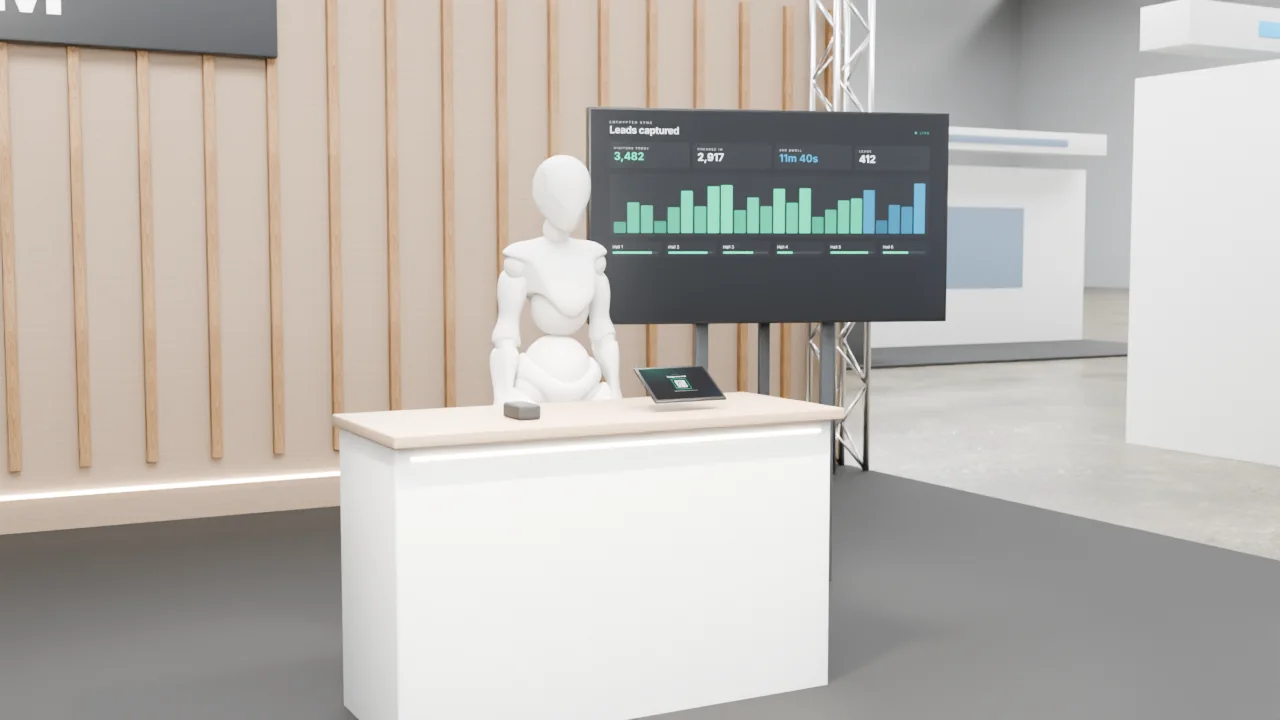
VAULT, Secure Data Capture & Lead Systems, installed on an exhibition stand

What it is

Badge scan and form capture with consent records, opaque tokens and export to the client CRM.

What visitors do

  1. Scans one QR at the entrance
  2. Visits zones and scans each
  3. Unlocks content and points
  4. Sees progress live
  5. Redeems reward with staff

Why it is useful

Leads captured once, owned by the client.

  • Register and guide visitors
  • Capture qualified leads
  • Draw a crowd

How it responds

  • Mobile web app
  • Progress board

Interactive 3D experience

See it working, in five steps

Idle, input, recognition, response and result. Play the sequence, or drag to look around.

Open the interactive 3D experience to turn the model, zoom in and play the five-step sequence.

Key features

  • Badge/QR scan module
  • Consent ledger
  • Lead-scoring engine
  • CRM sync API
  • Visitor phone QR scans
  • Staff redemption tablet

Hardware and software

  • Printed or screen QR per zone
  • Local or cloud server
  • Progress display
  • Session service with signed tokens
  • Zone registry + nonce

Customisation

  • Your brand, colours, logo and copy throughout
  • Content in English and Arabic
  • Size and layout planned for your stand or venue
  • Rules, timings and prizes set to suit your audience
  • Optional lead capture with the visitor's consent, sent to your team
Technical specification

Signal path

Step 1Scan zone QR
Step 2Server validates token + zone nonce
Step 3ZONE_UNLOCKED
Step 4Points + content
Step 5Progress board + reward

Hardware on site

  • Printed or screen QR per zone
  • Local or cloud server
  • Progress display
  • Staff tablet

Software

  • Session service with signed tokens
  • Zone registry + nonce
  • Rules engine
  • Leaderboard
  • Redemption UI

Data it can capture

  • Anonymous session id
  • Interaction events
  • Optional consented lead (name, company, email)

Personal data only with the visitor's consent, stored and handled as agreed with you.

If something fails

Duplicate scanCooldown, no extra points
Shared or copied QRZone nonce rotates every few minutes
Server offlineLocal edge server queues scans

Components are matched to your venue, power, data and floor plan. Install, testing and on-site support by the FAIM team.

Accessibility

  • Interaction points set between 0.9 m and 1.2 m where the product allows, with clear floor space for a wheelchair user
  • Every spoken or audio cue has an on-screen equivalent
  • High-contrast on-screen text and generous touch targets
  • A staff-assisted mode for visitors who prefer not to interact directly

Who it suits

  • Event organisers and agencies
  • Brands and retail
  • Government and authorities

Where it works

  • Venue entrances and concourses
  • Conferences
  • Operations rooms

Want VAULT at your event?

Add it to your enquiry list, keep browsing, and send everything in one go. Or talk to us now.

Go to enquiryWhatsApp

VAULT in the FAIM catalogue