Technical story · Interactive sales presentations
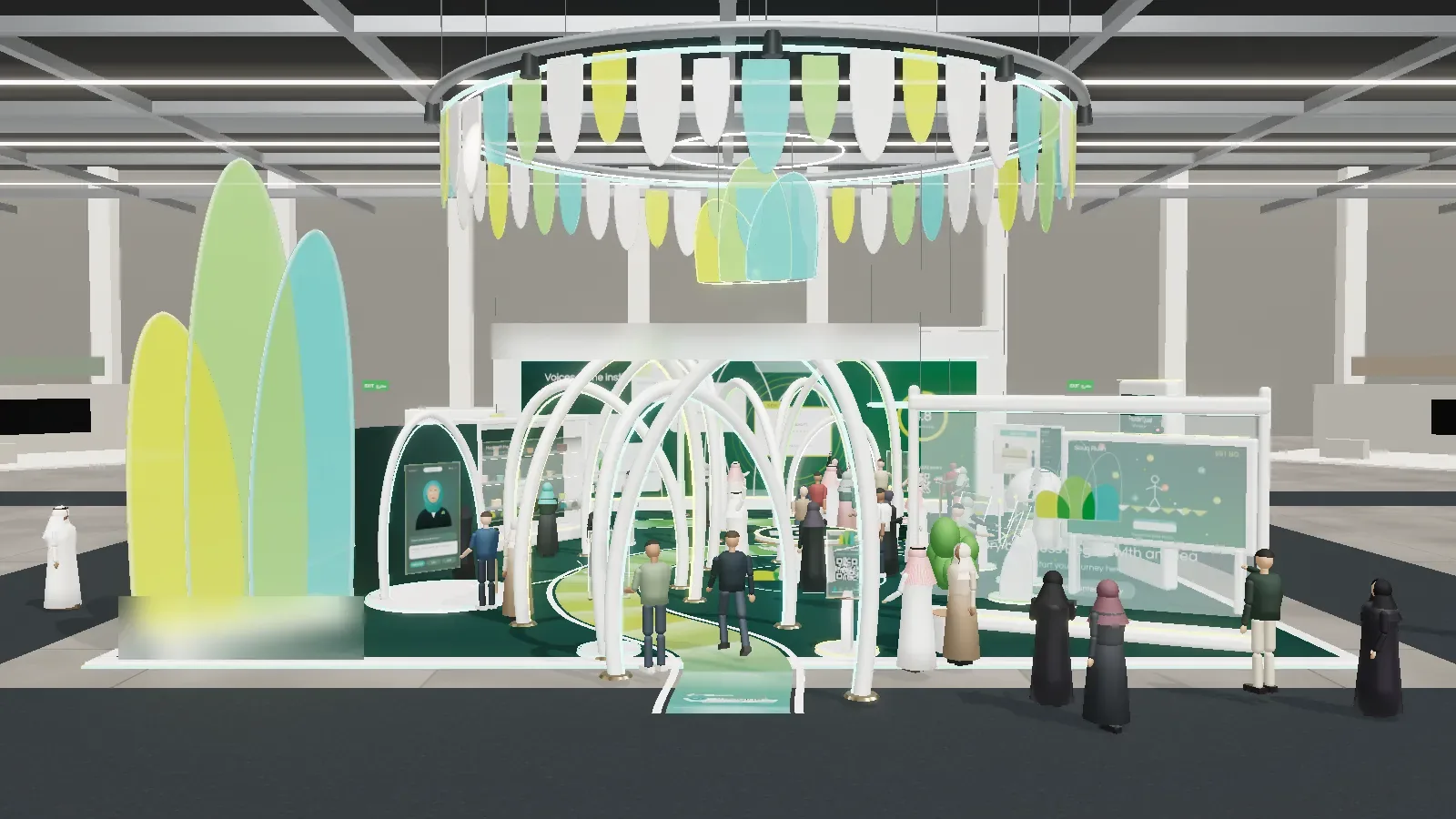
It was late on a Tuesday when we opened the first version of the pavilion and walked through it ourselves. The arches were right. The light was right. A small crowd of 3D visitors drifted past the guide station exactly as we had planned. And after two minutes of looking at it, I realised it was the wrong thing. It was beautiful, and nobody who has to approve a budget ever said yes to something because it was beautiful.
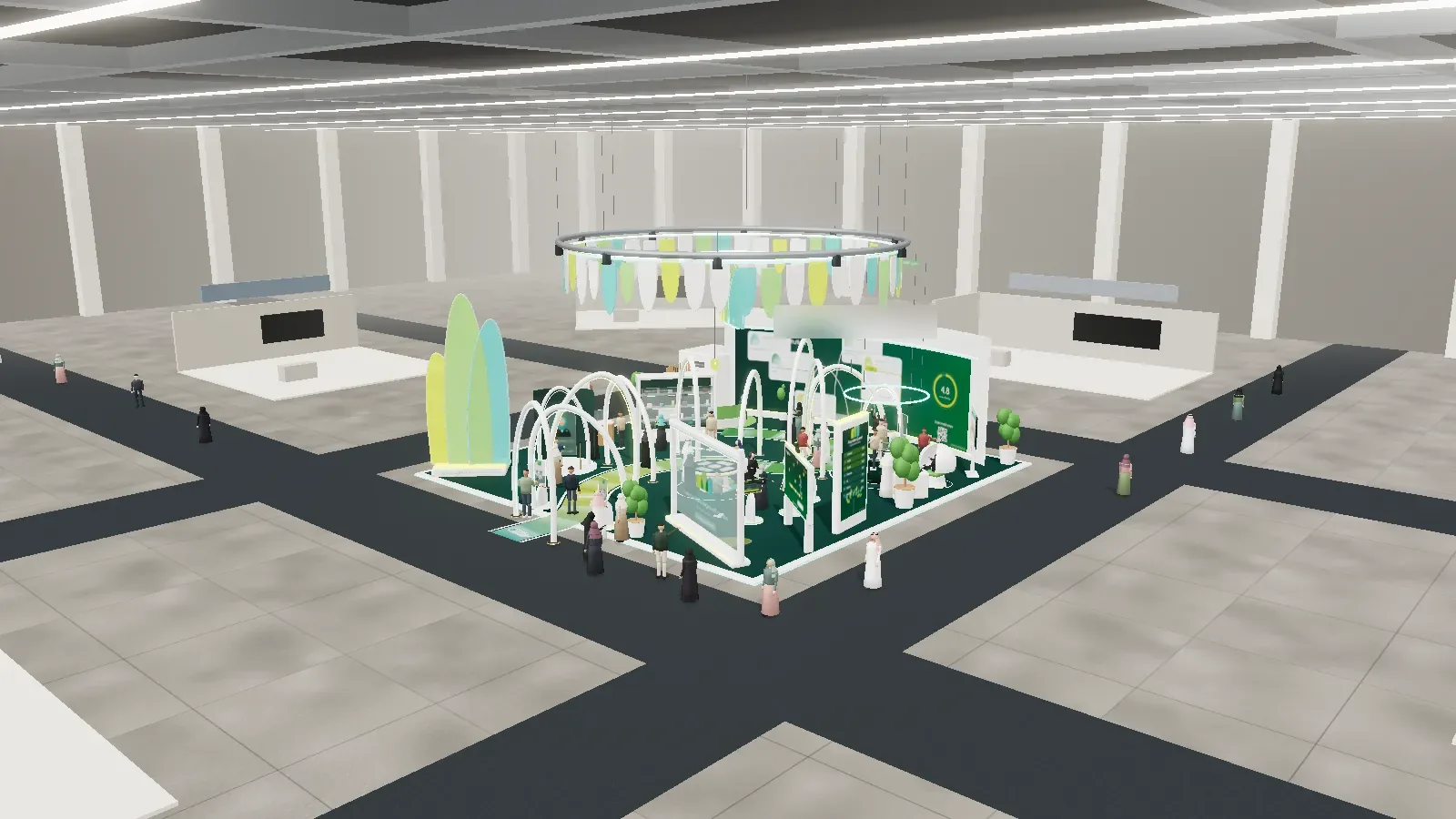
That moment shaped everything that follows. This is the story of how we built an interactive presentation for a microfinance institution in Bahrain: a walkable 3D pavilion, real phone apps a decision maker can try in their own hand, a recorded voice that guides the tour, and a proposal builder at the end that turns a walkthrough into a conversation about what to buy. It is also the story of how our team actually works, because most of what made this project good came from problems we hit along the way.
The short version. Instead of sending a brochure and a set of renders, we built the booth as a live web experience. The client walks it, hears it explained, tries every product on a phone, keeps what helps their visitors, drops what does not, and sends their selection back to us in one tap. No download, no install, one link.
Who it was for
The client helps people with an idea become people with a business. Many of the people they want to reach are young, curious and on their phones, and very few of them will read a leaflet at an exhibition. The original brief was a pavilion: somewhere visitors could learn what the institution does, try something hands-on and leave their details if they wanted to.
A booth like that is easy to describe and hard to judge from a drawing. The person who signs it off needs to feel the visitor’s route, not imagine it. So before we drew a single arch, we asked a different question: what does a young founder need to experience in ten minutes to walk away believing this institution is for them?
The turning point: from a booth to a sales conversation
The first build was a 3D model you could orbit in a browser. It answered “what will it look like?” and nothing else. We changed the goal to something much less glamorous and much more useful: this is a sales tool, not a game. Every decision after that was tested against one question. Does it help the person on the other side of the table make a decision?
- The tour talks. A recorded human voice walks through each station, chapter by chapter. Where no recording exists, it stays silent. It never falls back to a synthetic voice.
- The visitor stays in control. Touch anything and the tour pauses while you look around. Stop touching and it picks up where it left off.
- Every product stands alone. No bundles, no tiers, no “recommended package”. The client sees each product working and keeps it or drops it on its own merit.
- The screen belongs to the experience. Captions are off unless someone turns them on, the controls are big and few, and nothing floats over the view.
- The tour ends with a decision. The last chapter is a proposal builder, not a thank you slide.
The visitor’s ten minutes
We planned from the visitor backwards. A young person arrives, gets a journey passport on their phone, asks the talking guide a question, shapes an idea, works out whether it could pay for itself, plays through a founder’s challenge, leaves a comment on the feedback wall and books a next step. Each stop became one product, and each product had to work on its own phone, opened from a QR code, with nothing to download.
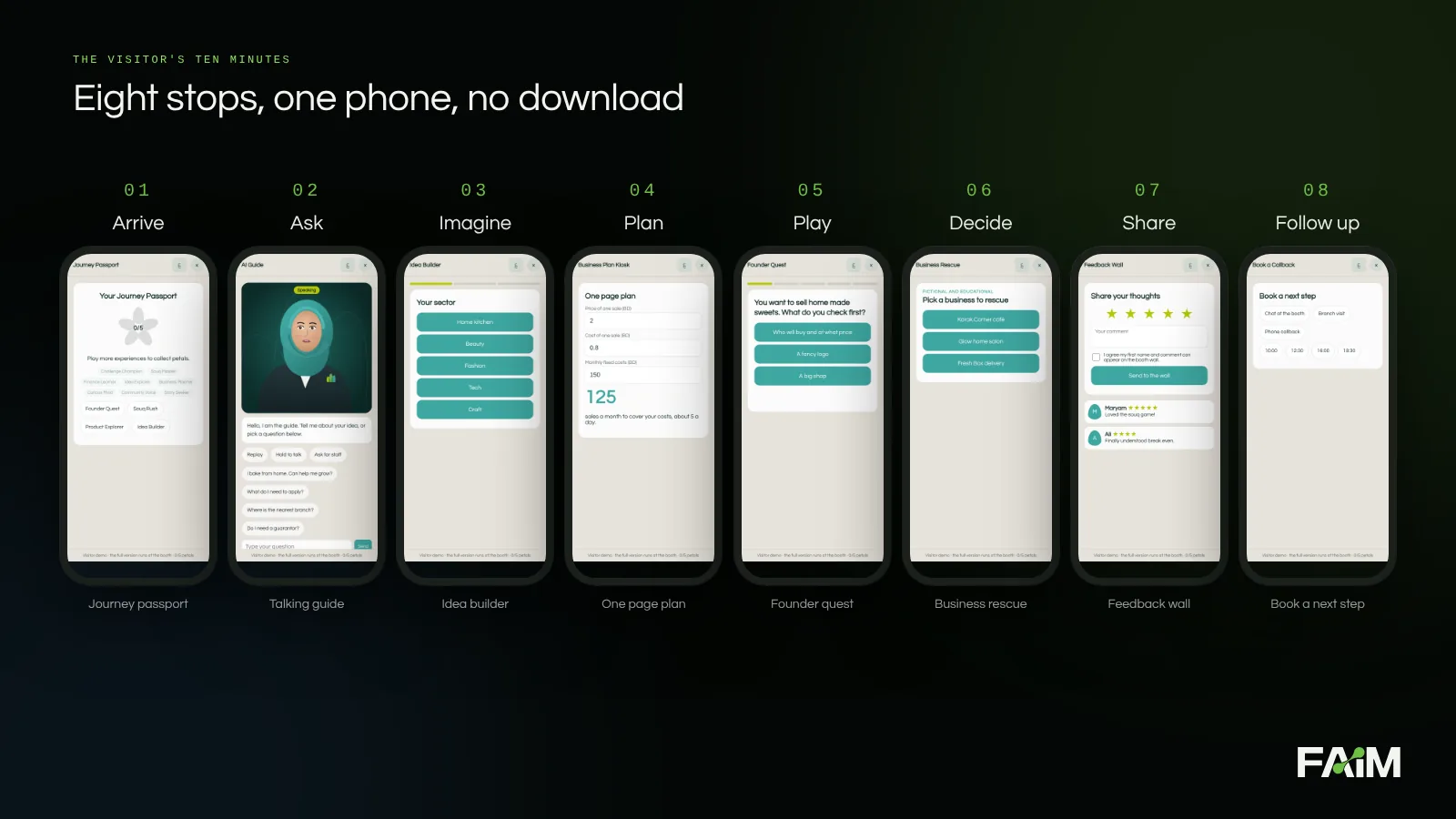
The products, one by one
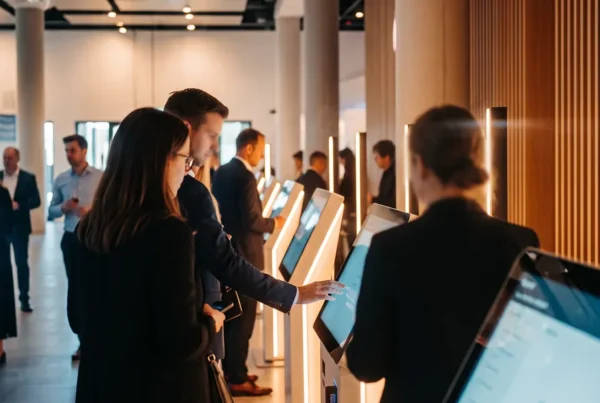
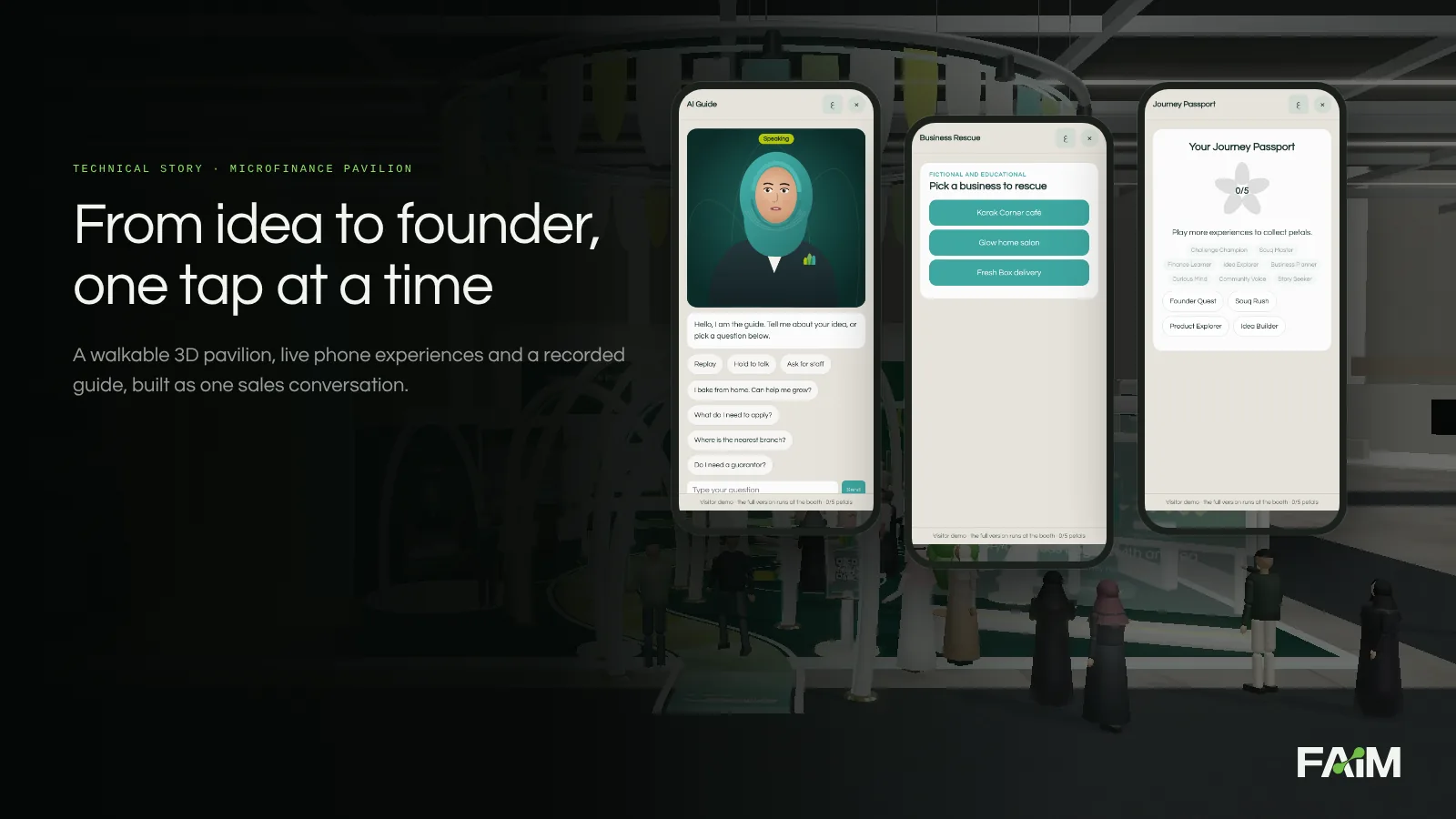
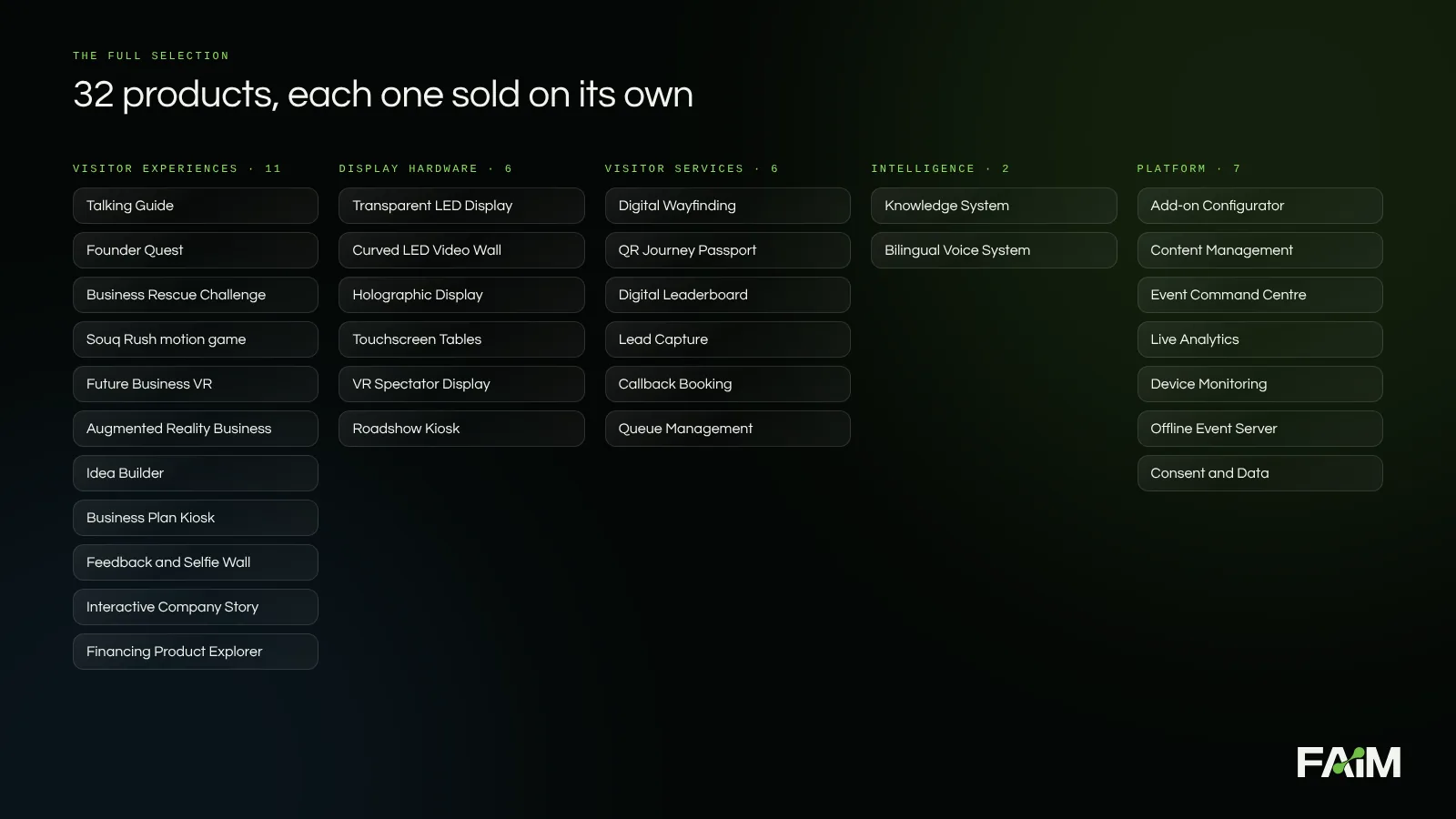
There are 32 products in the full selection, grouped into five families. Here are the ones a visitor touches, shown on real screens from the build.
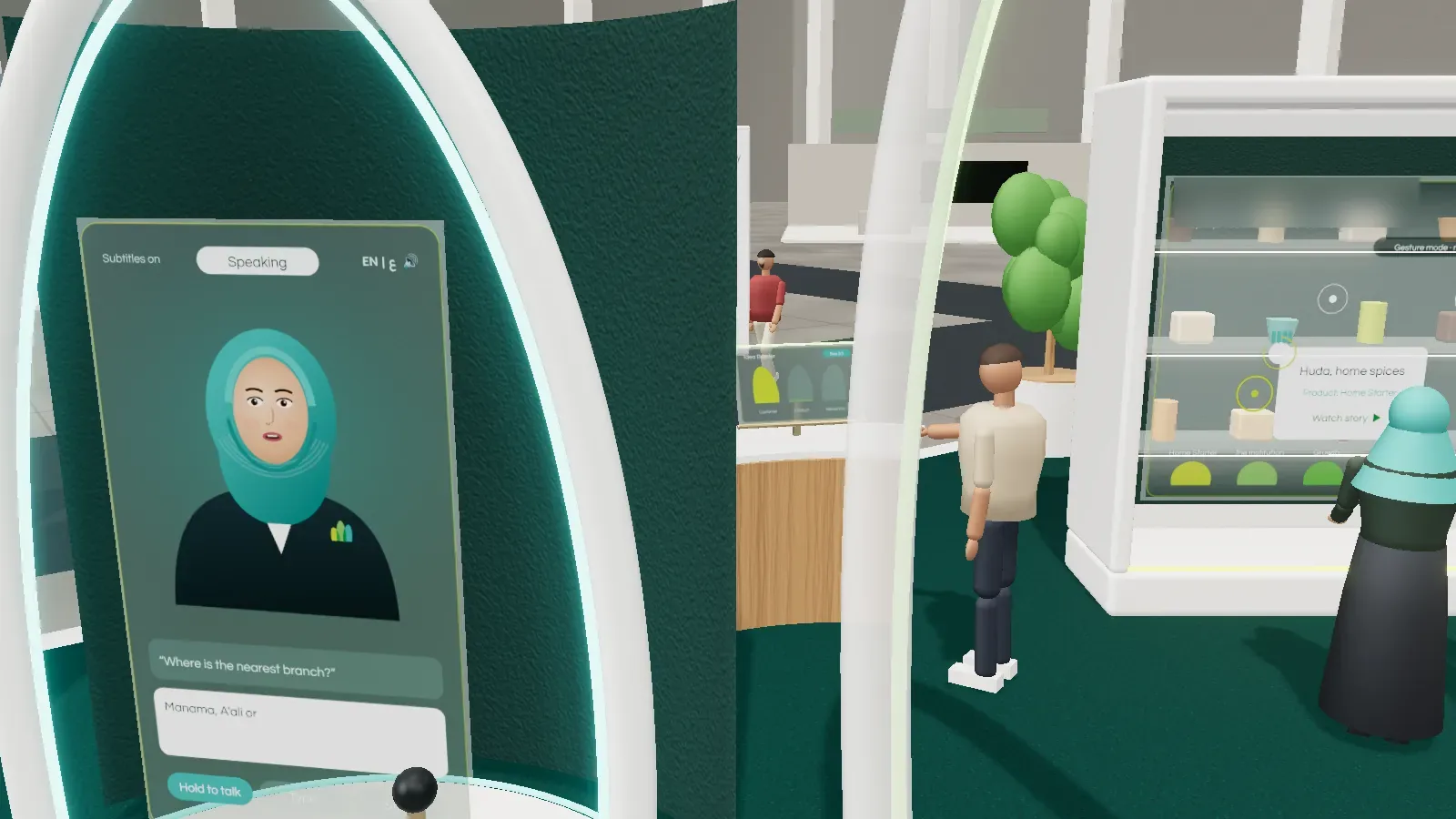
Talking guide
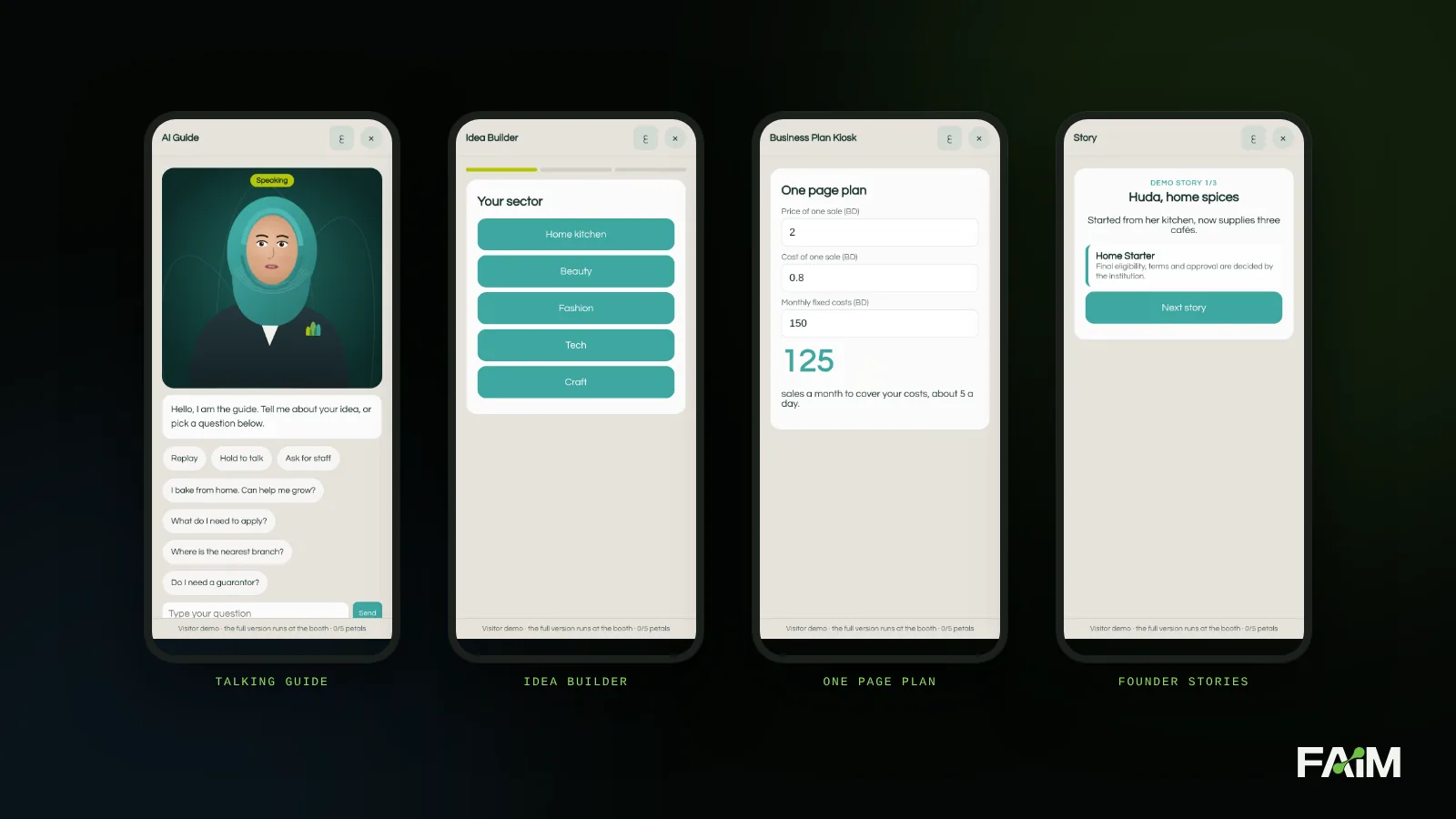
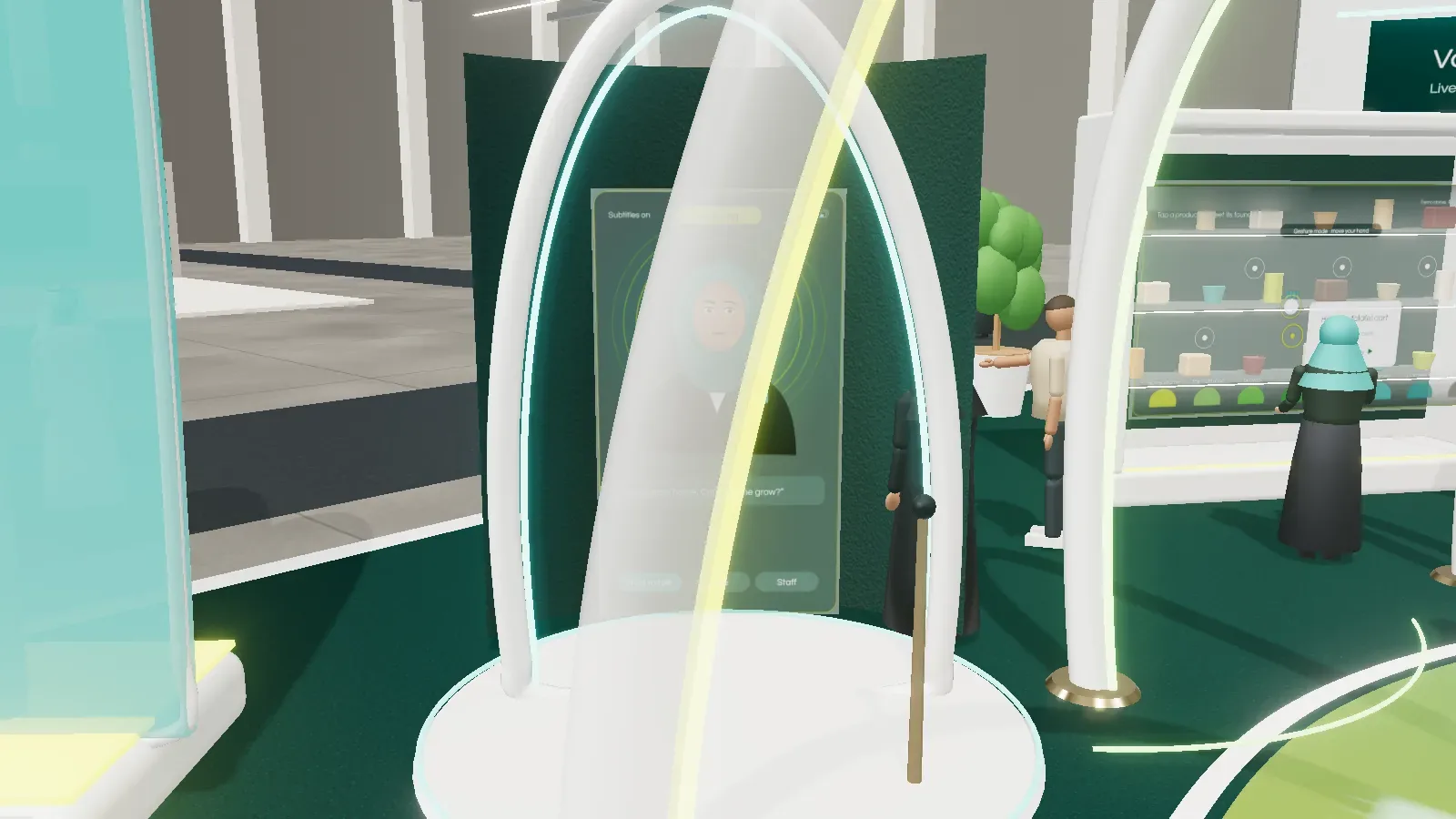
A bilingual avatar that listens, answers in Arabic or English from approved content only, and hands over to a real member of staff when the question needs a person. Visitors can talk, type or tap. If the venue Wi-Fi fails, it falls back to approved answers by touch.
Idea Builder and Business Plan Kiosk
The Idea Builder asks a few plain questions: start or grow, which sector, who the customer is, what problem you solve. It ends with a short idea summary the visitor takes away by QR. The Business Plan Kiosk goes one step further, with a guided one page plan and a break even helper that tells a visitor, in a single number, how many sales a month their idea needs to cover its costs.
Founder Quest, Business Rescue and Souq Rush
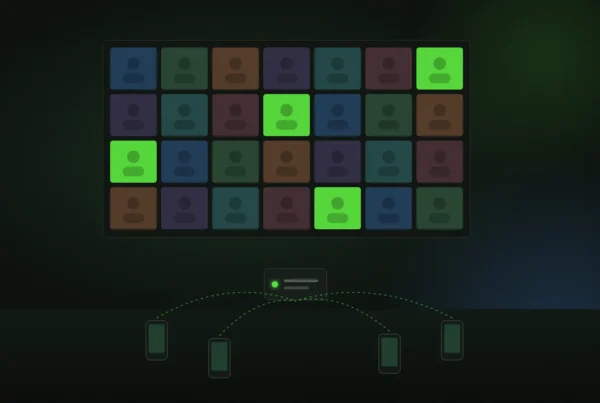
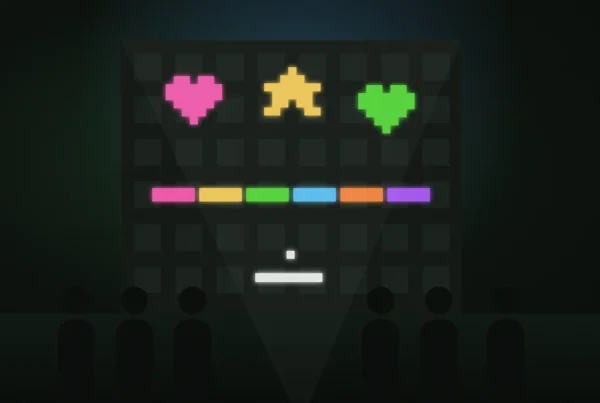
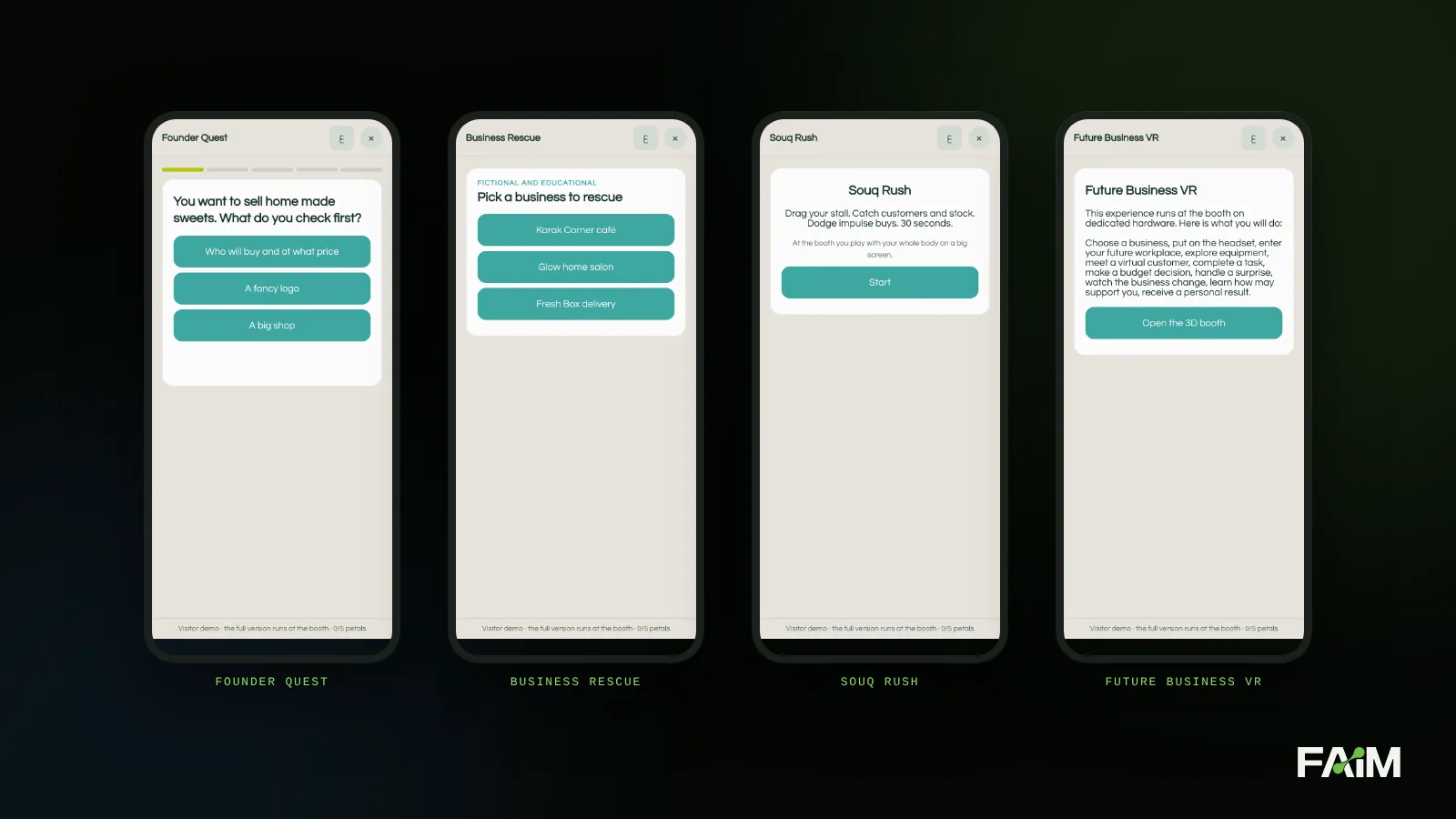
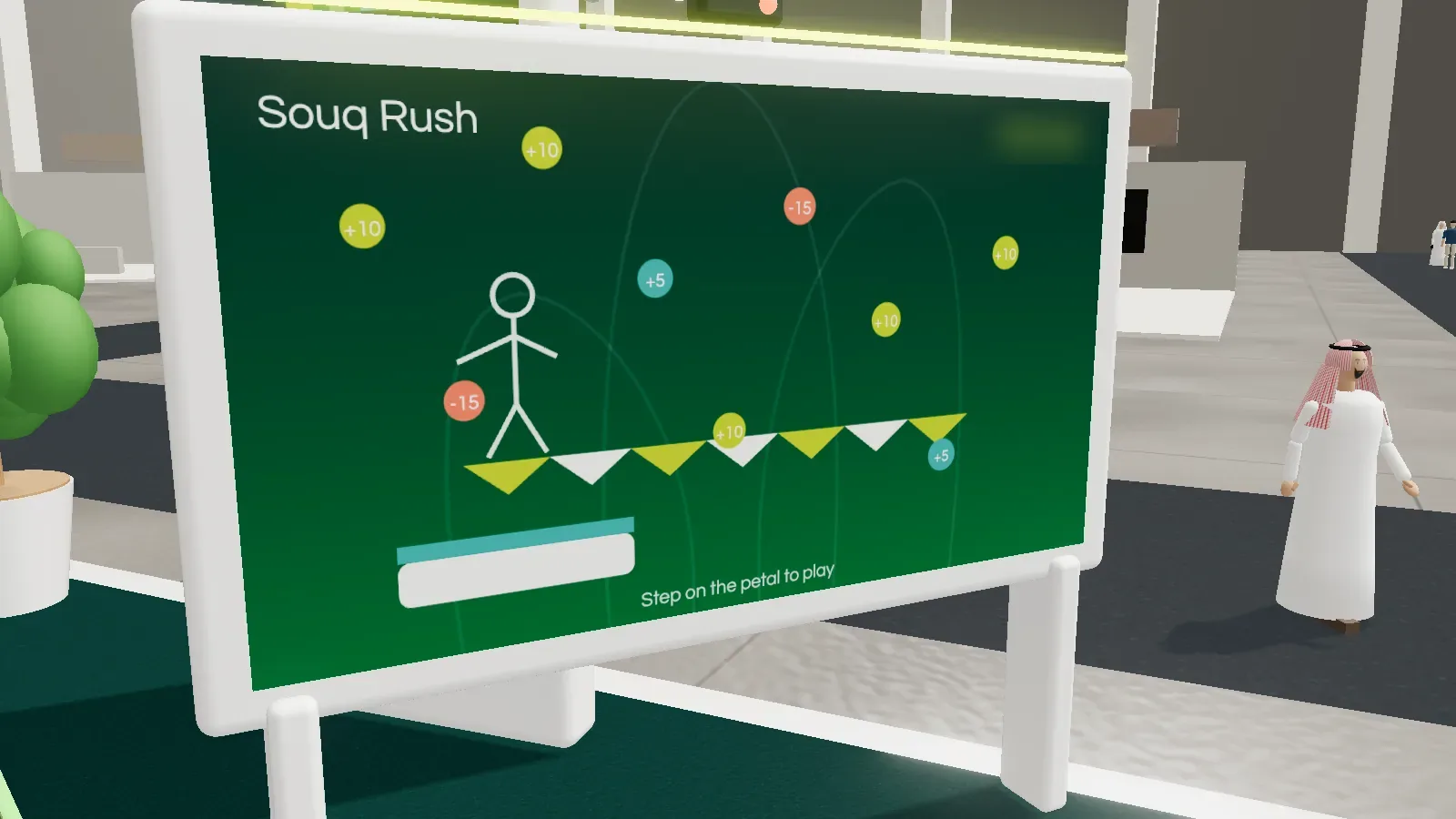
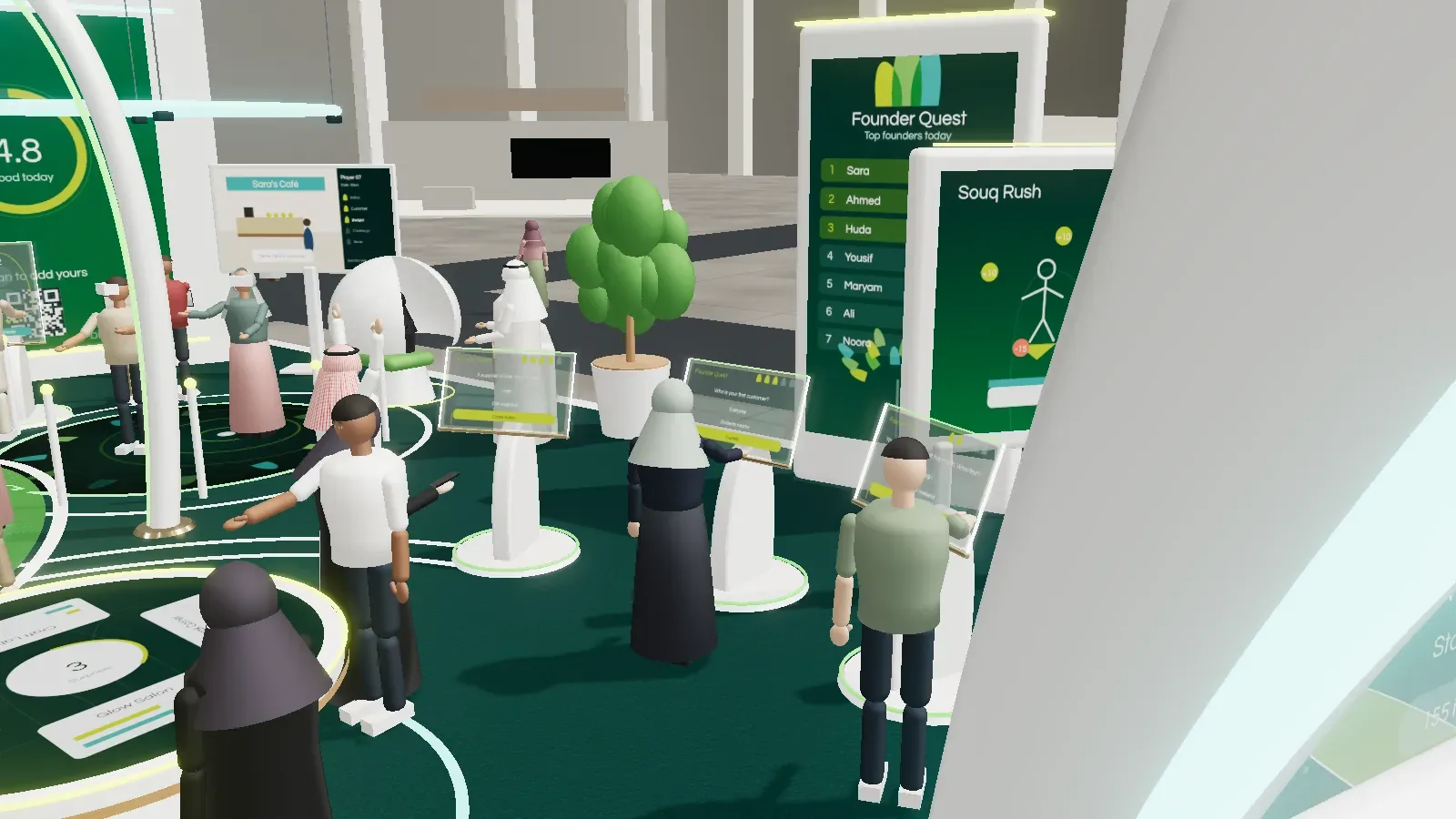
Three games, each teaching one idea. Founder Quest is a five stage quiz where every answer explains why. Business Rescue hands the player a struggling fictional business, a small budget and three decisions, then throws a surprise at them. Souq Rush is a motion game played with the whole body on a big screen: catch customers and stock, dodge impulse buys, then make one money decision between rounds. All three feed a live leaderboard, because the people watching are the next players.
Future Business VR and augmented reality
In the VR experience, a visitor chooses a business, puts on the headset and steps into their future workplace: they explore the equipment, meet a virtual customer, make a budget decision and handle a surprise. A spectator screen shows the crowd what the player sees. For people who do not want a headset, the augmented reality version places a business on the exhibition floor through a phone or tablet.
Founder stories, the showcase and the product explorer
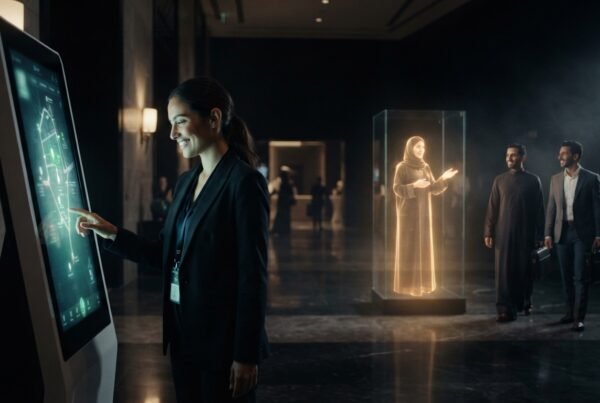
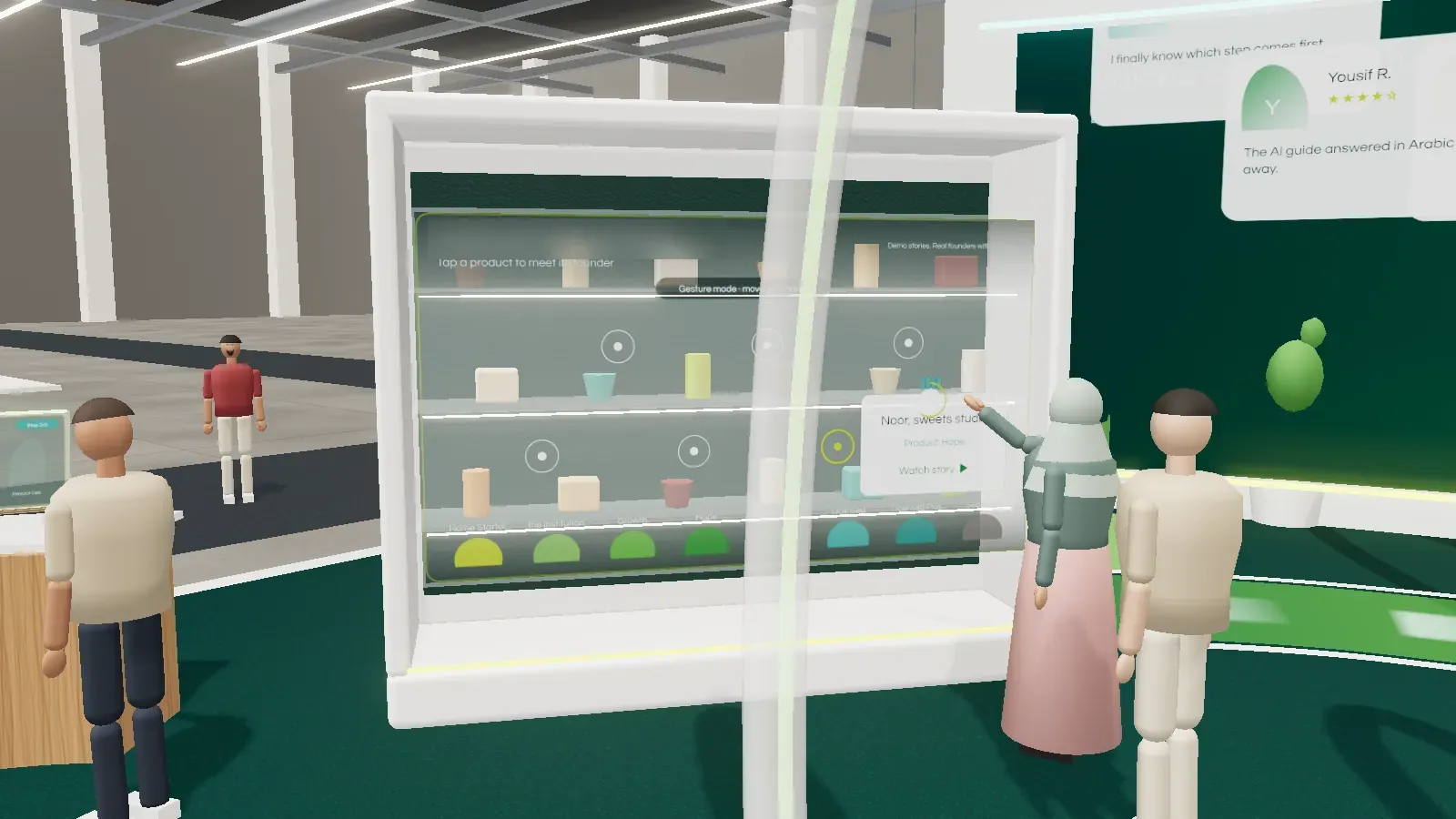
The interactive company story replaces a speech with something you can explore by touch or by hand gesture: who the institution is, how to apply, and real founders’ stories. The founder showcase is a glass cabinet of products made by funded entrepreneurs, where a gesture brings up the story behind each one. The financing product explorer filters the institution’s products by a visitor’s stage and need, and always says plainly that eligibility is the institution’s decision.
Visitor services
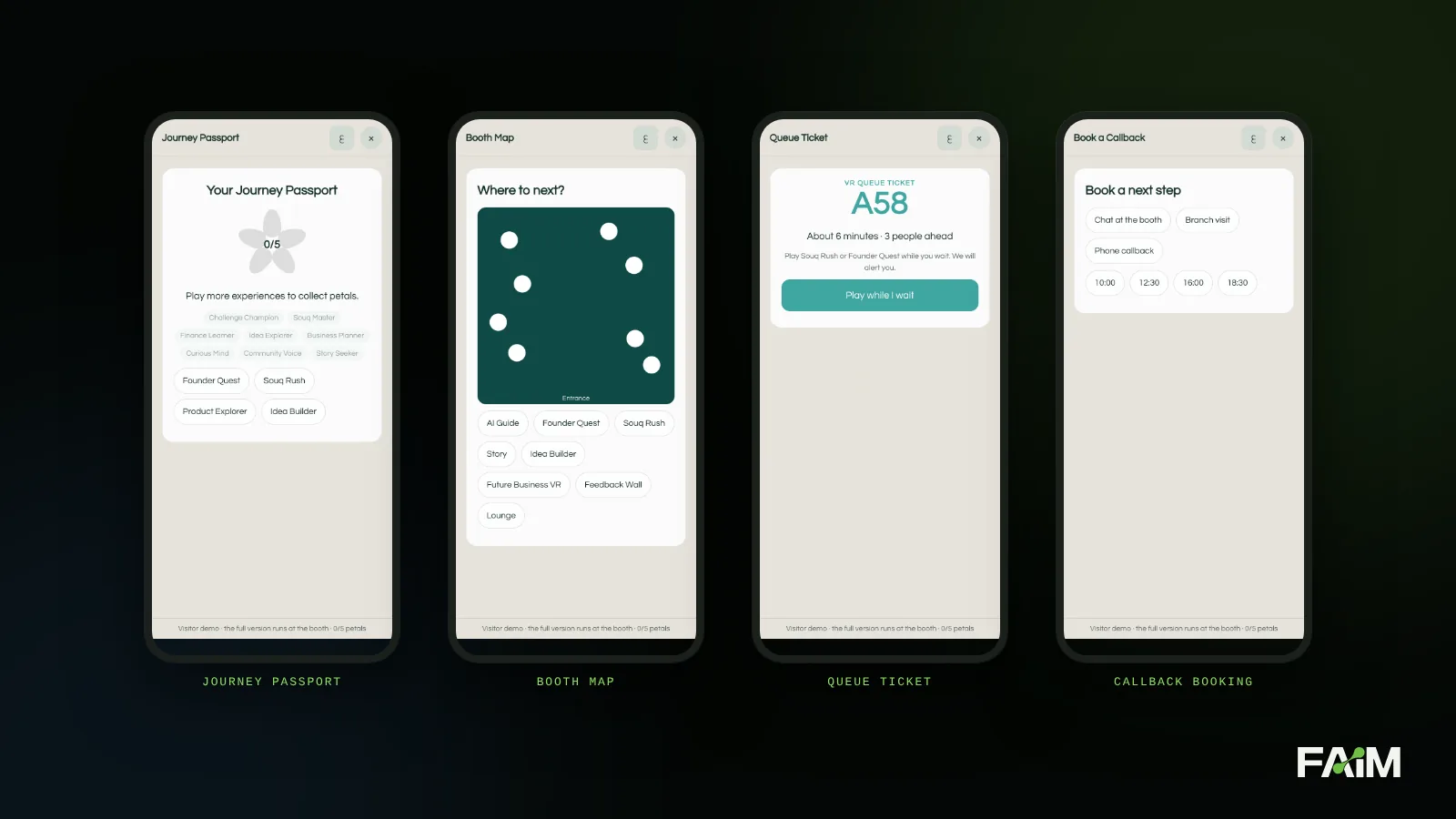
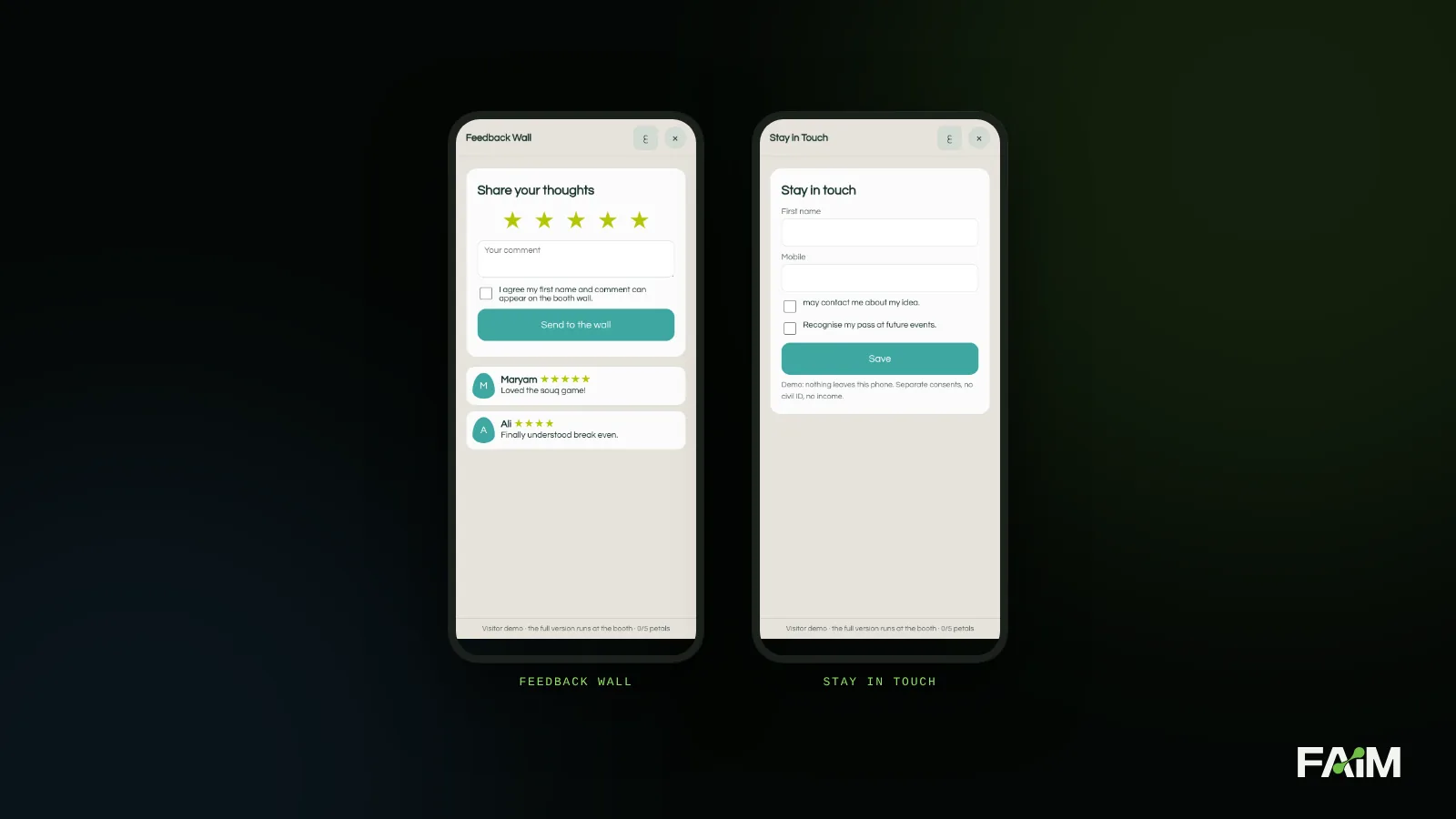
The quieter products are the ones that make a busy stand feel calm. A journey passport collects petals as the visitor moves between experiences. A booth map answers “where next?”. A queue ticket lets someone play Souq Rush while they wait for the VR headset. Callback booking turns interest into a time in the diary, and the feedback wall shows approved comments and photos live.
Hardware and the platform behind it
Around the experiences sit the pieces you never notice when they work: transparent and curved LED walls, holographic displays, touchscreen tables, a VR spectator display and a roadshow kiosk for taking the journey outside the hall. Behind them run a content management system, an event command centre, live analytics, device monitoring, an offline event server, a consent and data system, a shared knowledge base and a bilingual voice system.
How we built it
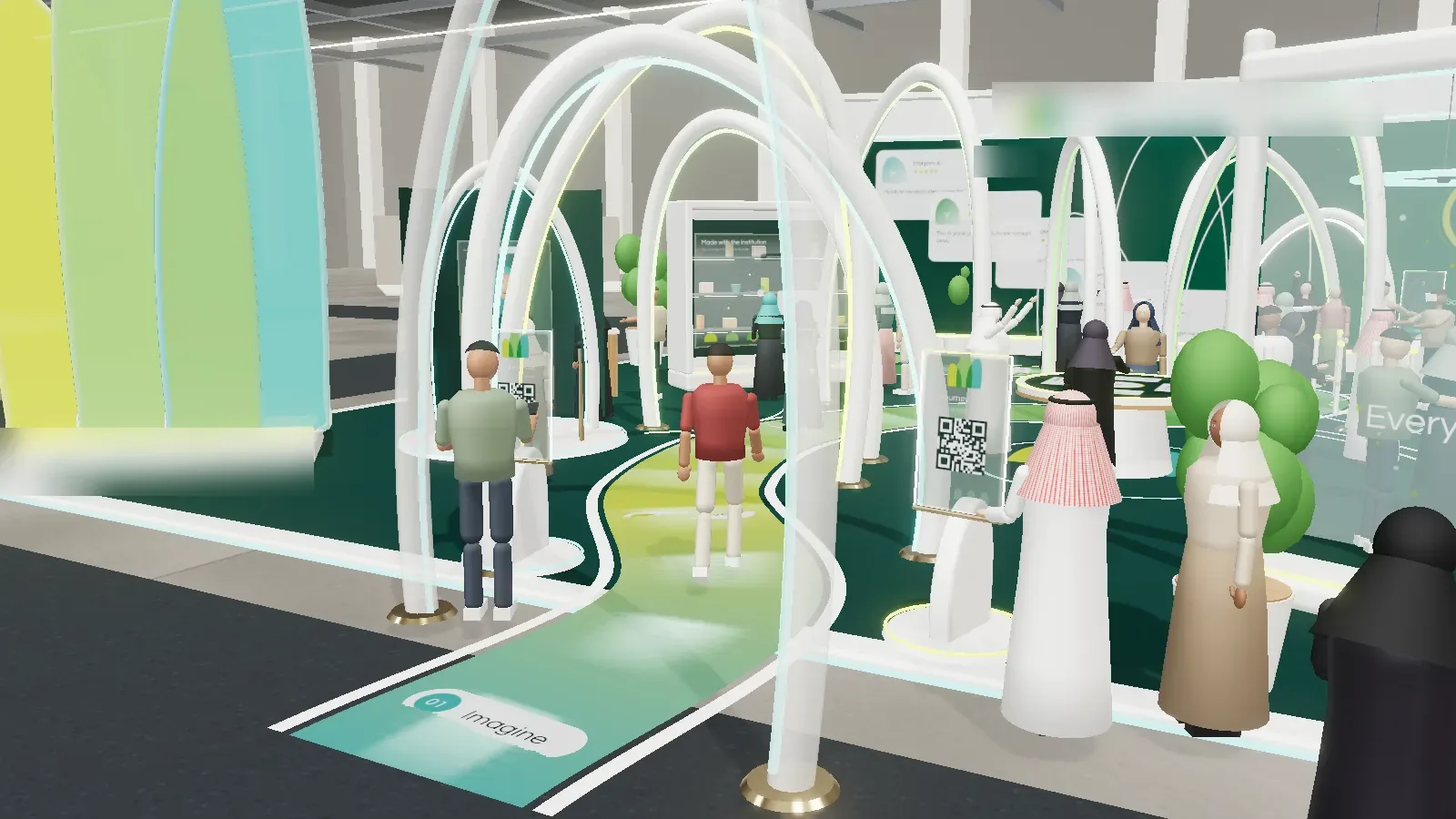
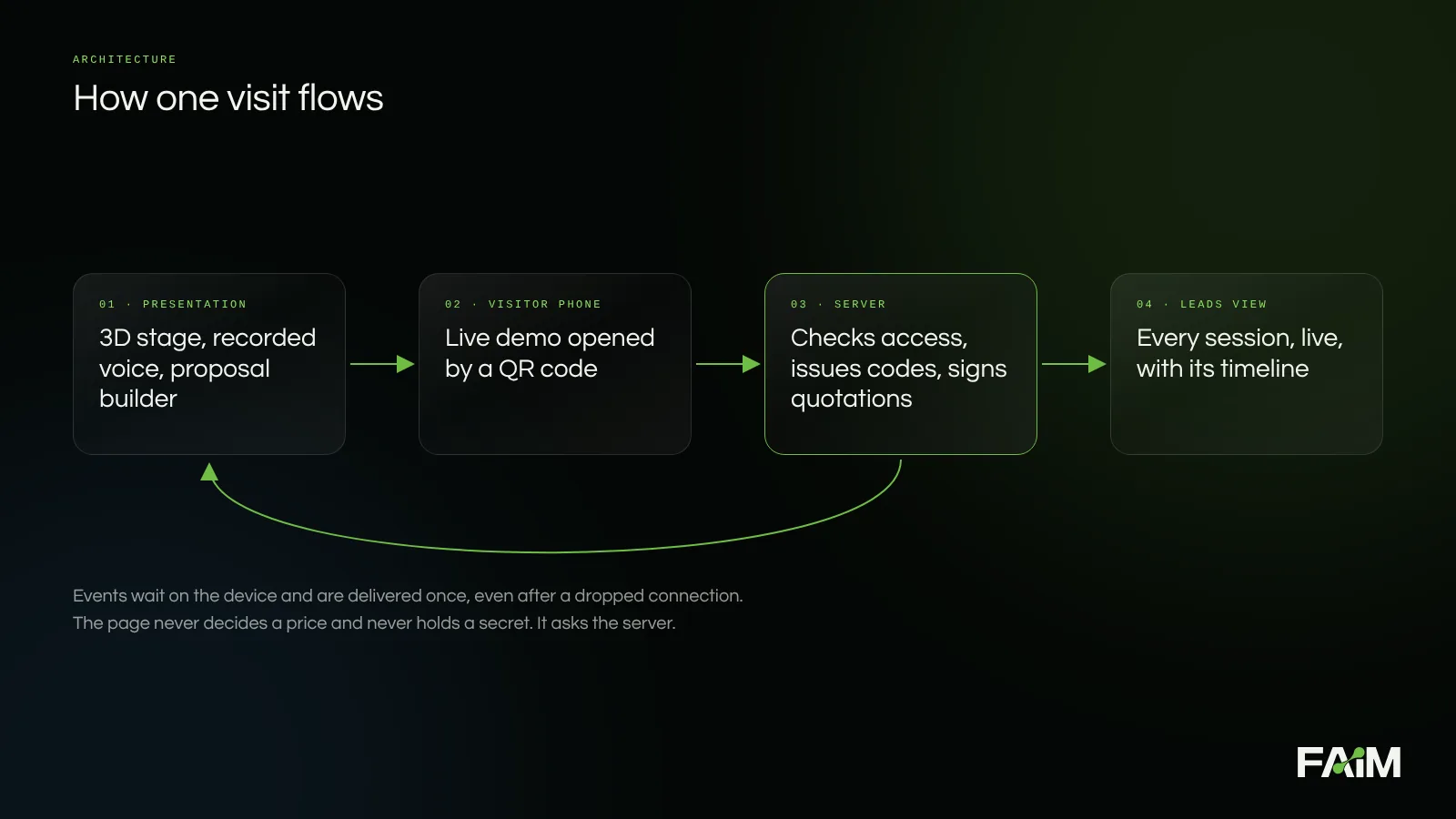
The whole presentation is one web address. It runs on a laptop in a meeting room, on a phone in a taxi, or on a large screen in kiosk mode where the voice plays on its own.
- A light 3D stage. The pavilion is drawn in the browser, with day, show and night lighting and visitors in local dress, kept small enough to open on an ordinary phone connection.
- One audio channel. Browsers will not play sound until someone taps, so the tour starts with one clear button that switches the voice on. Every clip has a priority, so a product the visitor picked always outranks background narration.
- Live QR codes. A code is only drawn after the server confirms where it leads. If the destination is not ready, the screen says so instead of showing a code that goes nowhere.
- A server that decides. Selections, quotation numbers and the checks behind them live on the server, never in the page. Every quotation carries its own QR code so anyone can confirm it is genuine.
- Nothing lost. Each action waits in a queue on the device until the server confirms it, and the server keeps it exactly once. If the Wi-Fi drops halfway through a tour, the conversation is still there when it comes back.
- Private by default. The presentation sits behind a password, with a one tap way to request it on WhatsApp. A link or code we send opens it directly.
- Arabic and English as equals. The layout switches fully, right to left, not just the words.
How we solve problems
None of the decisions above arrived on day one. Most came from something going wrong in testing, and the honest way to describe our process is: build it, use it like a stranger, notice what annoys you, fix the cause rather than the symptom.
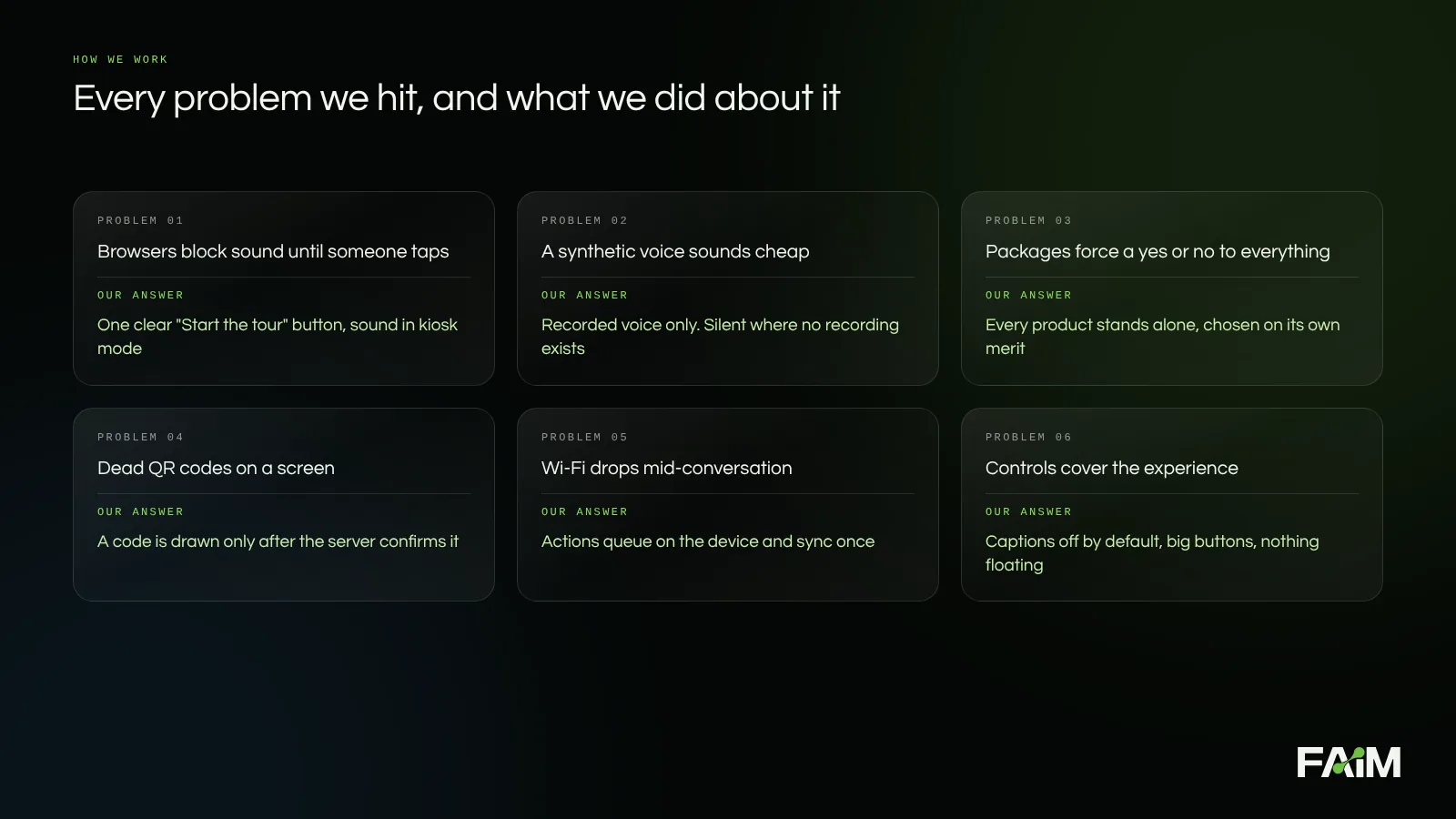
A few examples from the build log. The first tours opened in silence because the browser was waiting for a tap, so the opening screen now asks for one, clearly, and plays the welcome as soon as it gets it. An early version offered packages, and every review turned into a debate about the package rather than the products, so we removed them. QR codes on a static screen can quietly break, so we stopped drawing any code the server had not confirmed. The avatars’ head coverings were hiding their faces, which made the guide feel cold, so we reshaped them. And when we tried a panel that hid itself to show more of the pavilion, our own reaction was that we were hiding things from the visitor, so we went the other way: fewer controls, larger buttons, captions off unless asked for.
We also cut things on purpose. An early draft carried planning notes inside the presentation. They came out. A decision maker should see what they are getting, not how we argued about it.
The team behind this is small, and the work is a mix of disciplines: spatial design for the pavilion, motion and illustration for the screens, voice direction for the recordings, and engineering for everything that has to be right every time, such as the queue, the codes and the quotations. Each discipline checks the others. The designer asks whether a screen is calm enough. The engineer asks what happens when the network drops. The person who wrote the voice script asks whether a visitor would say it out loud.
Why this selection fits
- It meets young founders where they already are. Every experience opens on the visitor’s own phone, so the booth goes home with them.
- It teaches rather than displays. The idea builder, the plan helper and the games walk a visitor through real first steps of starting a business, which is the institution’s mission in a form you can do in a few minutes.
- It earns consent before it collects anything. Separate consents, nothing personal inside a QR code or a shared link.
- It works in both languages. Arabic and English, with the layout to match.
- They choose only what they need. Each product stands alone, and there is a starting path for a team that wants to begin with one product and grow from there.
- It leaves a record people can trust. Every selection and every quotation is saved, numbered and checkable, so the people who approve it see exactly what the presenter showed.
In short, the tool that presents the pavilion is also a working sample of it. What the client tries in the presentation is what their visitors would use on the day.
What is still open
This is a live proposal, not a finished installation, and we would rather say so. There are no visitor numbers yet; those come after the pavilion runs, and we will report them as measured. A handful of short voice lines inside the proposal builder are written but not yet recorded, so those moments stay quiet for now. Product descriptions inside the Arabic layout are still being translated, and the 3D people and the VR zone show the intent rather than the final design.
Questions clients ask
Can we try an interactive presentation like this before we commit to a booth?
Yes. That is the point of building it. The presentation lets your team walk the stand, try each product on a phone and choose what to keep before anything is fabricated.
Does it need an app?
No. The phone experiences open in the browser from a QR code or a link. Only the VR experience needs a headset, and it runs on the stand.
What happens if the venue Wi-Fi fails?
Each experience has an offline mode, and every visitor action waits on the device until it can be delivered, so nothing is lost.
Can it work in Arabic and English?
Yes. The full layout switches to Arabic, right to left, and the talking guide answers in both languages.
Can we choose only some of the products?
Yes. Every product is offered on its own. You can start with one and add more later.
Walk your own booth before you build it
If you have a stand, a pavilion or a launch coming up in Bahrain or Saudi Arabia, tell us who your visitors are and what you want them to do before they leave. We will build the experience you can walk, test and change before a single panel is printed.
Message FAIM on WhatsApp · Contact FAIM · Interactive exhibition booths
Joby Thuruthel / FAIM
Found this useful?